


Generative UI
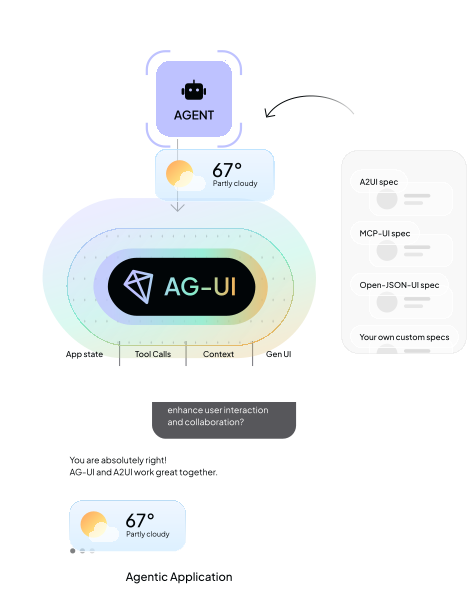
The three pillars of Generative UI, and how AG-UI and CopilotKit work with them all.
What Is Generative UI?
Generative UI refers to any user interface that is partially or fully produced by an AI agent, rather than authored exclusively by human designers and developers. Instead of the UI being hand‑crafted in advance, the agent plays a role in determining what appears on the screen, how information is structured, and in some cases even how the layout is composed.
The core idea is simple: as agents become more capable, an agentic application's UI itself becomes more of a dynamic output of the system — able to adapt, reorganize, and respond to user intent and application context. This can be done in very different ways, each with its own tradeoffs.
This page covers:
- Application Surfaces - where Generative UI shows up within an agentic application.
- Attributes - how different Generative UI types and uses vary and why.
- Types - the three pillars of Generative UI, their uses and tradeoffs.
- Ecosystem Mapping - how the pillars of Generative UI map to the ecosystem.
- AG-UI and CopilotKit - how AG-UI and CopilotKit work with every pillar of Generative UI.
Application Surfaces for Generative UI
Generative UI can appear in different parts of an application, depending on how users interact with the agent and how much the application mediates that interaction. Where it appears shapes both the user experience and the developer’s responsibilities.
1. Chat (Threaded Interaction)
Slack-like conversational interface where the app brokers each turn. Generative UI appears inline as cards, blocks, or tool responses.
Key traits:
- Turn-based, message-driven flow.
- App mediates all agent communication.
- Great for support, Q&A, debugging, and guided workflows.
Examples: Slack bots, Discord bots, Intercom AI Agent, Zendesk AI, GitHub Copilot Chat, Notion AI Chat.
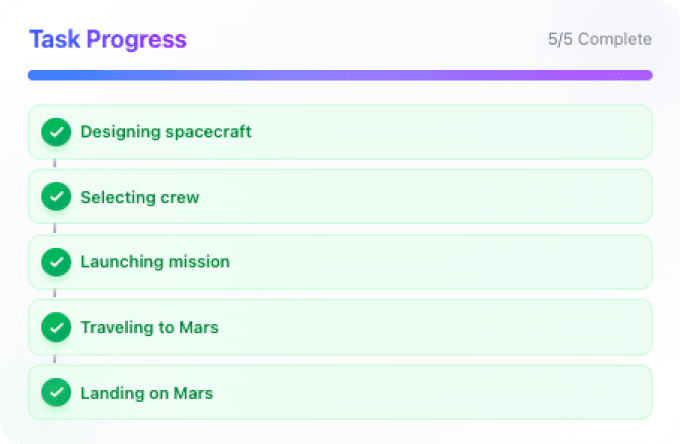
2. Chat+ (Co‑Creator Workspace)
A side‑by‑side or multi-pane layout: chat in one pane, a dynamic canvas in another. The canvas becomes a shared working space where agent‑generated UI appears and evolves.
Key traits:
- Chat remains present but secondary.
- Canvas displays structured outputs and previews.
- Generative UI can appear in the canvas or chat space.
- Ideal for creation, planning, editing, and multi‑step tasks.
Examples: Figma AI, Notion AI workspace, Google Workspace Duet side‑panel, Replit Ghostwriter paired editor.
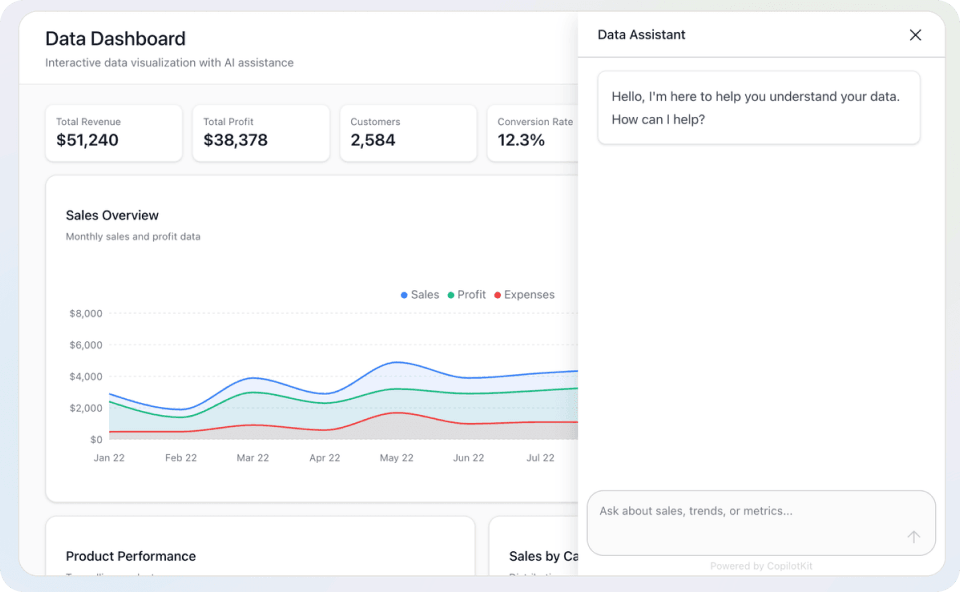
3. Chatless (Generative UI integrated into application UI)
The agent doesn't talk directly to the user. Instead, it communicates with the application through APIs, and the app renders generative UI from the agent as part of its native interface.
Key traits:
- No chat surface at all.
- App decides when and where generative UI appears.
- Feels like a built-in product feature, rather than a conversation.
- Ideal for dashboards, suggestions, and autonomous task helpers.
Examples: Microsoft 365 Copilot (inline editing), Linear Insights, Superhuman AI triage, HubSpot AI Assist, Datadog Notebooks AI panels.
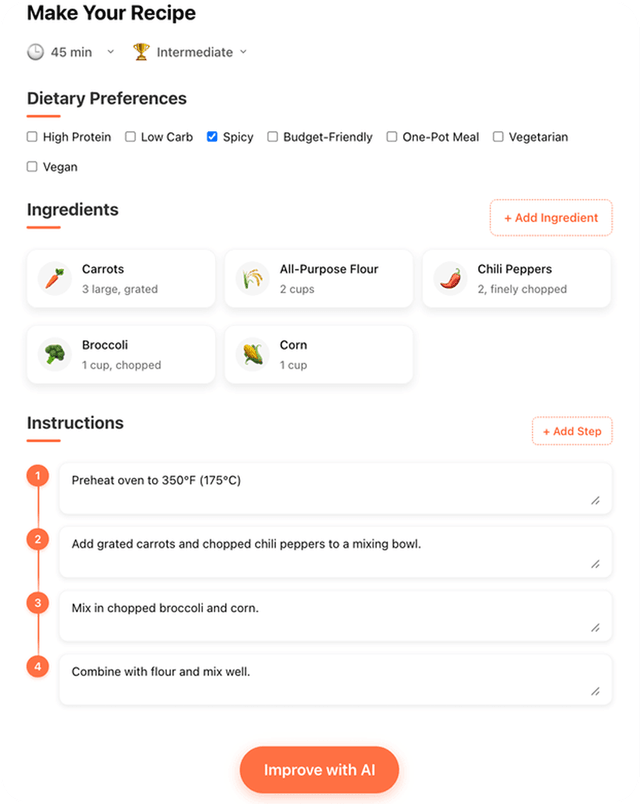
Attributes of Generative UI
The pillars of Generative UI, and even individual uses, vary greatly in terms of two attributes: freedom, and control.
Attribute: Freedom of Expression
The generative UI types are highly differentiated by what they can represent - their visual "freedom".
On the fixed end of the spectrum, controlled generative UI (previously called "static") returns only predefined components.
On the other end of this axis, open generative UI (previously called "open-ended") can include arbitrary HTML, making any kind of interaction possible, in theory.
Declarative UI sits in the middle, with a wider, but still constrained visual vocabulary from which both the programmer and the agent can choose.
Attribute: Who has Control
A more subtle, and trickier to manage, attribute of generative UI lies in who decides on the representation: the Agent (LLM) or the Programmer (Application Developer).
To take open generative UI as an example, the agent has the ability to present arbitrary HTML. But where does the HTML come from? It can be predefined in code which is returned by the agent, or it can be fully generated by an LLM. In many cases the application developer would want to define what the agent can deliver in order to feel native to the app, even though the programmer might want to use HTML for its richness.
Even with controlled generative UI, there are control choices to be made. You can hardcode the agent to present a specific generative UI when something specific happens, or let an LLM choose to surface it from scratch.


The Three Pillars of Generative UI
Controlled
UI is chosen from a fixed set of developer-built components.
Declarative
A structured UI specification (cards, lists, forms, widgets) composed from a catalog of building blocks.
Open
Arbitrary UI (HTML, iframes, free-form content) generated by the agent, rendered in a sandbox.
MCP Apps (special case)
Third-party app surfaces embedded into your agentic application via sandboxed iframes.
Generative UI rests on three pillars — controlled, declarative, and open — ordered by how much of the rendered interface the agent controls, from components the developer fully pre-builds to a canvas the agent fully owns. MCP Apps are a special case alongside them: embedded third-party surfaces rather than a new kind of UI generation.
The pillars are differentiated by their freedom of UI expression, and they form a continuum rather than three silos. The Generative UI Spectrum maps the trade-offs in depth, with live demos of each type.
1. Controlled Generative UI
Controlled generative UI (sometimes called static generative UI) lets engineers hand-craft specific visual components, and agents simply decide which of those components to render and with what data. The agent does not generate arbitrary UI; instead, it maps generated data to existing UI components.
In this model, the front end defines every detail of the experience — the layouts, the styles, the interaction patterns, and the constraints. The backend or agent contributes information and intent, but the rendering ultimately comes from a predefined set of components.
Why teams use it
- Guarantees high visual polish and consistency.
- Ideal for high-traffic, mission-critical surfaces where predictability matters.

Tradeoffs
- The more use cases, the more components you must build and maintain.
- The frontend codebase grows proportionally to the number of agent capabilities.

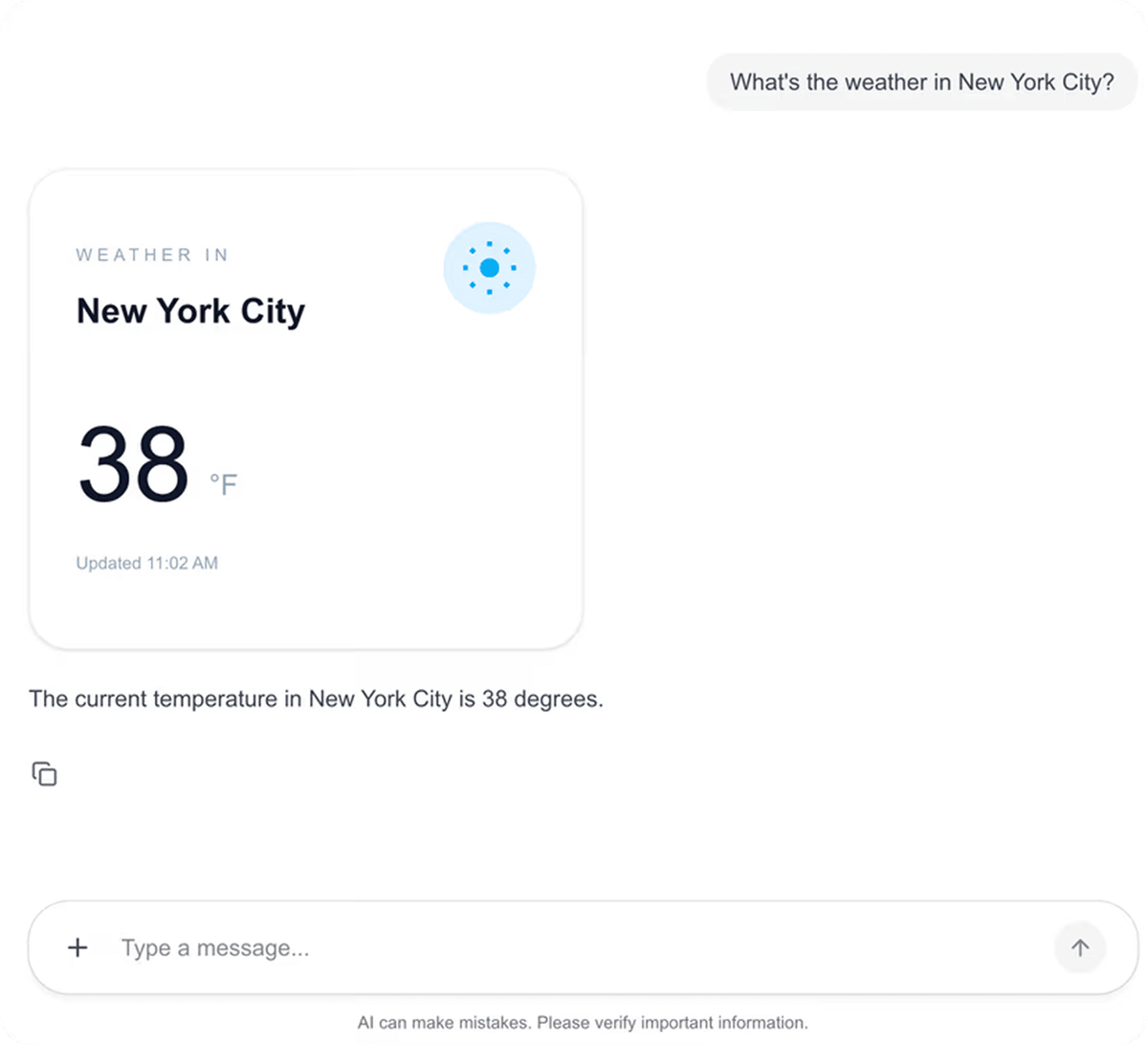
Example: Using CopilotChat with AG-UI
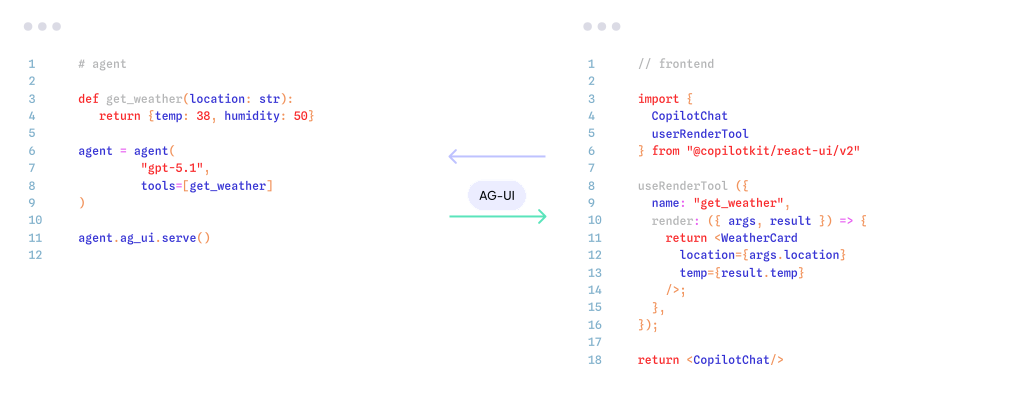
The agent defines tools, AG-UI handles the connection, and the frontend renders predefined components.
2. Declarative Generative UI
Declarative generative UI balances structure and flexibility by having agents return a structured specification rather than arbitrary UI code. Instead of free-form HTML, agents emit a well-defined schema — such as a collection of cards, lists, forms, or widgets defined by a declarative standard.
This approach preserves consistency while giving agents far greater expressive power than purely controlled component libraries. It creates a middle ground where UI is not handcrafted for each use case, but is also not fully free-form.
Why teams use it
- Supports a wide range of use cases without requiring custom components for each.
- Developers can render the same spec across multiple frameworks (React, mobile, desktop, etc.).
- Cleaner separation between application logic and presentation.
Tradeoffs
- Custom UI patterns may not be possible.
- Visual differences can still occur if specs are interpreted differently.
Example: Using A2UI
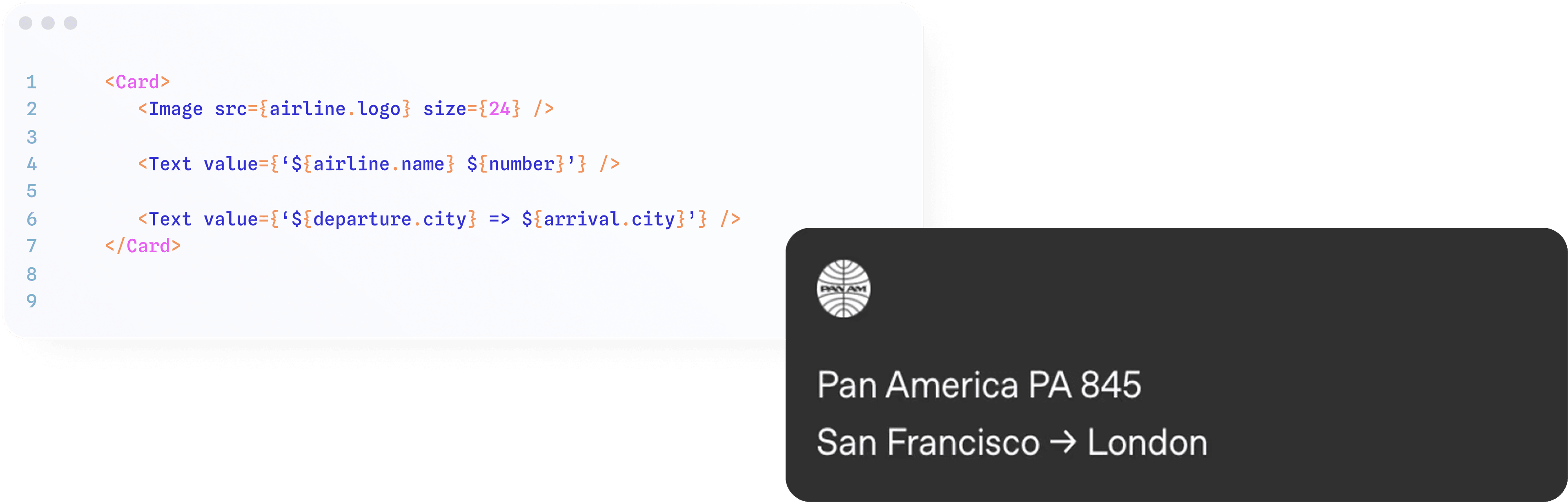
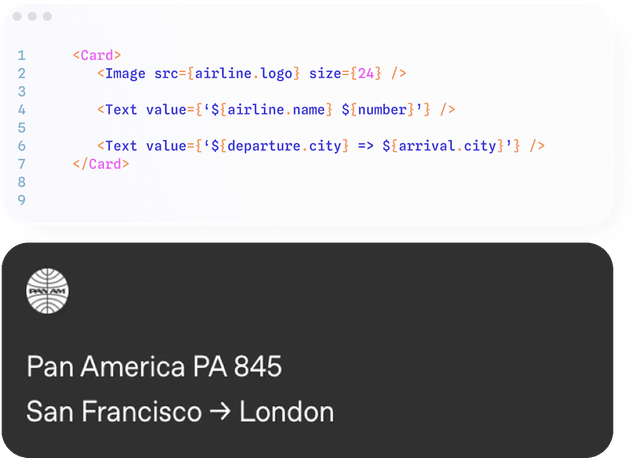
The agent returns a structured spec (like a Card) that the frontend interprets and renders consistently.
3. Open Generative UI
Open generative UI (sometimes called open-ended generative UI) represents the far end of the spectrum. Here, the agent owns the entire visual surface and returns complete UI — often as HTML or free-form markup — which the application renders inside a sandbox.
This provides the fullest freedom of expression: the agent controls markup, layout, and styling, generating exactly what it thinks the user should see — a calendar, a custom table, an animated visualization, or an interactive mini-app built on the fly.
Why teams use it
- Any type of UI can be part of an agent response, generated on the fly.
- Minimal coupling between frontend code and agent behavior.
- Great for one-off visualizations and bespoke experiences without frontend engineering cycles.
Tradeoffs
- More error-prone, slower, and more expensive than the pillars to its left — still mostly experimental today.
- Security and performance considerations when rendering arbitrary content.
- Styling consistency and brand alignment become challenging.
A Special Case: MCP Apps
With MCP Apps, developers inject third-party surfaces directly into their own agentic application via embedded iframes. At runtime, those surfaces load inside a sandbox, and the agent and the user interact with them directly.
The AG-UI MCP Apps handshake brings the same applications that were designed for the ChatGPT and Claude app stores into your own custom agents and agentic applications.
Why teams use it
- Third-party tools bring their own UI, with no frontend work on your side.
- The same apps built for the ChatGPT and Claude app stores work in your own product.
- Open-ended experiences controlled by a remote service.
Tradeoffs
- Designed primarily for the super hosts (ChatGPT, Claude, Cursor) rather than first-party experiences.
- The iframe indirection means an app inside your app.
- Web-first: not yet a good fit for non-web surfaces such as mobile or Slack.
Example: Using MCP-UI & ChatGPT Apps SDK
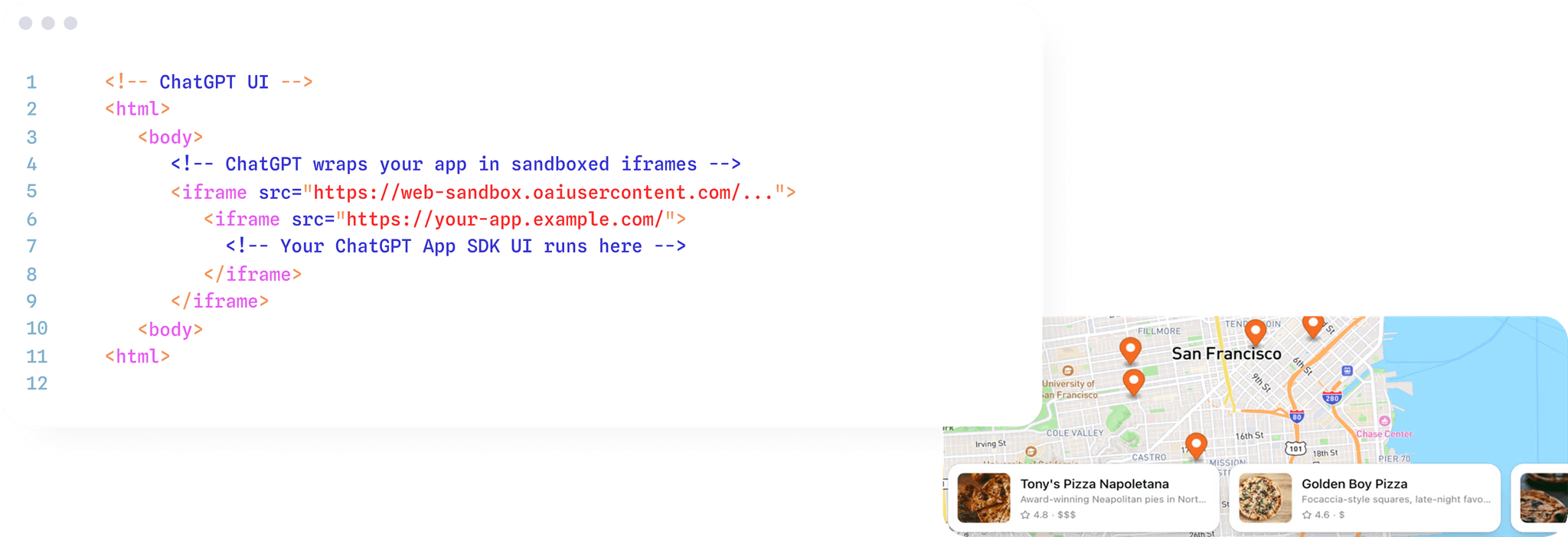
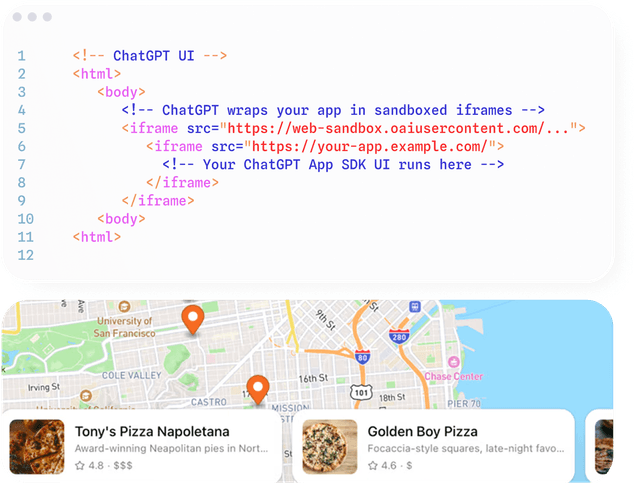
A third-party surface loads inside a sandboxed iframe, and the agent and user interact with it directly.
Build Interactive Agents with Generative UI
Atai Barkai (CEO, CopilotKit) walks through the Generative UI Spectrum end-to-end — building a fullstack agent app with CopilotKit, AG-UI, MCP Apps, and A2UI.
Ecosystem Mapping
Several recently announced Generative UI Specifications, have added richness (and some confusion) to generative UIs. These include MCP-UI, Open JSON UI, and the newly released A2UI.
The generative UI styles map cleanly to the ecosystem of tools and these standards.
This mapping highlights that no single approach is superior — the best choice depends on your application's priorities, surfaces, and UX philosophy.
| Approach | Examples | Strengths | Weaknesses |
|---|---|---|---|
| Controlled | AG-UI, CopilotChat, useAgent | Fidelity, reliability, brand control | Engineering intensive, linear growth |
| Declarative | A2UI, Open-JSON-UI | Balanced, scalable, multi-renderer | Limited full customization |
| Open | Agent-generated HTML (sandboxed) | Unlimited creativity, maximum adaptability | Experimental: slower, less predictable |
| MCP Apps | MCP Apps, MCP-UI, ChatGPT Apps | Third-party apps bring their own UI | Hard to style, secure, or port |
AG-UI and CopilotKit are Gen UI Agnostic
AG-UI is designed to support the full spectrum of generative UI techniques while adding important capabilities that unify them.
AG-UI integrates seamlessly with all three pillars of generative UI (controlled, declarative, and open) as well as MCP Apps. Whether teams prefer handcrafted components, structured schemas, or agent-authored surfaces, AG-UI can support the workflow.
But AG-UI adds shared primitives — interaction models, context synchronization, event handling, a common state framework — that standardize how agents and UIs communicate across all surface types.
CopilotKit works with any generative UI, and uses AG-UI to connect the agent to the frontend.
This creates a consistent mental model for developers while empowering agents to take advantage of the capabilities of any generative UI pattern.
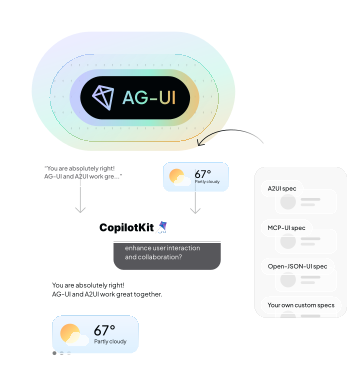
AG-UI acts as a universal runtime that works with A2UI, MCP-UI, Open-JSON-UI, and custom specs of any type.
Enhance your applications
with powerful AI capabilities
Start with a single command
Copied