The way we interact with UI is evolving. For 70 years, we have designed computer interfaces. Mainframe, CLI, GUI, Touch, Web.
AI is the next shift. This is how I've come to frame it: the interface that used to ship with the app now ships with the agent.
What I mean is that agents are now capable of generating/controlling parts of the user interface, a capability known as Generative UI. It changes how you think about the whole stack.
I just gave a talk at Mastra's Demo day on exactly this. Here is everything I talked about.
Quick intro: I'm Tyler. I'm on the founding team at CopilotKit. I've been there for ~1.5 years, joined because I was really excited about agentic experiences and how to optimize UX for the users who hit our agents.
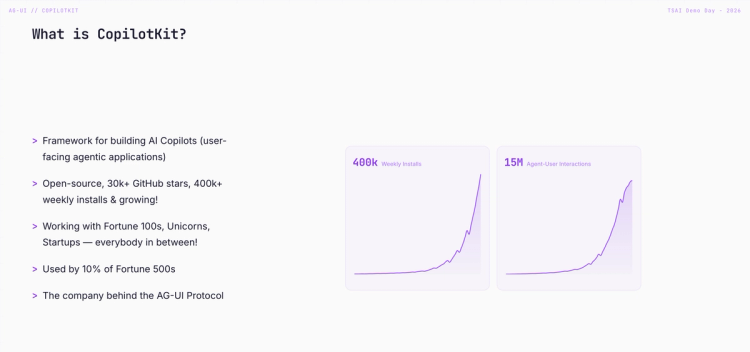
Small flex: I vibe-coded all the slides for this talk with CopilotKit embedded on them, so mid-presentation, I could ask the copilot to say hi to the audience. The slides themselves were agentic. Worked out great.
Alright, let's get into it.
We've existed at CopilotKit since ChatGPT 3.5 - technically before "agents" were really agents, and we've watched the paradigms evolve a lot. One thing has stayed constant, though: when people build agentic applications, they're almost always trying to do one of two things.
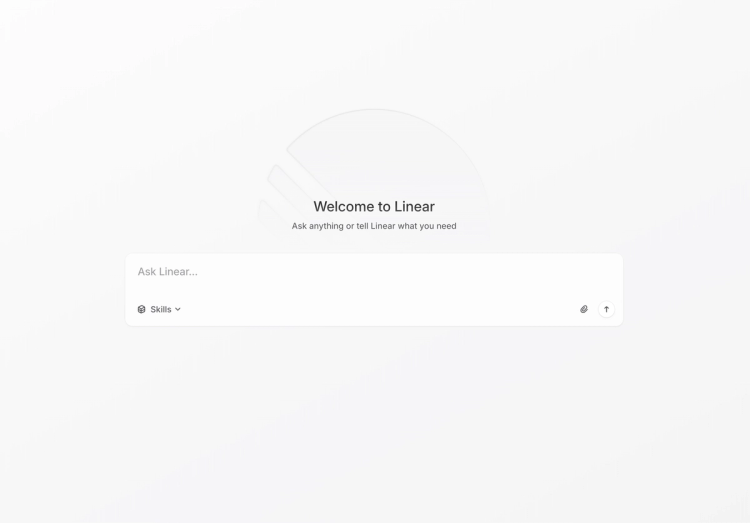
1. Tame SaaS complexity. SaaS copilots. Linear has one. You ask it to create tickets, summarize a project, and report on status. The agent lives inside the tool you already use.
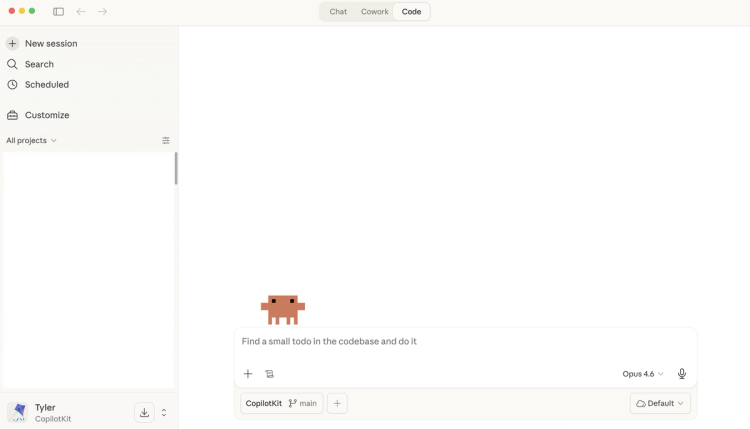
2. Accelerate core work. Productivity copilots. Claude Code, Codex. This is where you do your work—building, writing, shipping. Claude Code is my daily driver, and it's literally where I built these slides.
Different shapes, same direction. Agentic is becoming the default surface of the app, not a feature bolted on the side.
There's really one challenge everyone is facing: agent applications are really complex. And they break the traditional request-and-response paradigm we're used to.
1) They're long-running. A task can take five minutes. We optimize for that with streaming, so it seems faster than it is, and you can steer it or interrupt mid-run when it's going down the wrong path.
2) They're structured and unstructured. Output comes in as JSON, markdown, plain text, and, as we'll see today, as a UI too.
3) They hand off control. You delegate to subagents, those subagents run in parallel, and they need to report status back up. That status has to surface to the user somehow.
4) They produce non-deterministic UI. That's actually a lot of what this talk was focused on.

So what can we do to actually ship these applications at scale while focusing on our business logic?
That's why we built AG-UI.
AG-UI is the Agent-User Interaction Protocol. It's how you connect agentic backends to agentic frontends. The way I think about it: it completes the spectrum of inputs and outputs between a user and an agent.
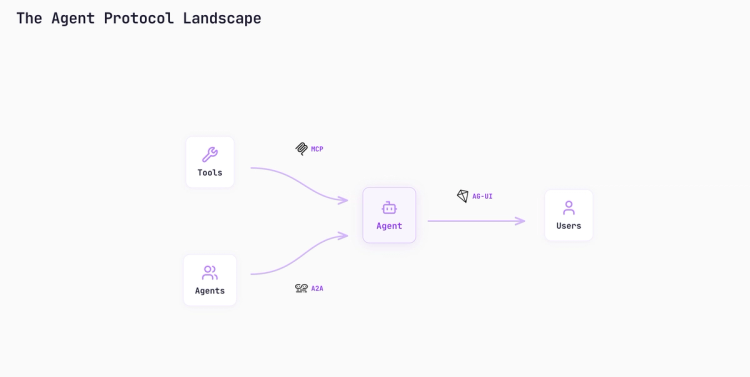
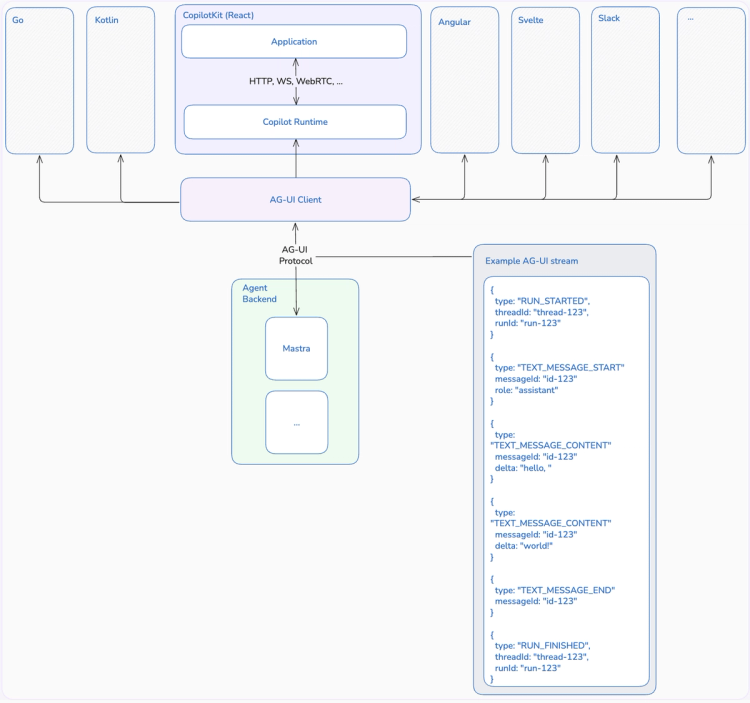
MCP and A2A are backend plumbing. AG-UI is the user-facing layer—the piece that was missing. Right now, CopilotKit is the React client. We also have an Angular client, and the protocol is transport-less: you can send AG-UI events to Rust, Go, wherever.
We're building Slack integrations now, so agents can reach users where they actually hang out.
Under the hood, it's client-server and streaming. Your app is the client, your agent is the server. Events flow in deltas. A typical stream looks like:
run_started         → which turn, which thread
text_message_start  → role, id
text_message_delta  → streamed content
text_message_end
run_finished
Plus events for tool calls, and what we call activity events - updates that shouldn't land in state but should surface to the user. A2UI, MCP Apps, and everything you're about to see all ride on top of AG-UI.
CopilotKit is the consumer of those events.
Now we can talk about Generative UI.
Generative UI isn't one thing. It's a spectrum, and the dial runs from more control to more flexibility. Three buckets sit along it.
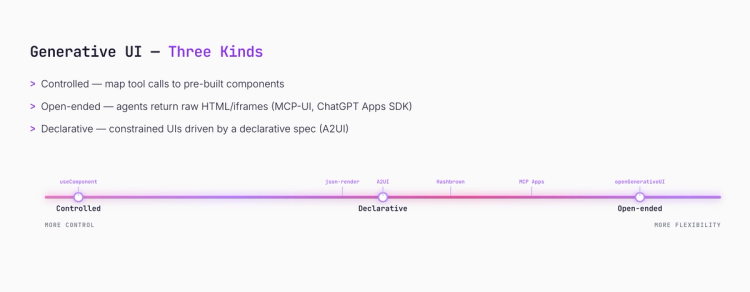
CopilotKit ships support for all three. Which one you reach for depends on how much control the agent should have. So the dial, as we are gonna move forward, is going from control to flexibility.
On the left hand side, we have this concept useComponent shipped with CopilotKit. You can take a component from your front end, give it to your agent, and your agent can now use and show that component to your user.
Under the hood: the component is wrapped as a tool. The agent's tool-call args map to your component's props, streaming in real time.
The code is dead simple. On the agent side, we define a Mastra agent with a single tool that fetches data. Imagine it's coming from a CSV or database.
import { Agent } from "@mastra/core/agent"
import { createTool } from "@mastra/core/tools"
import { z } from "zod"

const getExpenses = createTool({
  id: "get-expenses",
  inputSchema: z.object({ category: z.string() }),
  execute: async ({ category }) => [
    { label: "Food", value: 400 },
    { label: "Transport", value: 200 },
    { label: "Housing", value: 800 },
  ],
})

export const dataAgent = new Agent({
  name: "Data Agent",
  tools: { getExpenses },
  model: openai("gpt-5.4"),
})
On the frontend, we define a component called pieChart, describe what it does so the agent knows when to use it, declare the parameters it expects as a Zod schema, and pass the real React component as the renderer.
AG-UI carries the tool call over, CopilotKit maps the props into the component, and you get a streamed pie chart that matches your design system.
import { useComponent } from "@copilotkit/react-core/v2"
import { z } from "zod"

useComponent({
  name: "pieChart",
  description: "Displays a pie chart.",
  parameters: z.object({
    title: z.string(),
    description: z.string(),
    data: z.array(z.object({
      label: z.string(),
      value: z.number(),
    })),
  }),
  render: PieChart,
})
In my demo, I asked for my spending breakdown and got a pie chart that looks exactly like the rest of the design system, because I wrote that component.
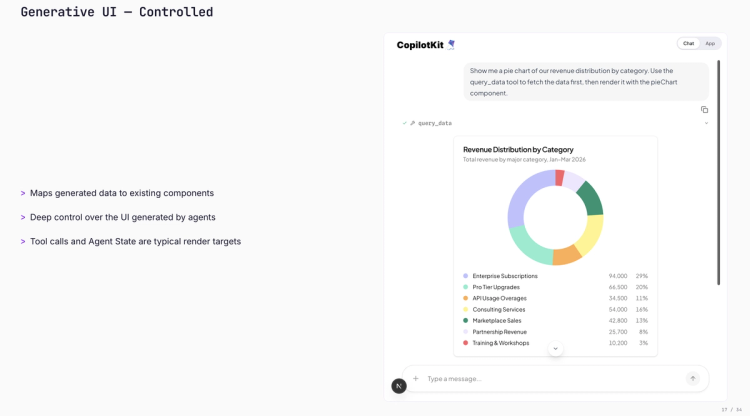
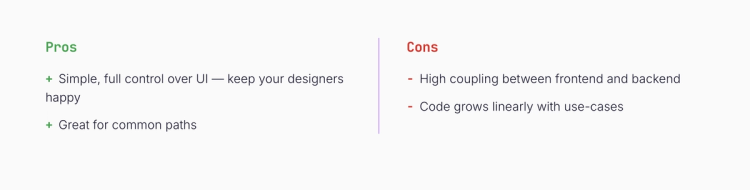
Pros. Pixel-perfect UX, designers stay happy, great for your common paths. Anything you want the agent to handle the exact same way every time.
Cons. High coupling between front end and back end. And the codebase grows linearly with use cases: 25 components equal 25 tools in your agent's context window. That pollution adds up.
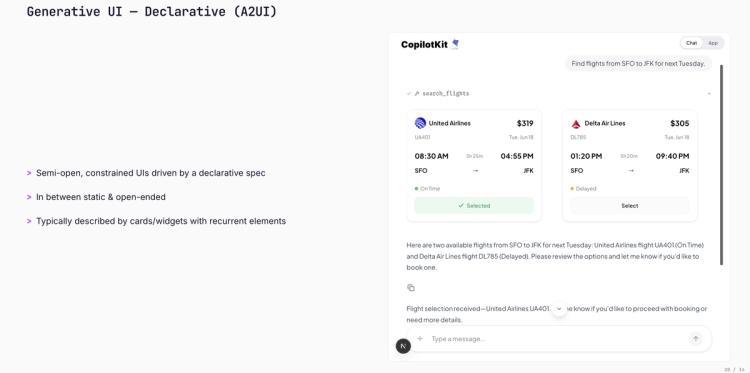
Then comes the middle of the spectrum. Semi-open, constrained UIs driven by a declarative spec that maps to renderers on the front end. The agent delegates the layout, but the component set is predetermined.
We use Google's A2UI spec here. Other approaches in this bucket: json-render and our own take called Hashbrown.
Let's see the code.
On the agent side, I declare what the flights surface looks like as an A2UI schema, expose one tool (searchFlights), and on call, I push the schema plus data model through AG-UI. The agent picks the components and populates them - I'm not hand-building each card.
import { a2ui } from "copilotkit"

const schema = a2ui.loadSchema("./schemas/flights.json")

const searchFlights = createTool({
  id: "search-flights",
  execute: async ({ flights }) => {
    return a2ui.render([
      a2ui.createSurface("flights"),
      a2ui.updateComponents("flights", schema),
      a2ui.updateDataModel("flights", { flights }),
    ])
  },
})
On the frontend, I build a catalog out of the real components my app already ships with (mapping schema definitions to React renderers) and pass it to the CopilotKit provider. That's the whole wiring.
import { CopilotKit } from "@copilotkit/react-core/v2"
import { createCatalog } from "@copilotkit/a2ui-renderer"

const catalog = createCatalog(definitions, renderers)

<CopilotKit runtimeUrl="/api/copilotkit" a2ui={{ catalog }}>
  <CopilotChat />
</CopilotKit>
Because Mastra is TypeScript, types flow end-to-end. You hand the agent a catalog; the agent picks components, emits the spec; AG-UI carries it; CopilotKit hydrates it into a real interactive UI on the front end.
In the talk, I showed a flight example. The agent composed flight cards with the airline logos provided, and each card was interactive (I clicked "Delta" and the agent received the event).
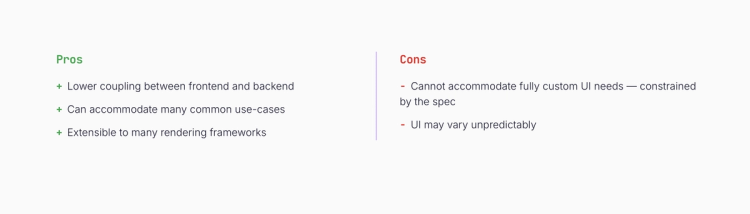
Pros. Lower coupling. One tool for many UIs. Great for the long tail of interactions where you can't pre-build every flow. Extensible to any rendering framework because it's just a JSON schema.
Cons. The LLM controls layout. Between runs, the output can vary slightly. Sometimes more than slightly.
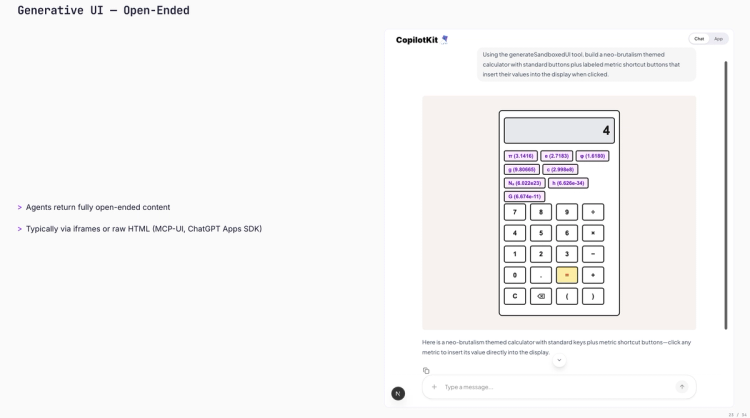
This is the wild one. Here, the agent returns fully open content. No catalog, no component map, just a blank canvas.
Two patterns here are worth naming:
How it works under the hood: CopilotKit sends a client tool through AG-UI (which transports tools from the front end to the agent), and the agent executes that tool by writing HTML.
On the agent side, there's almost nothing to it. One agent, one instruction. The "tool" that renders HTML is provided by the frontend via AG-UI.
export const agent = new Agent({
  name: "Open GenUI Agent",
  model: openai("gpt-5.4"),
  instructions: "You can generate interactive HTML content for the user.",
})
On the frontend, it's one flag on the provider. CopilotKit does the rest: registers the HTML-render client tool, handles the double-iframe sandbox, and drops the result into the chat.
<CopilotKit runtimeUrl="/api/copilotkit" openGenerativeUI={true}>
  <CopilotChat />
</CopilotKit>
We also ship headless UI primitives so you can drop agent-generated UI anywhere in your app, not just inside the chat window.
It's interactive (typed two plus two), and it works. It looks different literally every time. One run was "neo-brutalist" and looked pretty rough. Another run looked great.
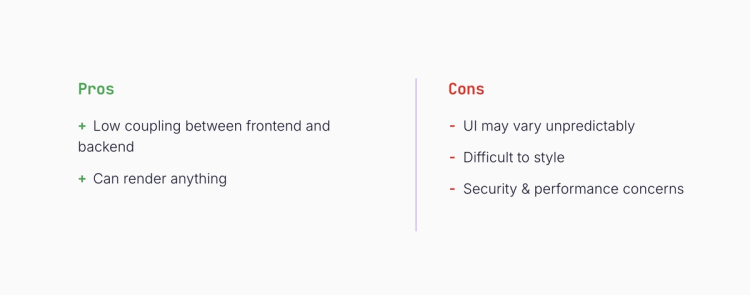
Pros. Lowest coupling you can get. One tool on the backend. Disposable interfaces are grounded in your data without you ever having to write the component.
Cons. Unpredictable. Hard to style (we offer UI skills to nudge the agent toward your brand, but it's a dial, not a guarantee). And the double iframe sandbox is a hard requirement for security.
Gen UI gets the spotlight, but half the value of AG-UI is state flowing the other direction.
Mastra has this concept called working memory: structured pieces of data that your agent can read and mutate as it runs. CopilotKit plus AG-UI extends that so the same state is shared between the agent and UI. Both sides can read it. Both sides can write it.
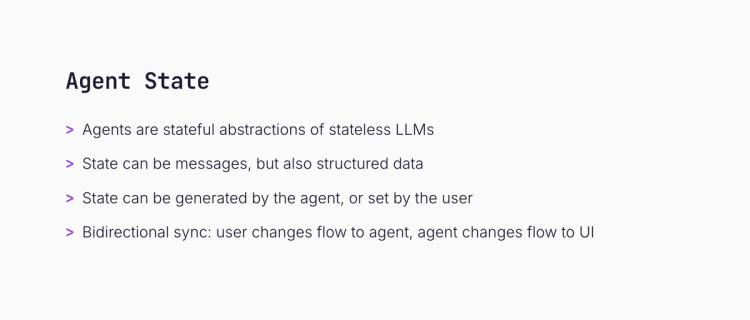
On the agent side, I define the shape of state as a Zod object and bind it to the Mastra agent via workingMemory. That tells Mastra to persist and stream the todos as the agent runs.
import { Agent } from "@mastra/core/agent"
import { Memory } from "@mastra/memory"
import { z } from "zod"

const AgentState = z.object({
  todos: z.array(TodoSchema).default([]),
})

export const todoAgent = new Agent({
  name: "Todo Agent",
  tools: { manageTodos },
  model: openai("gpt-5.4"),
  memory: new Memory({
    workingMemory: { enabled: true, schema: AgentState },
  }),
})
On the frontend, one hook (useAgent) gives me a unified interface to any agent. I read state reactively and call agent.setState to push user edits back. AG-UI keeps both sides in sync.
import { useAgent } from "@copilotkit/react-core/v2"

const { agent } = useAgent()

// Read - reactive to agent updates
<TodoList todos={agent.state?.todos || []} />

// Write - flows back to the agent
<button onClick={() =>
  agent.setState({ todos: [...agent.state.todos, newTodo] })
}>
  Add Todo
</button>
AG-UI emits state events as the agent runs. useAgent gives you a unified hook to read from and write back to them. That's the whole surface area.
The demo I ran was a todo canvas. I asked the agent to enable app mode and add todos.
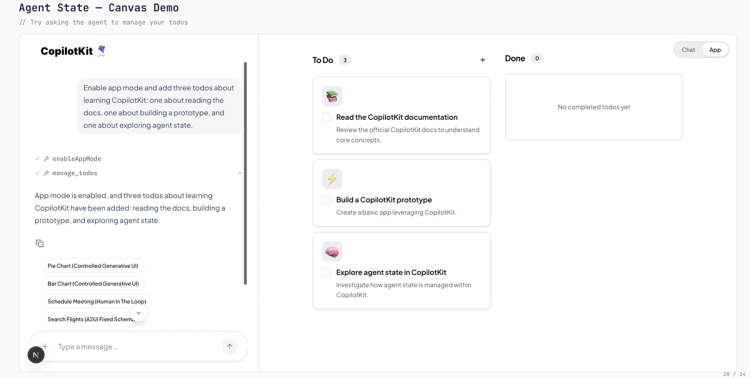
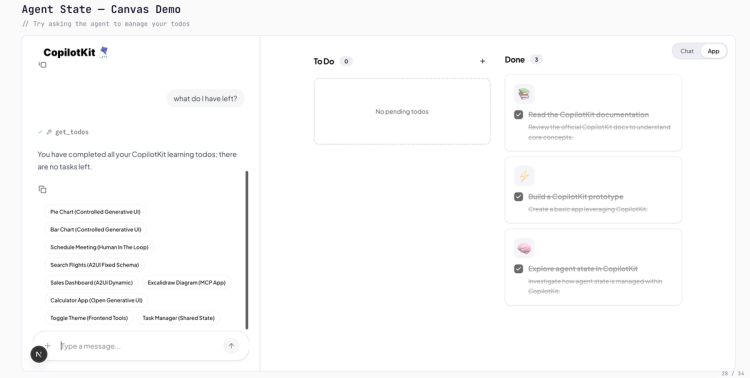
Then I manually marked things complete myself. Then I asked, "What do I have left?" and the agent knew about my edits, because we were both editing the same state.
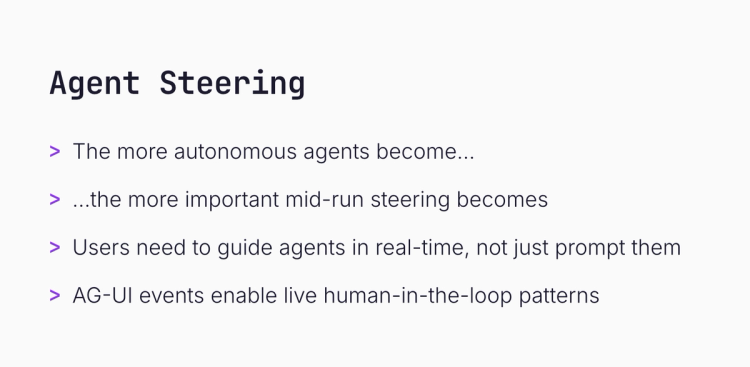
Two things I'm watching in the ecosystem. Both stem from the same observation: as agents become more autonomous, the way users interact with them has to evolve.
Spin up Claude Code in the cloud and let it rip. You have virtually no jurisdiction over what it does beyond the initial prompt. That's a problem. More autonomy means mid-run interruptions and steering matter more, not less.
Mastra primitives like suspend and resume let the agent solicit feedback explicitly. AG-UI events make that feedback loop live and continuous. Human-in-the-loop that actually works in production.
This is the thing I'm most excited about.
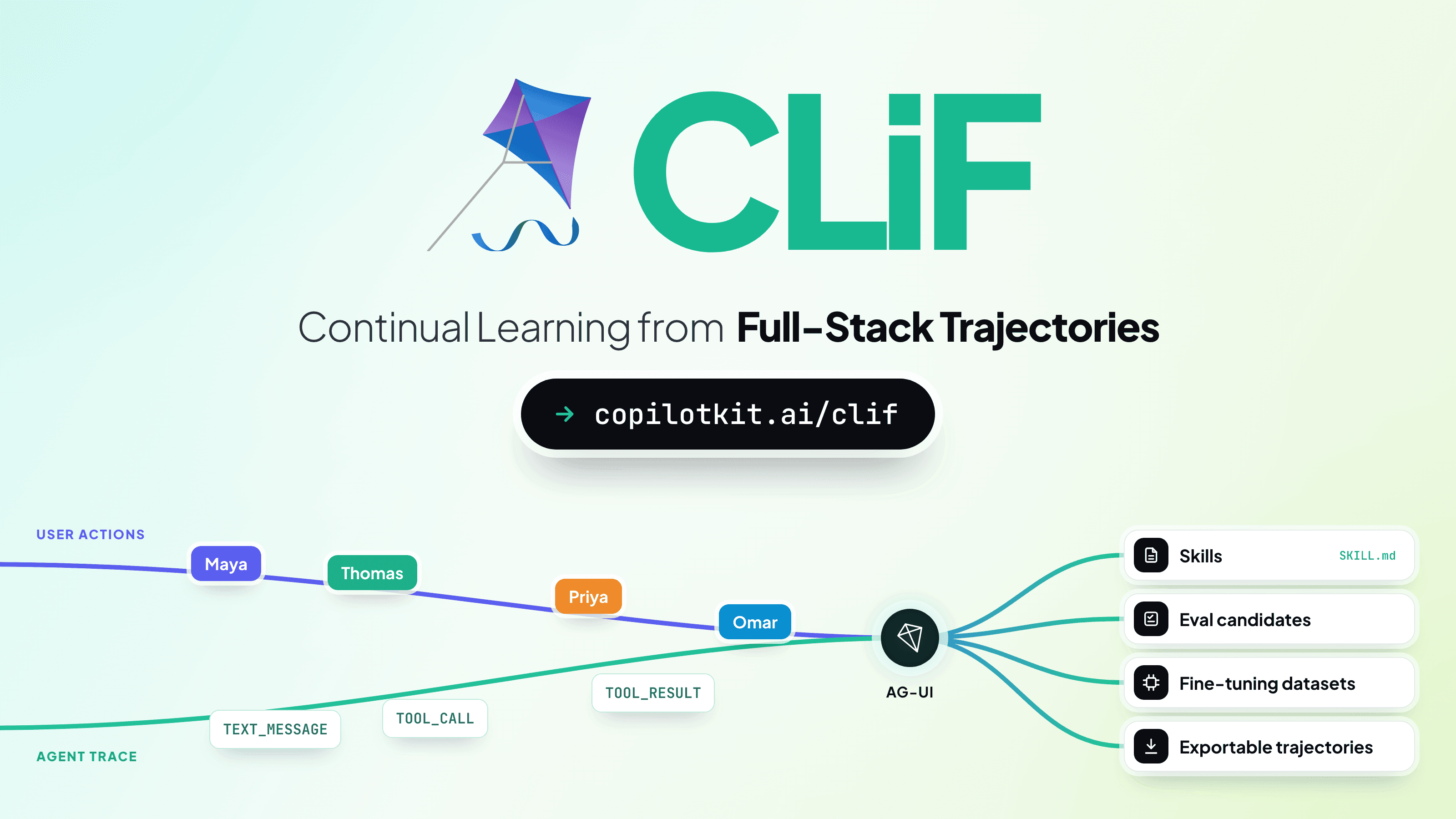
Everyone who's used Cursor has (without realizing it) annotated training data. Cursor used those interactions to build their Composer model. Same with Codex. That's Reinforcement Learning from Human Feedback (RLHF).
Every time a user gently steers your agent (accepts, rejects, edits, redirects), that's a signal. If you're already routing user-agent interactions through AG-UI, you have a labeled feedback stream sitting right there. No "rate this response" button, no thumbs up/down. Just natural use.
Self-improving agents on top of AG-UI events. That's where we're pushing.

1) When do you actually use Open-Ended?
This was the first audience question, so I'll answer it here too. It's the right choice when you don't care what the UI looks like. You just want the user to get their info fast and throw the interface away.
"Show me how electrons work." "Give me a weird bar chart of my last 10 queries." That kind of thing. You never wrote that component, and you'll never see it again. That's the use case.
For anything branded, recurring, or user-facing as your product, use Controlled or Declarative.
2) AG-UI vs A2UI: which one do you recommend? Which one's the standard?
My answer: AG-UI and A2UI don't compete at all.
AG-UI is kind of a superset. It carries A2UI. It carries the MCP App communication. It carries A2A-style messages. It's the pipe; A2UI is one of the things that flows through it.
Both are headed to "standard." AG-UI is already there in practice (~3M monthly downloads, used by AWS, Microsoft, Google, and all major agent frameworks). A2UI is emerging fast; there are interesting releases coming.
The screen you ship is no longer the whole product. The agent ships screens too. Pick the bucket (controlled, declarative, open-ended) that matches how much the agent should own, and let AG-UI handle the wire.
If you want to go deeper:
Thanks for reading, and that sums up my talk.
If any of this resonates and you're building agentic apps, we'd love to hear what you're working on. Book time with us and talk to our lead engineer.
Subscribe to our blog and get updates on CopilotKit in your inbox.