A2UI v0.9 launched today. It's Google's open protocol for Generative UI, and we're design partners on the spec.
Alongside the launch, we shipped A2UI Composer and worked with the A2UI team so any agent already speaking AG-UI can drive v0.9 on day zero.
With this version, agents no longer need structured output to generate UI reliably. The schema now lives in the system prompt and that's just one of several changes worth paying attention to.
This post covers A2UI and the v0.9 changes, how to wire any agent in five steps, and how to use it with any agent framework via AG-UI. Read the docs.
Spin up a starter in one command.
npx copilotkit@latest create my-app --framework a2uiGenerative UI is when the interface adapts to the user in real time, driven by an AI agent rather than a developer writing every screen upfront.
Every team building AI agents right now is also building a private protocol for how that agent talks to a UI.
One team sends HTML in an iframe. Another built a custom JSON schema that only their renderer understands. Someone else is streaming markdown and calling it a day. None of it composes. A component built for one framework cannot consume another team's output.
A2UI (Agent-to-User Interface) is Google's attempt to fix that with an open protocol.
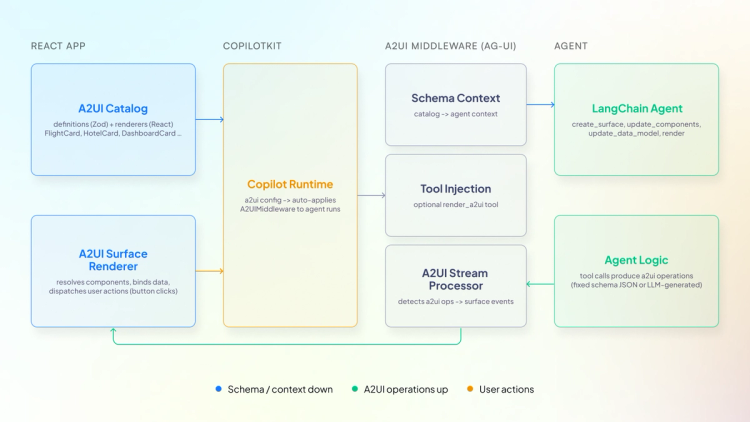
A2UI (Agent to UI) lets agents send declarative component descriptions that clients render using their own native widgets.
Your agent says, "Show a form with a name field, an email field, and a submit button." Your React app renders it with your design system. A Flutter app renders it with native widgets. Same message, different output.
The agent never executes anything on the client. It just describes intent while the client owns rendering. The protocol streams components in real time over JSONL and other transports.
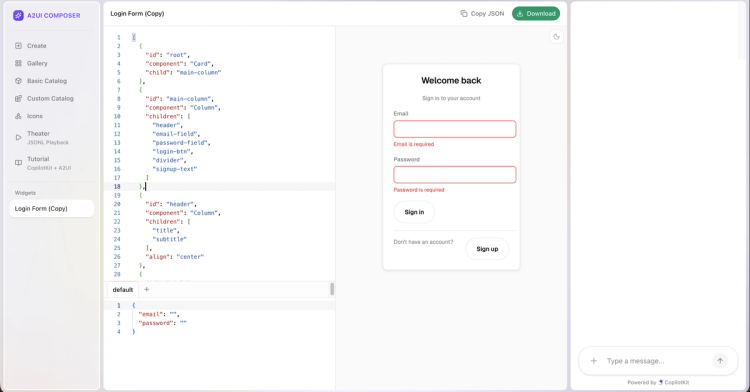
A2UI Composer is the interactive tool we built on A2UI and CopilotKit for going from zero to a working widget in the browser.
Describe your A2UI widget and the agent generates the output and renders it live.
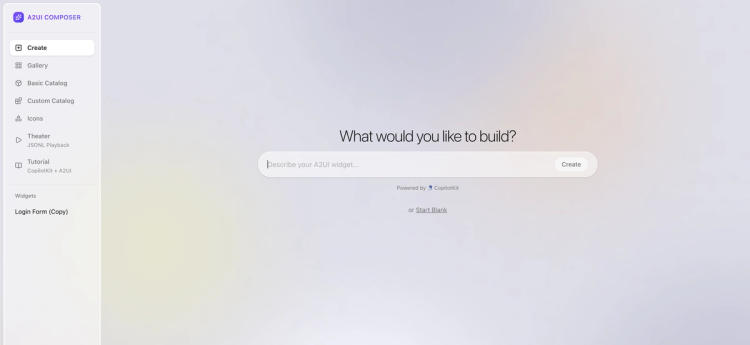
Theater Mode : Plays back real agent sessions as JSONL so you can watch components stream in step by step.
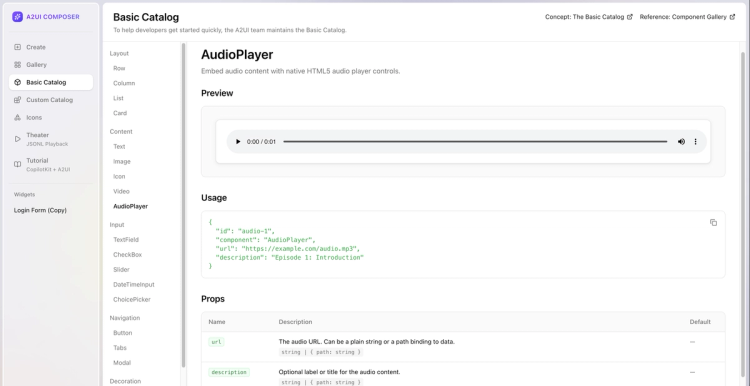
Basic Catalog : The default component set maintained by the A2UI team to help developers get started quickly. Browse every component with its preview, usage, and props.
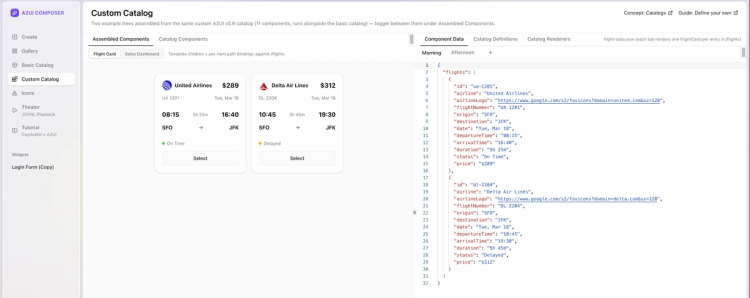
Custom Catalog : Two example component trees from a custom A2UI v0.9 catalog - assembled components alongside catalog definitions, renderers, and component data. Useful for seeing how your design system plugs into the protocol.
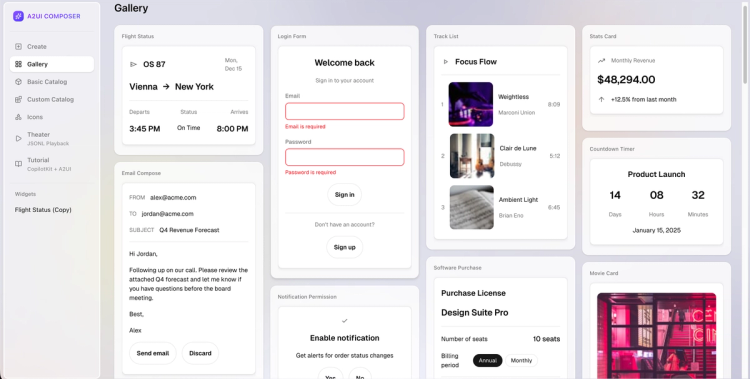
Gallery : Premade UI widgets you can use and modify, such as flight cards, login forms, email compose, dashboards and more.
v0.9 is not a minor update. The core philosophy changed, the JSON structure changed, the schema changed, and the protocol became bidirectional. Here is everything you need to know.
On the agent side, v0.9 ships the A2UI Agent SDK with an optimized generation pipeline and caching layers for low-latency UI streaming.
On the client side, a new shared web-core library simplifies any browser renderer. The official React renderer has landed. Flutter, Lit, and Angular are all version-bumped. Community renderers now have a dedicated spot.
They have also refined the transport interfaces, so connecting agents and clients is much smoother. A2UI over MCP, WebSockets, REST, AG-UI, A2A or anything you need.
v0.8 was built around structured output - strict JSON schema constraints designed to keep the model in bounds. In theory, clean. In practice, LLMs kept breaking on complex nested structures at scale.
v0.9 flips the approach. The schema and worked examples go directly into the system prompt. The model generates freely, a validator catches errors, and the agent self-corrects before anything reaches the client. This is called the prompt-generate-validate loop.
The spec even ships a basic_catalog_rules.txt - a plain-text prompt fragment containing rules for using the catalog schema, things like "MUST provide 'action' for Button." Some constraints are easier to express in plain English than in JSON Schema, and this file packages them alongside the catalog for the LLM to consume directly.
v0.8 wrapped components in dynamic keys and data in typed arrays:
// components
{ "Text": { "text": "Hello world" } }

// data model
[{ "key": "name", "valueString": "Alice" }]
v0.9 uses flat, standard JSON throughout:
// components
{ "component": "Text", "text": "Hello world" }

// data model
{ "name": "Alice" }
Why: Both changes exist for the same reason. LLMs are trained on standard JSON and generate it natively. Wrapper objects and typed arrays were working against that.
The built-in component set was called "Standard" in v0.8. It is now called "Basic." That rename is intentional.
It communicates that the built-in component set is a fallback, not a recommendation. The actual intended use is that you define a catalog of your own existing components and the agent learns to reference them. The agent should adapt to your frontend, not the other way around.
You can prototype this in A2UI Composer before wiring it into your app.
In v0.8, agents had no way to know what components the client could actually render.
v0.9 adds a three-step catalog negotiation handshake:
If nothing matches, no UI is sent.
In v0.8, one monolithic schema made it impossible to swap out the component set without touching the core protocol.
v0.9 splits it into four files plus a rules document:
common_types.json - shared primitivesserver_to_client.json - message envelopebasic_catalog.json - components and functionsclient_to_server.json - actions and errorsbasic_catalog_rules.txt - plain-text rules for the LLMcatalog.json is a placeholder. Use basic_catalog.json for defaults or define your own to work with your design system.
You can find all schema files in the A2UI specification folder on GitHub. The repo also includes ready-to-use examples like flight status, email compose, calendar and more to help you get started.
In v0.8, the agent sent UI and the interaction ended there. The agent had no way of knowing what the user did next.
v0.9 adds sendDataModel to the createSurface message. The client can now send its full surface data model with every action.
The server knows exactly what state the user has the UI in when they take an action - what they typed, what they selected, where they are in a multi-step flow. No more static UIs that the agent fires and forgets.
In v0.8, validation was limited to validationRegexp on TextField only. Nothing else.
v0.9 replaces that with a checks array that works across all input components. Agents reference named functions already registered on the client - required, email, regex, length, and others. The agent specifies which check applies. The client runs it locally.
Nothing executable crosses the boundary. Buttons auto-disable when checks fail. Errors feed back to the agent in a standard format so it can self-correct.
In v0.8, data binding used inconsistent terminology - dataBinding in some places, literalString for static values, BoundValue objects everywhere.
v0.9 removes all of that. Everything is now a path with JSON Pointer references. Static values are just native JSON types.
// v0.8
{ "literalString": "hello" }

// v0.9
"hello"If you are migrating from v0.8, every message type was renamed.
beginRendering → createSurface (now requires explicit catalogId URI)surfaceUpdate → updateComponents (component structure also changed)dataModelUpdate → updateDataModel (data format completely redesigned)userAction → action (client-to-server rename)Component properties were also cleaned up across the board - Button variants, TextField inputs, layout alignment, and more. Full reference in the v0.8 to v0.9 evolution guide.
Thanks to the Agent SDK, adding A2UI to any existing agent is possible in just a few steps. Install the SDK:
pip install a2ui-agent-sdkConnect it to your agent.
# 1. Point it at your component catalog
my_catalog = CatalogConfig.from_path(
    name="my-catalog",
    catalog_path="file:///path/to/catalog.json",
    examples_path="file:///path/to/examples/"
)

# 2. Initialize the schema manager
schema_manager = A2uiSchemaManager(version="0.9", catalogs=[my_catalog])

# 3. Generate the system prompt — this teaches your LLM about your components
system_instruction = schema_manager.generate_system_prompt(
    role_description="You are a helpful assistant that generates UI..."
)

# 4. Wire your agent — works with any framework
my_agent = AnyAgentFrameworkLLMAgent(instruction=system_instruction)

# 5. Stream the output
def handle_turn(user_query):
    llm_response = my_agent.respond(user_query)
    selected_catalog = schema_manager.get_selected_catalog()
    final_parts = parse_response_to_parts(llm_response, selected_catalog.validator)
    yield {"is_task_complete": True, "parts": final_parts}
As you can see in step 3, the SDK builds the system prompt from your catalog and examples automatically. That prompt is what teaches the LLM which components exist, what properties they accept, and what valid output looks like. You don't write that by hand.
The SDK also handles parsing and self-correction as the model streams (step 5). If the output is invalid, it feeds the error back and gets a corrected response before anything reaches the client.
AG-UI and A2UI operate at different layers of the stack. AG-UI handles transport, streaming, state sync, and tool calls between your agent backend and the frontend in real time.
A2UI is the UI specification format. The agent generates declarative component descriptions and AG-UI carries them to the frontend inside CUSTOM events, where they are rendered at runtime.
Any agent already speaking AG-UI can drive A2UI v0.9 without touching agent code. The agent generates valid A2UI output, AG-UI streams it to the frontend, and the renderer turns it into native components. The agent stays the same. The client gets real UI instead of text.
CopilotKit agents already speak AG-UI, so the integration is there out of the box. Get this starter template running:
npx copilotkit@latest create my-app --framework a2uiCopilotKit has integration guides for every major agent framework like LangChain, ADK, Strands, Mastra, Pydantic and more.
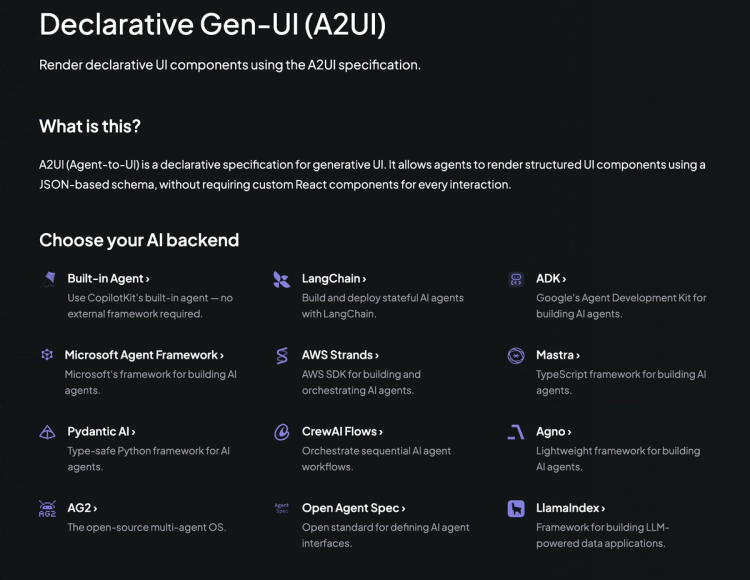
From there, your agent can start describing UI, forms, buttons, data displays, and CopilotKit handles rendering it with your components. The agent never writes frontend code. It just says what the UI should look like and your design system does the rest.
pip install a2ui-agent-sdkA2UI v0.9 is live, and any AG-UI-compatible agent can use it today. Try the Composer to prototype before you build.
If you want to follow along (or help shape what ships next), join the CopilotKit or AG-UI communities.
Subscribe to our blog and get updates on CopilotKit in your inbox.