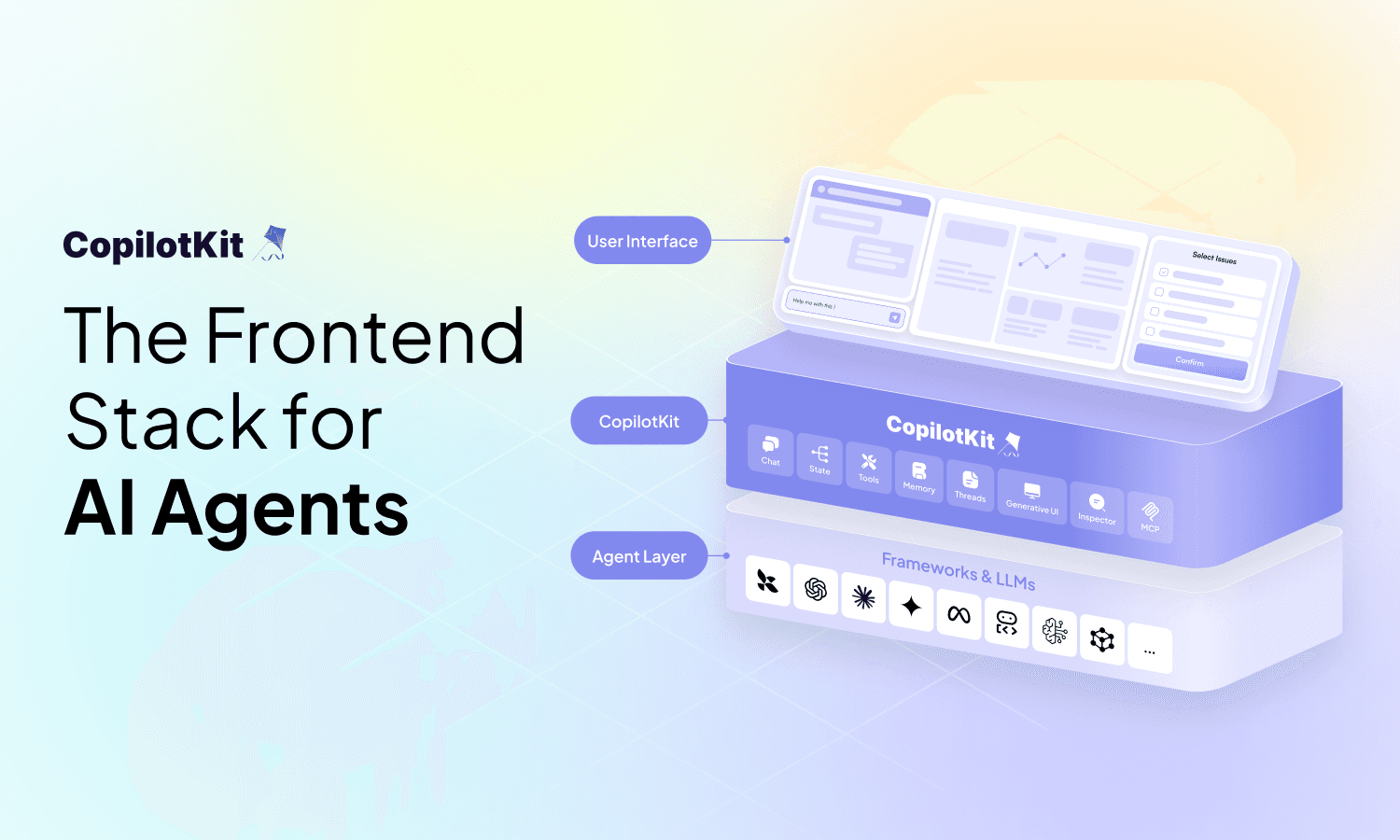
Every major software category is being rebuilt around agents. The question is no longer whether your product will have an AI agent, it's whether the interface around it is good enough for real users.
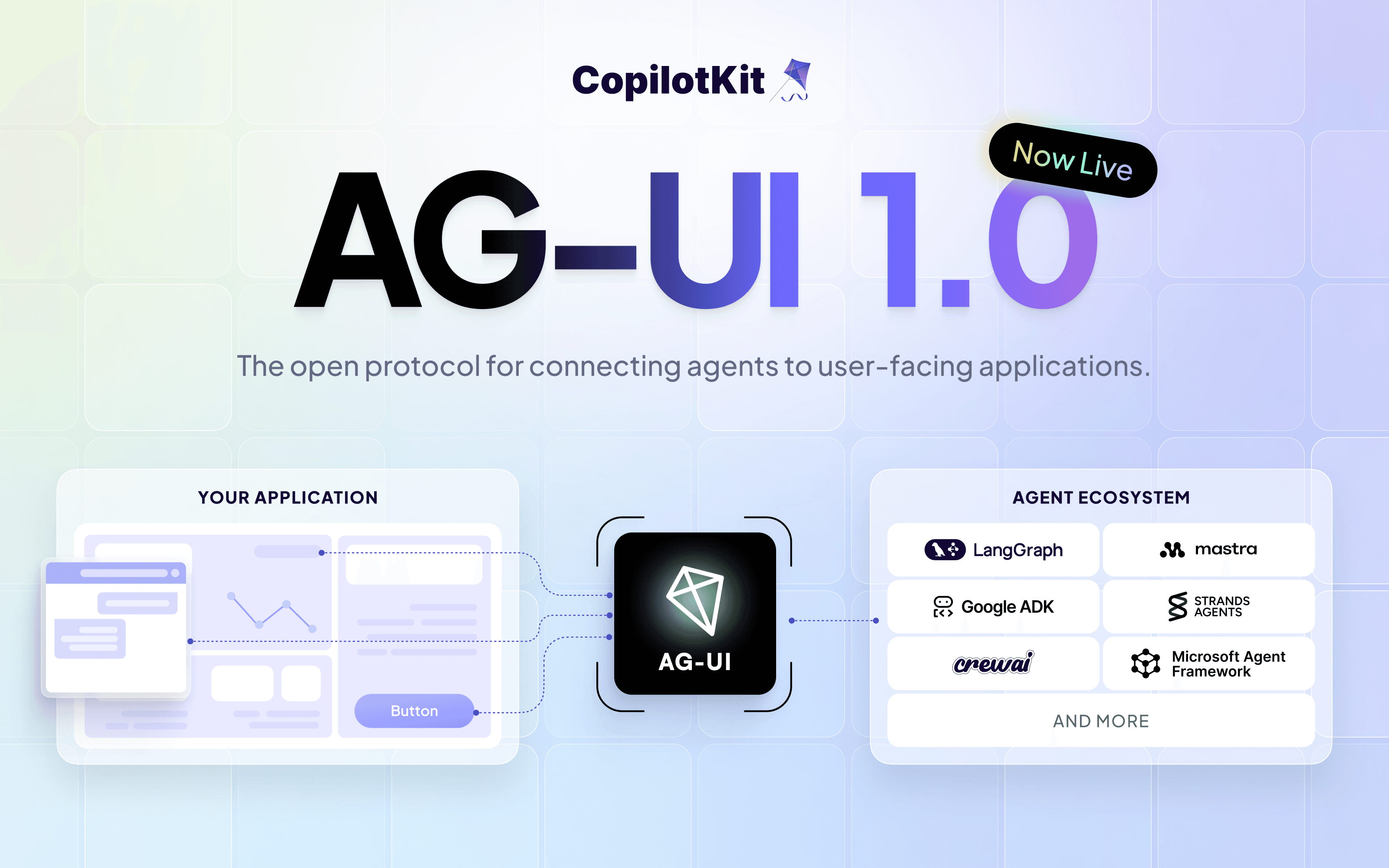
CopilotKit is the open-source frontend stack for AI agents. Used in production by the majority of the Fortune 500, and the team behind AG-UI - the open protocol for agent-user interaction, now adopted by Google, AWS, Microsoft, LangChain, Mastra, and more. We believe all UI is becoming AI.
CopilotKit gives you a complete developer toolkit to build, debug, and ship the interface layer between your agent and your users. Including chat components, hooks, persistent memory, generative UI, headless UI for custom agent interfaces, Inspector for debugging, and an MCP server for coding agent support. This guide covers all of that.
CopilotKit is open source with 30k+ stars on GitHub. Star the repo and come ship with us.
If you prefer watching, here's a quick overview of CopilotKit in under 3 minutes.
In a nutshell, we are covering these topics in detail.
That's a lot so let's get started. If you want to explore on your own, check the docs.
If every new agent capability requires a sprint of frontend changes, the agent isn't truly autonomous. It's just a backend API with a very expensive chat interface.
CopilotKit decouples the agent from the interface layer. Generative UI so the agent renders its own components. Shared state so the agent and UI stay in sync. Human-in-the-loop so users can approve before anything fires. All wired together through AG-UI, swap your agent backend tomorrow, and your frontend doesn't notice.
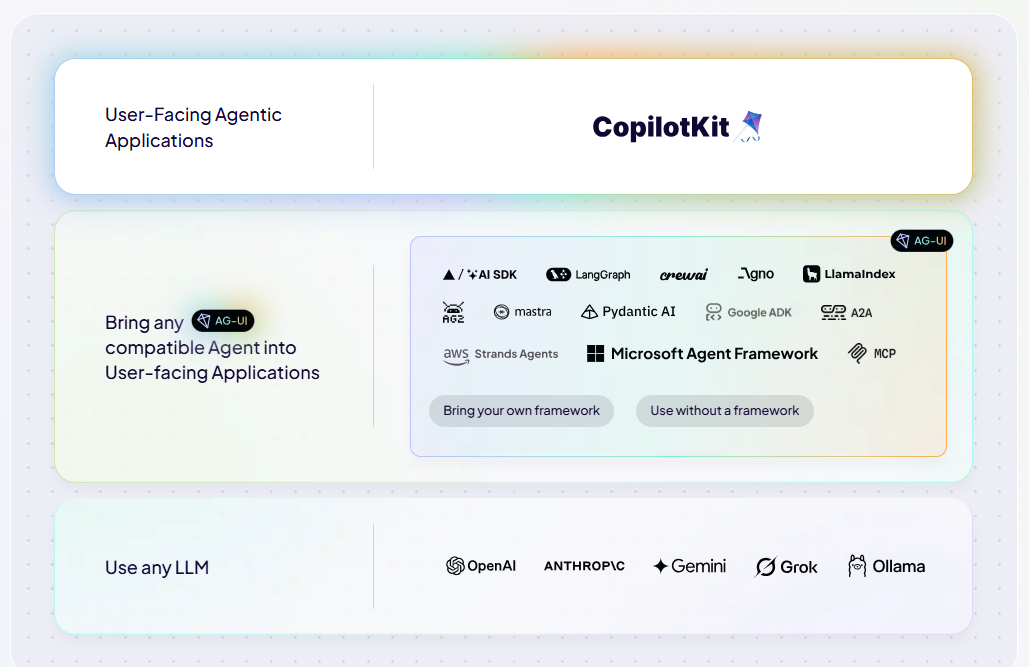
It's built in three layers:
✅ 1) Layer 1: Frontend (your app)
Hooks and components to wire up your app - registering tools agents can call, providing context, and getting agent instances.
✅ 2) Layer 2: Runtime (your server)
Receives requests from the frontend, runs agents, and streams events back. A few lines of setup, nothing to maintain. Handles everything between the model and the user.
✅ 3) Layer 3: Agent (any framework)
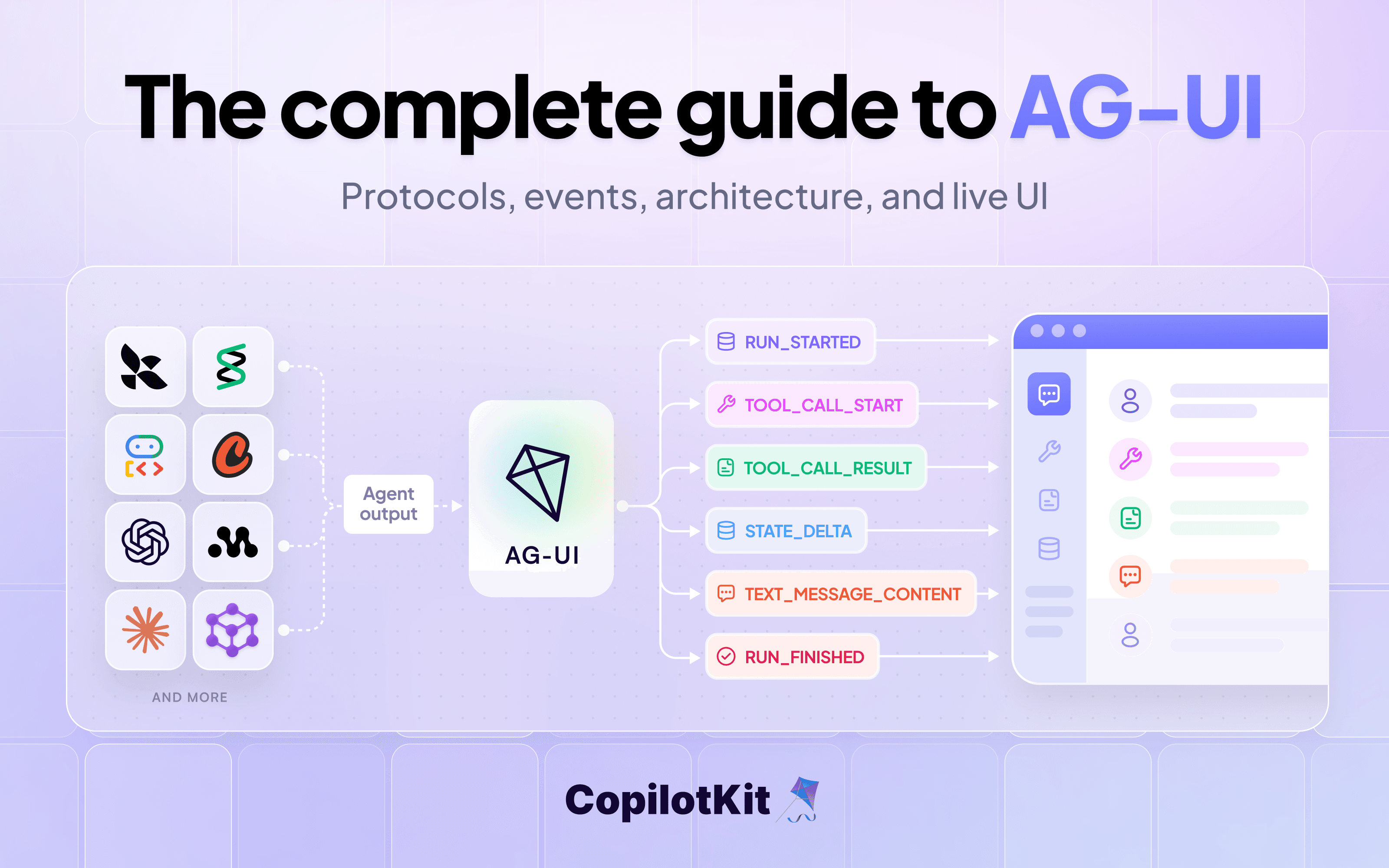
Anything that speaks AG-UI - the event protocol between agents and UIs (think: "text is streaming", "agent wants to call a tool", "state changed"). 13+ integrations or build your own.
The architecture guide in the repo covers how requests flow through all three layers, multi-agent patterns, and setup guides for React, Angular, Vue and vanilla JS.
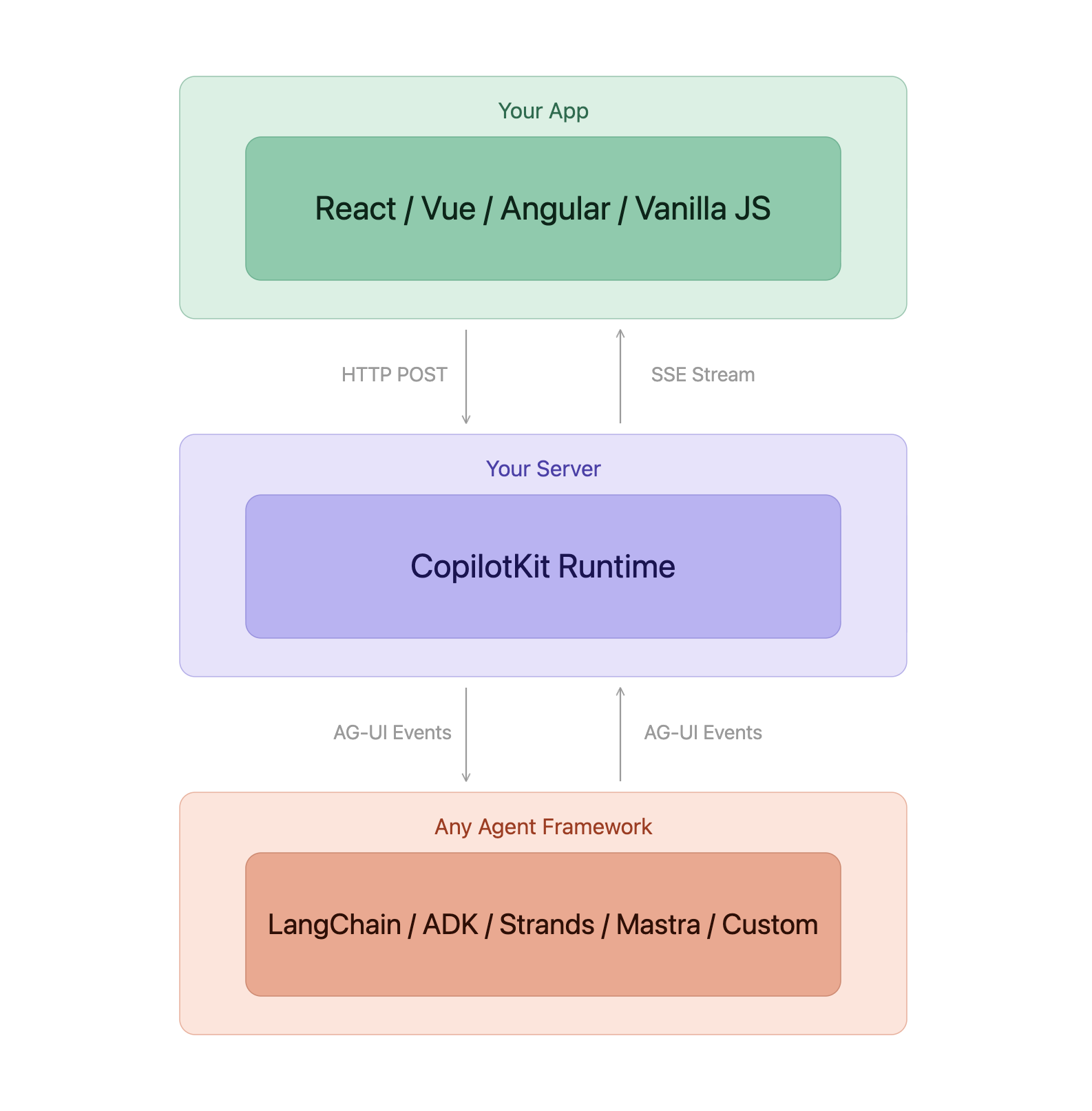
Out of the box, you also get:
We have covered each of these in-depth below.
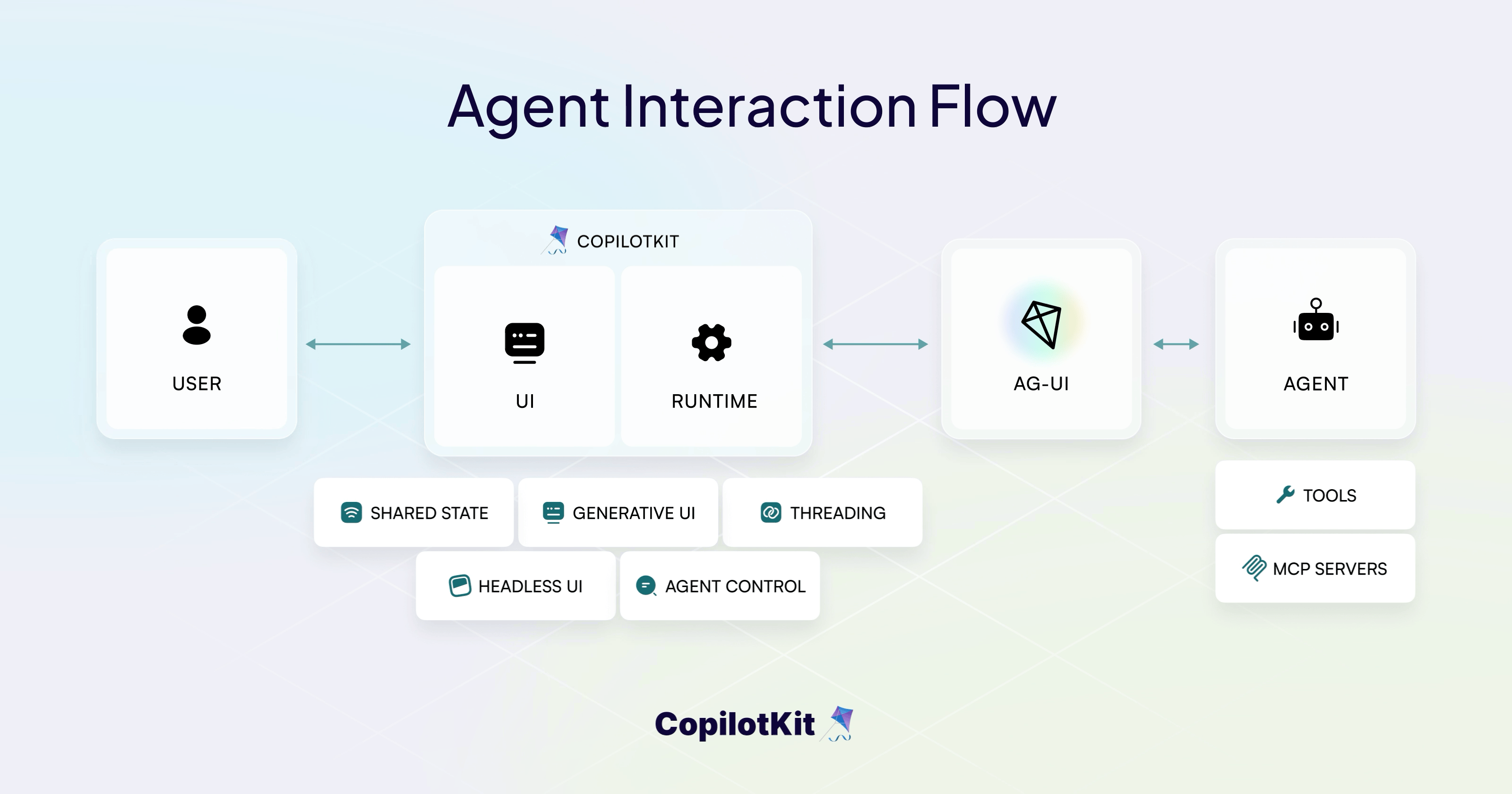
The fastest way to bring CopilotKit to your app is by using the CLI. If you are starting from scratch, run this command:
// scaffolds a new full-stack app
npx copilotkit@latest create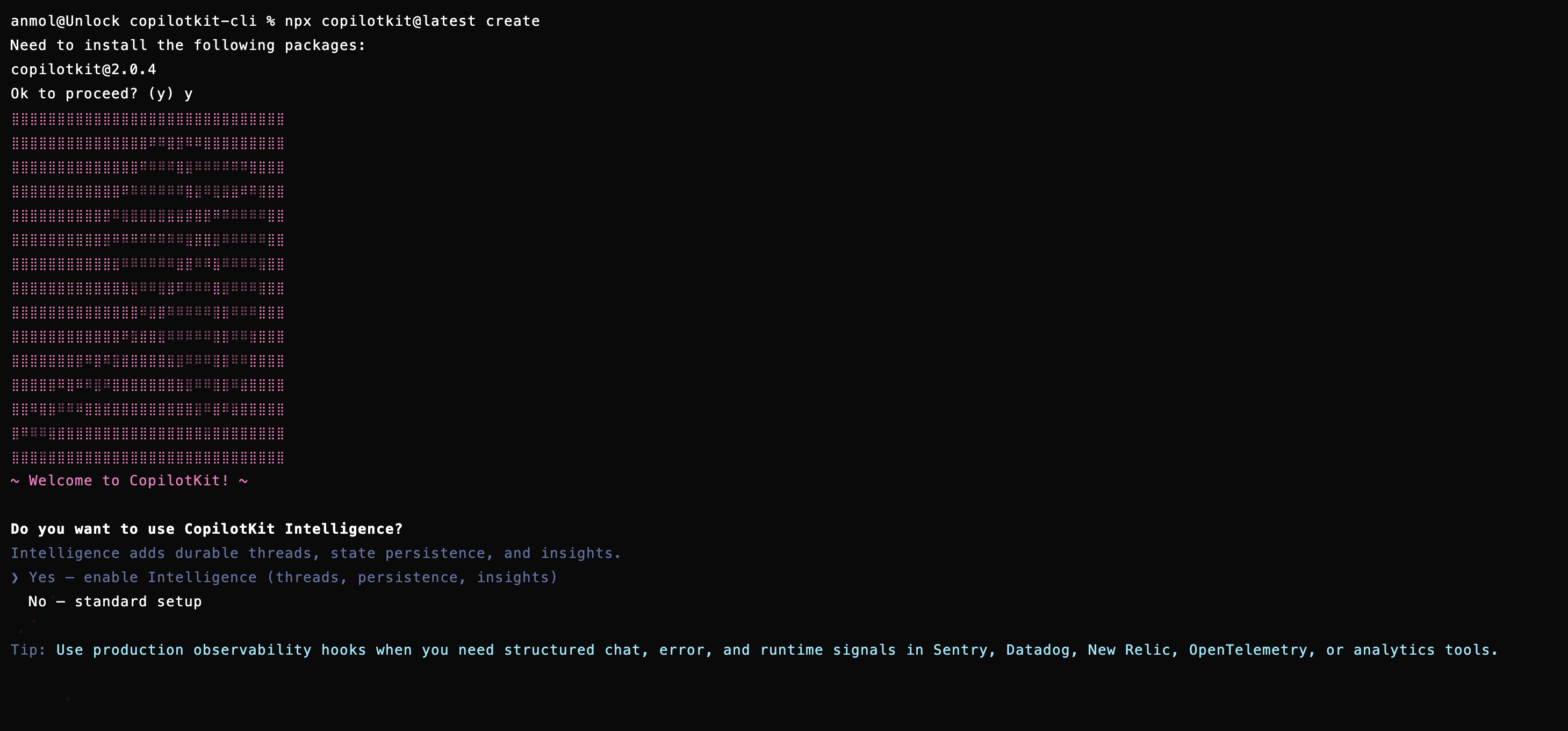
To add CopilotKit to an existing project, run this command to pick your agent framework:
// adds CopilotKit to an existing project
npx copilotkit@latest init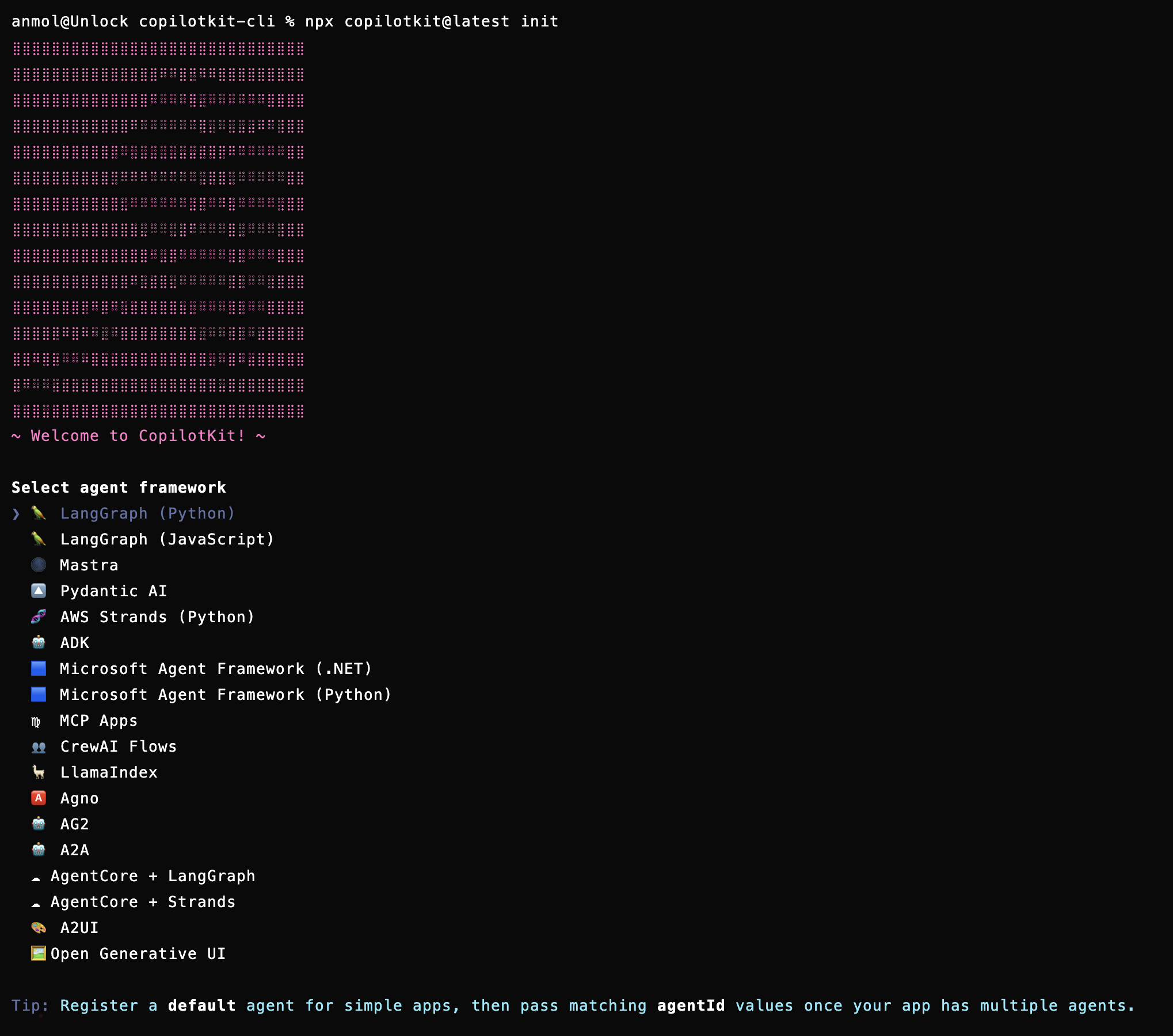
Both leave you with packages installed, provider configured, a runtime endpoint ready, and a chat component on screen. Check the quickstart docs for every integration.
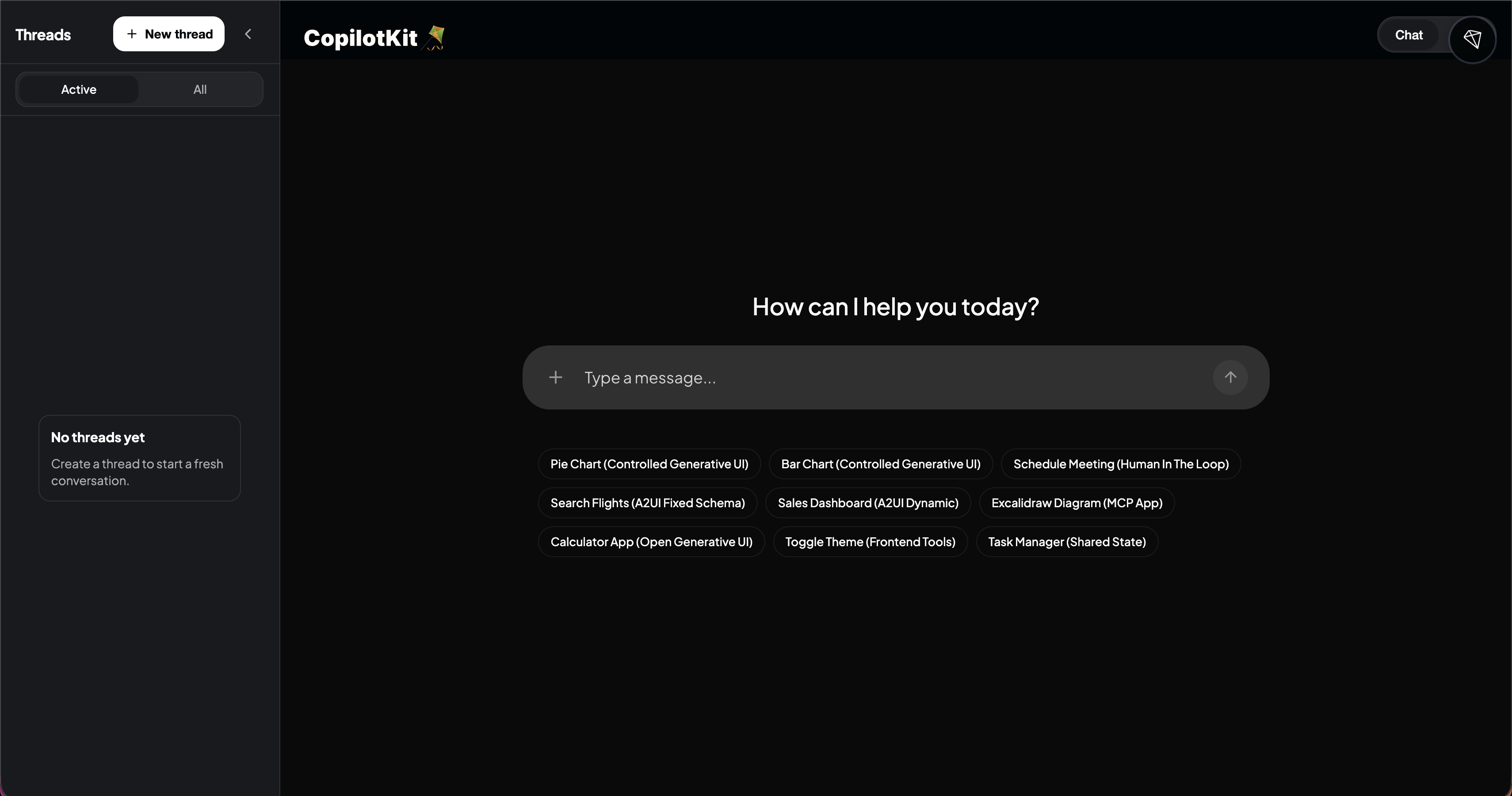
Once you're set up, you can experiment with hooks and components. Here are the useful ones to give your agent context and let it take actions.
useAgentContext makes your app's state visible to the agent, whatever you pass in becomes part of the LLM's context - current user, selected items, loaded data. The agent knows what your app knows.
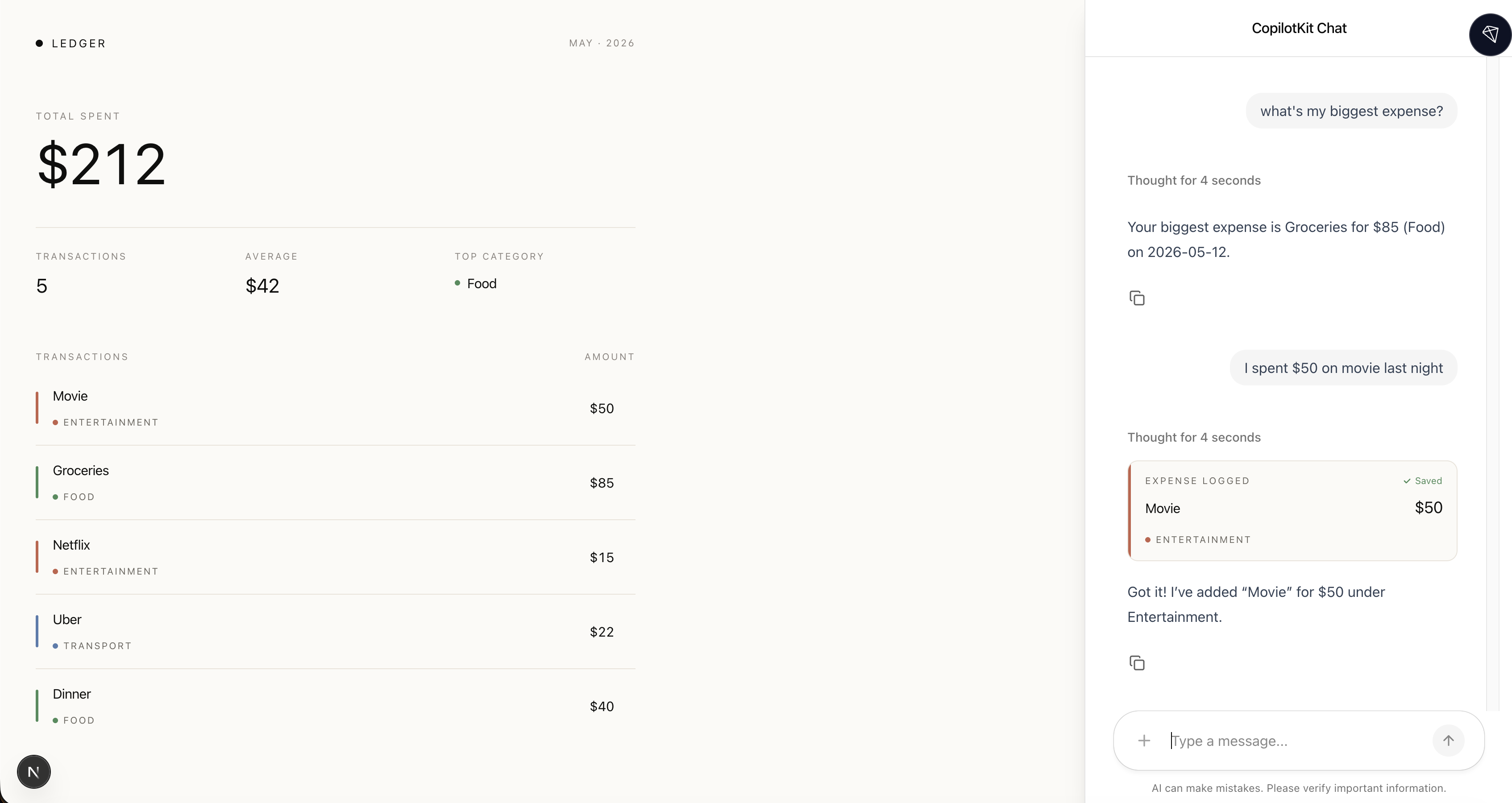
useFrontendTool exposes any function in your app as a tool the agent can call. You describe what it does, the agent decides when to use it based on that description, calls it when relevant, and your UI updates. The model never touches your state directly:
// ... useAgentContext

useFrontendTool({
  name: "addExpense",
  description: "Add a new expense when the user mentions spending money on something.",
  parameters: z.object({
    description: z.string().describe("What the expense was for, e.g. Lunch, Taxi, Coffee"),
    amount: z.number().describe("How much was spent in dollars"),
    category: z.string().describe("Food, Transport, Entertainment, Health, or Other"),
  }),
  handler: async ({ description, amount, category }) => {
    setExpenses((prev) => [
      ...prev,
      { id: Date.now(), description, amount, category },
    ]);
    return `Added $${amount} for ${description}`;
  },
  // optional: render the component in chat while/after the tool runs
  render: ({ status, args }) => (
    <ExpenseCard
      status={status}
      description={args.description}
      amount={args.amount}
      category={args.category}
    />
  ),
});
useAgent gives you a live connection to your agent - its messages, current state, and whether it's running. Read it or update it directly from your UI:
// Programmatically access and control your agents
const { agent } = useAgent({ agentId: "my_agent" });

// Render and update your agent's state
return <div>
  <h1>{agent.state.city}</h1>
  <button onClick={() => agent.setState({ city: "NYC" })}>
    Set City
  </button>
</div>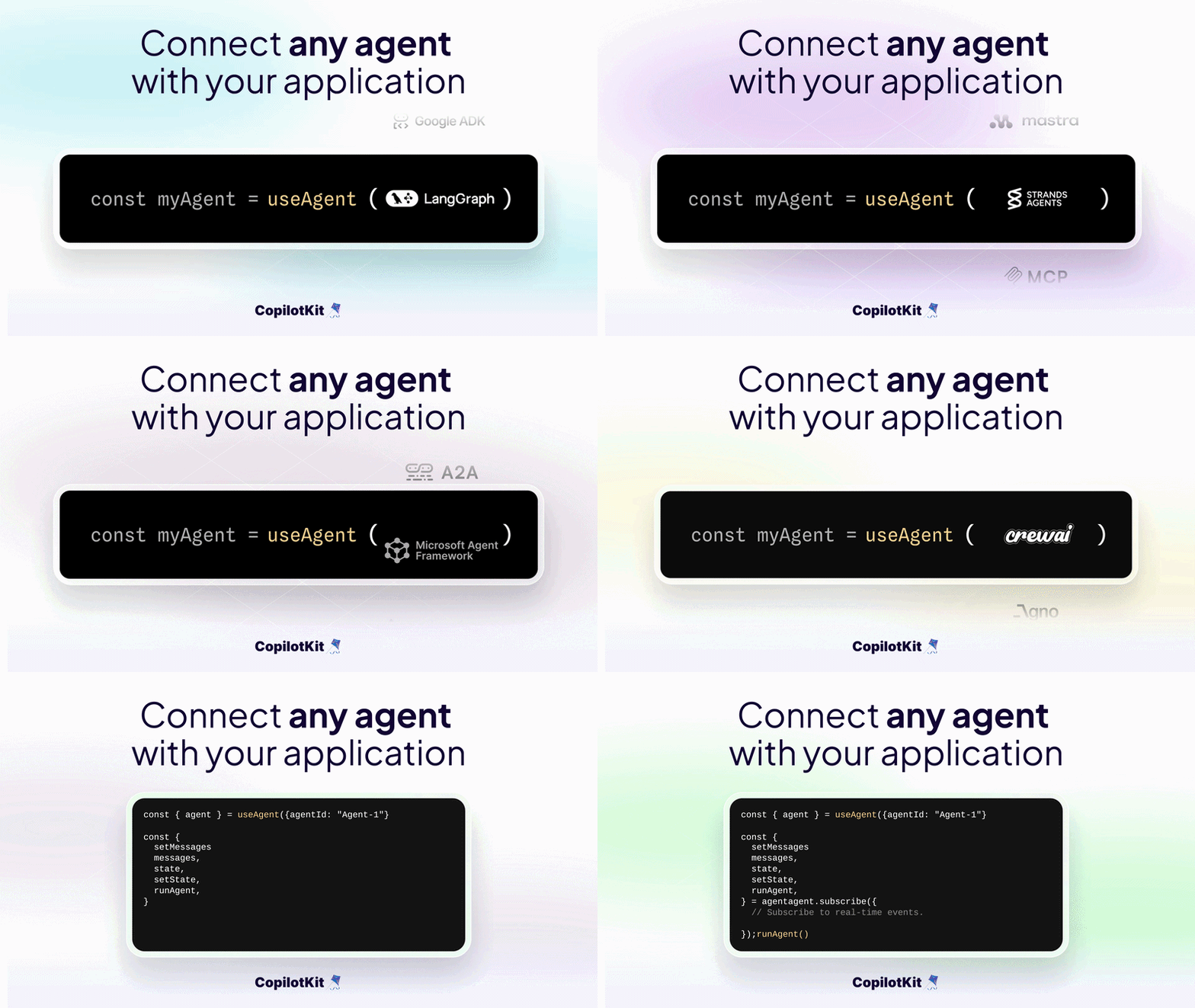
These three cover the basics. There are many:
CopilotChat, CopilotSidebar, CopilotPopup, CopilotChatView.useHumanInTheLoop for approval flows, useComponent for generative UI, useThreads for persistence.Full list in the v2 API reference.
For a deeper walkthrough covering setup, giving the AI context, and letting it take actions, check out How to add AI to your app in 5 minutes.
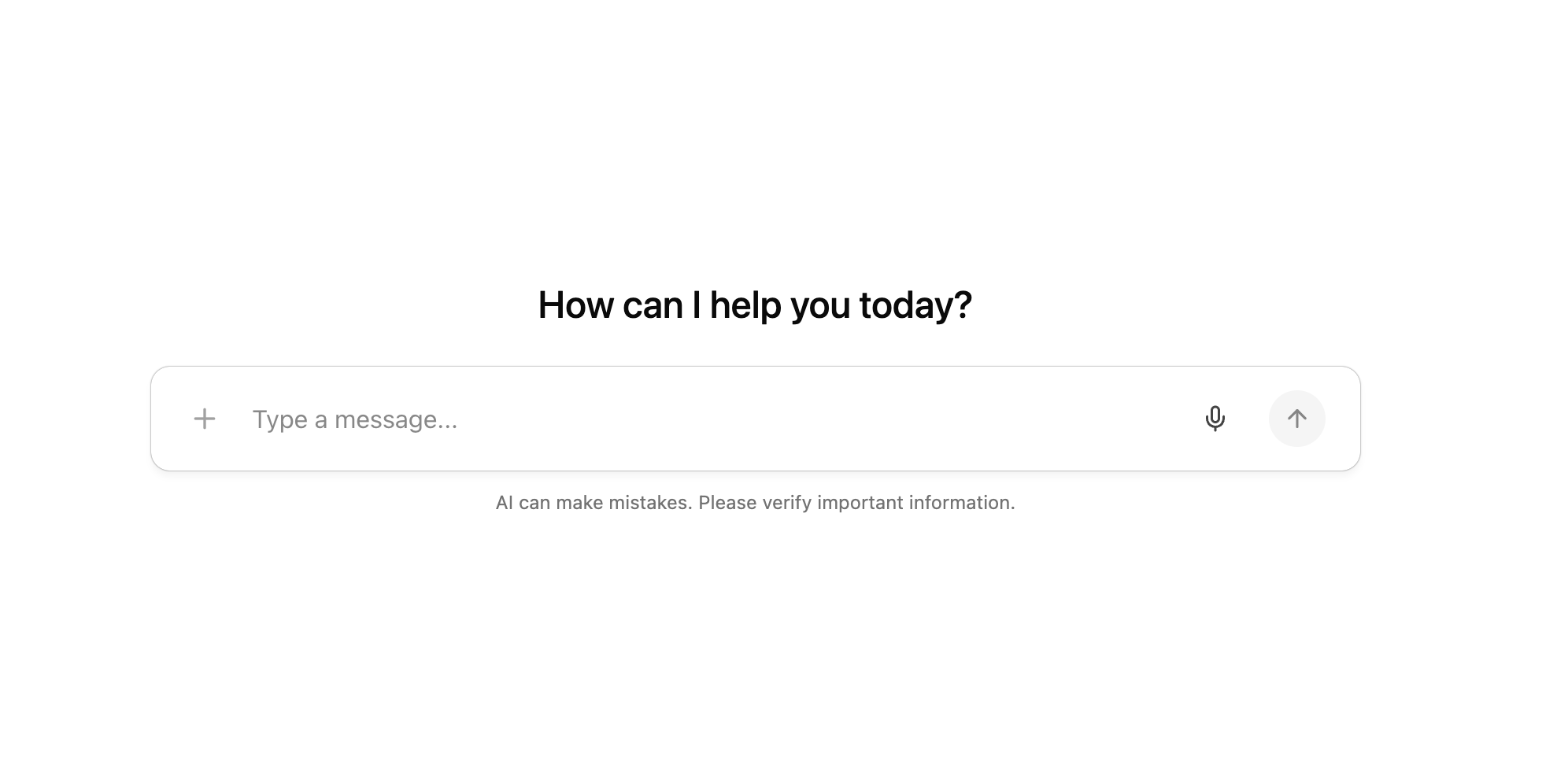
Real users don't just type. You can also let users send images, audio, video, and documents to the agent alongside their messages. One prop to enable it:
import { CopilotChat } from "@copilotkit/react-core/v2";

<CopilotChat
  agentId="my-agent"
  attachments={{ enabled: true }}
/>
Users can click the attachment button or drag and drop files. Works with the Built-in Agent, any supported framework, or your own backend.
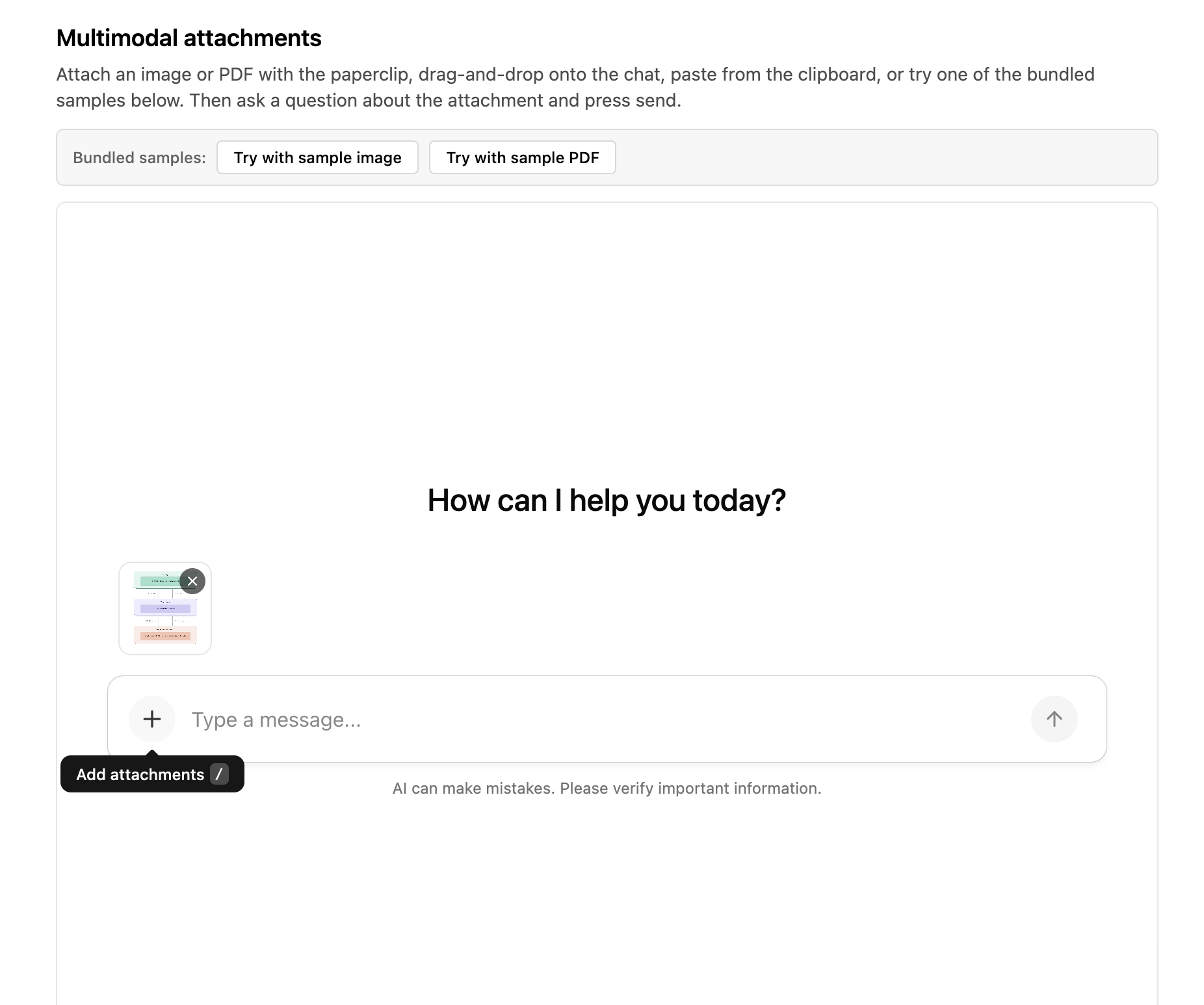
Not all models support all file types, so use the onError callback to handle unsupported cases gracefully. Read more on the docs.
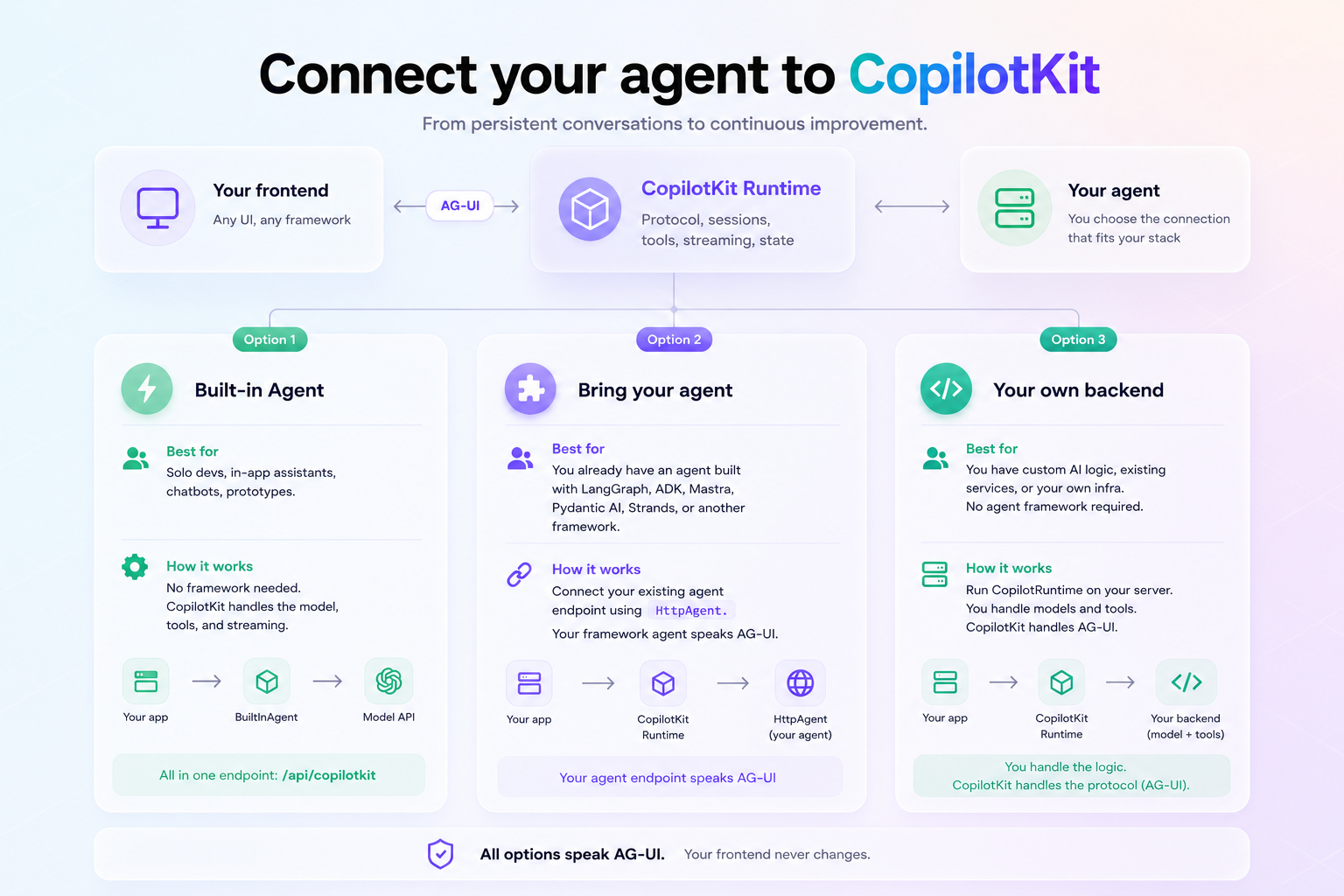
Now that you have a working app, you have a choice about what runs behind the runtime. You don't always need a full agent framework - it depends on what you're building and what you already have.
The key thing to know: every agent speaks AG-UI, the open bi-directional protocol for agent-user interaction. That means your frontend never changes, regardless of what's running behind it.
Swap the Built-in Agent for LangGraph tomorrow and your <CopilotChat />, hooks, and components stay exactly the same.
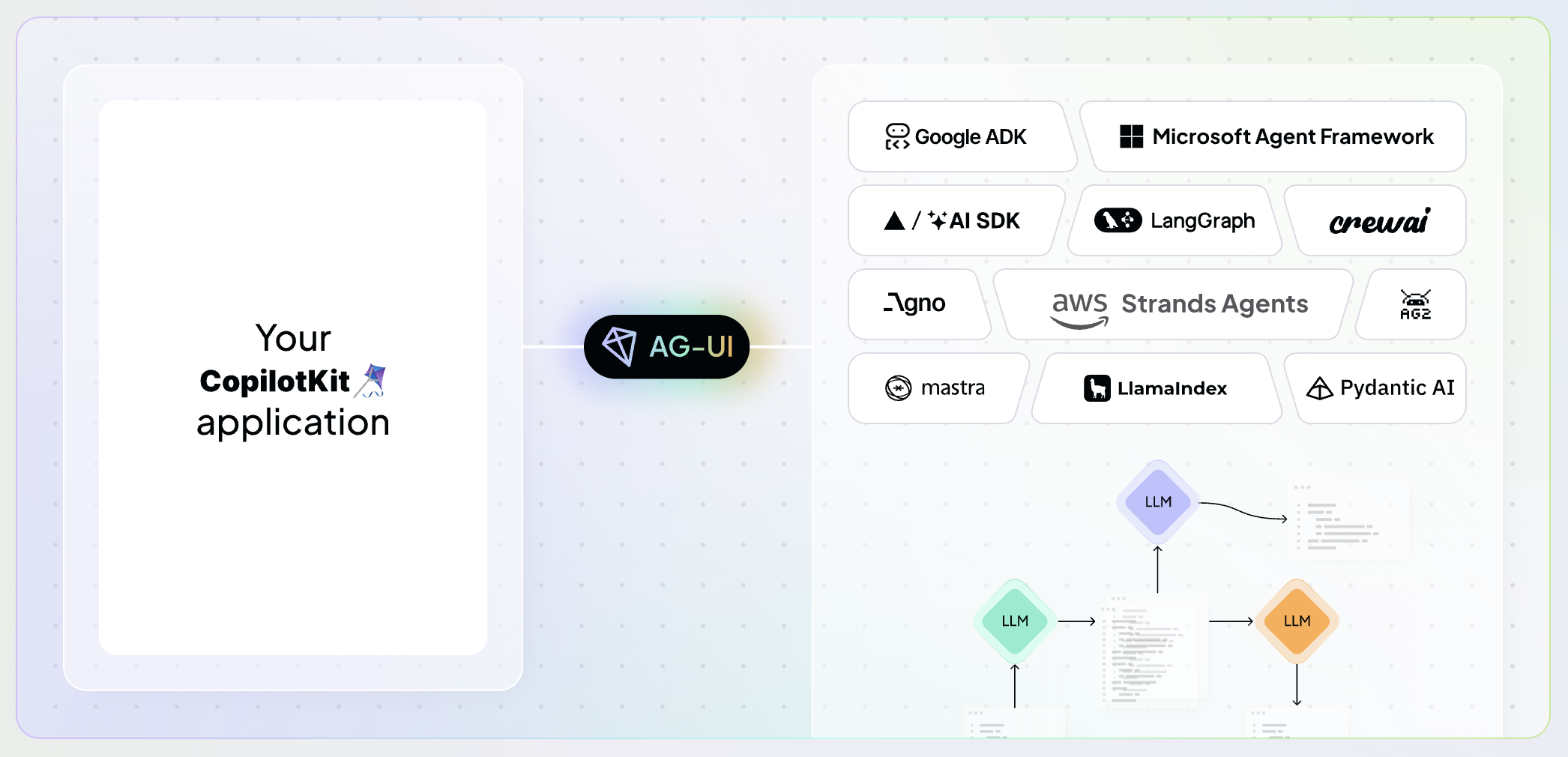
There are three ways to connect. Pick based on what you already have.
No framework needed. If you just want an agent that's aware of your app and can take actions in it, the BuiltInAgent is all you need.
The runtime handles the model call, tool loop, and streaming. Everything lives in one endpoint at app/api/copilotkit/route.ts:
import {
  CopilotRuntime,
  copilotRuntimeNextJSAppRouterEndpoint,
} from "@copilotkit/runtime";
import { BuiltInAgent } from "@copilotkit/runtime/v2";
import { NextRequest } from "next/server";

const runtime = new CopilotRuntime({
  agents: new BuiltInAgent({ model: "openai/gpt-5.5" }),
});

export const POST = async (req: NextRequest) => {
  const { handleRequest } = copilotRuntimeNextJSAppRouterEndpoint({
    runtime,
    endpoint: "/api/copilotkit",
  });
  return handleRequest(req);
};
If you want to switch to any other LLM Provider, you just need to pass the modified string to BuiltInAgent in your API route. Everything else remains the same.
// Anthropic
const builtInAgent = new BuiltInAgent({ model: "anthropic:claude-opus-4-6" });

// Google
const builtInAgent = new BuiltInAgent({ model: "google/gemini-2.5-pro" });
Add the matching key to .env.local and you are done. For custom models like Azure OpenAI, AWS Bedrock or Ollama, check the model selection docs.
Reasoning models like openai:o3 and openai:o4-mini work too, pass reasoningEffort to control how hard the model thinks. For Anthropic extended thinking, use budgetTokens. The reasoning stream renders directly in the chat UI.
// Anthropic with extended thinking
const agent = new BuiltInAgent({
  model: "anthropic:claude-sonnet-4-6",
  providerOptions: {
    anthropic: { thinking: { type: "enabled", budgetTokens: 10000 } },
  },
});
Read more in the advanced configuration docs.
Good for solo devs, in-app assistants, chatbots, and prototypes. You can also use MCP Apps middleware on top of this to return interactive MCP Apps (forms, canvases, pickers) right in chat.
const agent = new BuiltInAgent({
  model: "openai/gpt-5.5",
  prompt: "You are a helpful assistant.",
}).use(
// describe a diagram in chat, Excalidraw MCP server returns an interactive UI
  new MCPAppsMiddleware({
    mcpServers: [
      { type: "http", url: "https://mcp.excalidraw.com/mcp", serverId: "excalidraw" },
    ],
  }),
);CopilotKit ships first-party integrations for 13+ agent frameworks through AG-UI - the open protocol that connects any agent to any frontend.
If you already have an agent running any framework, just point the runtime at your agent's endpoint using HttpAgent:
import {
  CopilotRuntime,
  ExperimentalEmptyAdapter,
  copilotRuntimeNextJSAppRouterEndpoint,
} from "@copilotkit/runtime";
import { HttpAgent } from "@ag-ui/client";
import { NextRequest } from "next/server";

const serviceAdapter = new ExperimentalEmptyAdapter();

const runtime = new CopilotRuntime({
  agents: {
    my_agent: new HttpAgent({ url: "http://localhost:8000/" }),
  }
});

export const POST = async (req: NextRequest) => {
  const { handleRequest } = copilotRuntimeNextJSAppRouterEndpoint({
    runtime,
    serviceAdapter,
    endpoint: "/api/copilotkit",
  });

  return handleRequest(req);
};
The pattern is the same across all of them: your agent emits events over AG-UI, the CopilotKit runtime speaks AG-UI on the other end, and your tools, shared state, and approval flows surface in the UI automatically. No extra glue code.
Supported: LangGraph, TanStack, Mastra, Pydantic AI, CrewAI, Microsoft Agent Framework, Google ADK, AWS Strands, LlamaIndex, Agno, AG2, Deep Agents, Open Agent Spec (agent-spec), A2A, and more. Each has a dedicated quickstart in the docs.
Good for teams with complex workflows, multi-agent orchestration, or an existing agent they want to keep.
If you have existing AI infrastructure like an internal LLM proxy, a fine-tuned model endpoint, or custom tool dispatch, you can run CopilotRuntime on your own server.
CopilotKit handles the protocol layer between your backend and the frontend without requiring an agent framework.
import express from "express";
import { CopilotRuntime, BuiltInAgent } from "@copilotkit/runtime/v2";
import { createCopilotExpressHandler } from "@copilotkit/runtime/v2/express";

const runtime = new CopilotRuntime({
  agents: {
    default: new BuiltInAgent({ model: "openai/gpt-5" }),
  },
});

const app = express();

// Mount the CopilotKit router — creates Express routes under /api/copilotkit
app.use(
  createCopilotExpressHandler({
    runtime,
    basePath: "/api/copilotkit",
    cors: true,
  }),
);
Once your runtime is running, point your frontend at it:
<CopilotKit runtimeUrl="http://localhost:4000/api/copilotkit">
  <YourApp />
</CopilotKit>
Works with Next.js, Express, Hono, Bun, Deno, Cloudflare Workers, React Router, TanStack Start, Elysia, and more. Full setup in the runtime server adapter docs.
Good for teams with existing AI services, custom infrastructure, or specific deployment requirements where you need full control over the server layer.
Most agents start from zero every time. The user closes the tab, comes back tomorrow, and the agent has no idea what they were working on. Fine for a demo. A real blocker for anything running in production, where users come back, switch devices, and expect the conversation to be exactly where they left it.
Without threads, every agent session ends with the tab that ran it. With threads, the run becomes part of your application's state.
One hook gives you a full ChatGPT-style thread sidebar with persistent memory:
const {
  threads,
  renameThread,
  archiveThread,
  deleteThread,
  hasMoreThreads,
  fetchMoreThreads,
} = useThreads();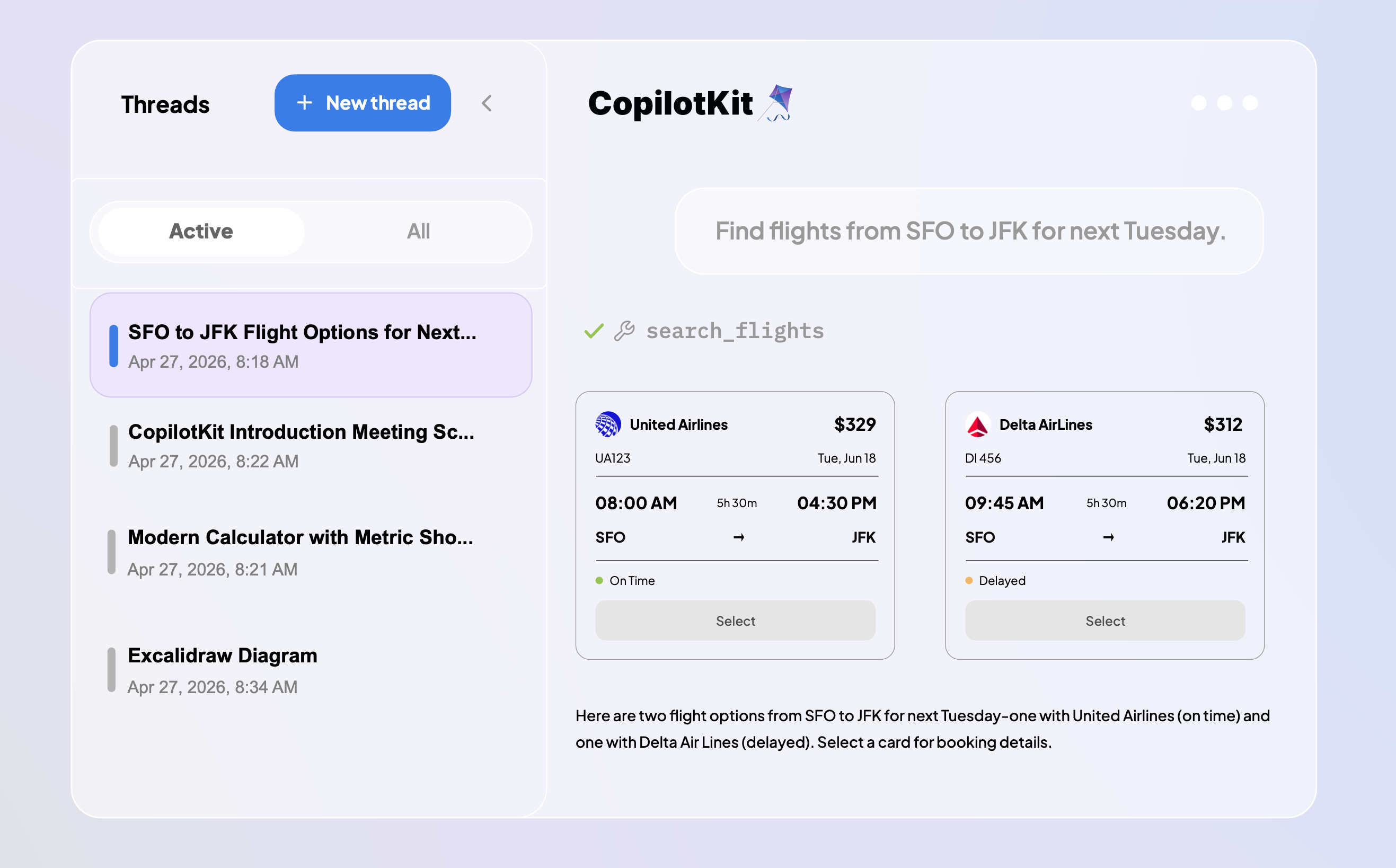
Threads work a little differently in CopilotKit. Runs live on the server and streams over AG-UI, so you can step away from the agent anytime.
Return later on a different device and you will see the run exactly where the agent is in that moment, still actively progressing.
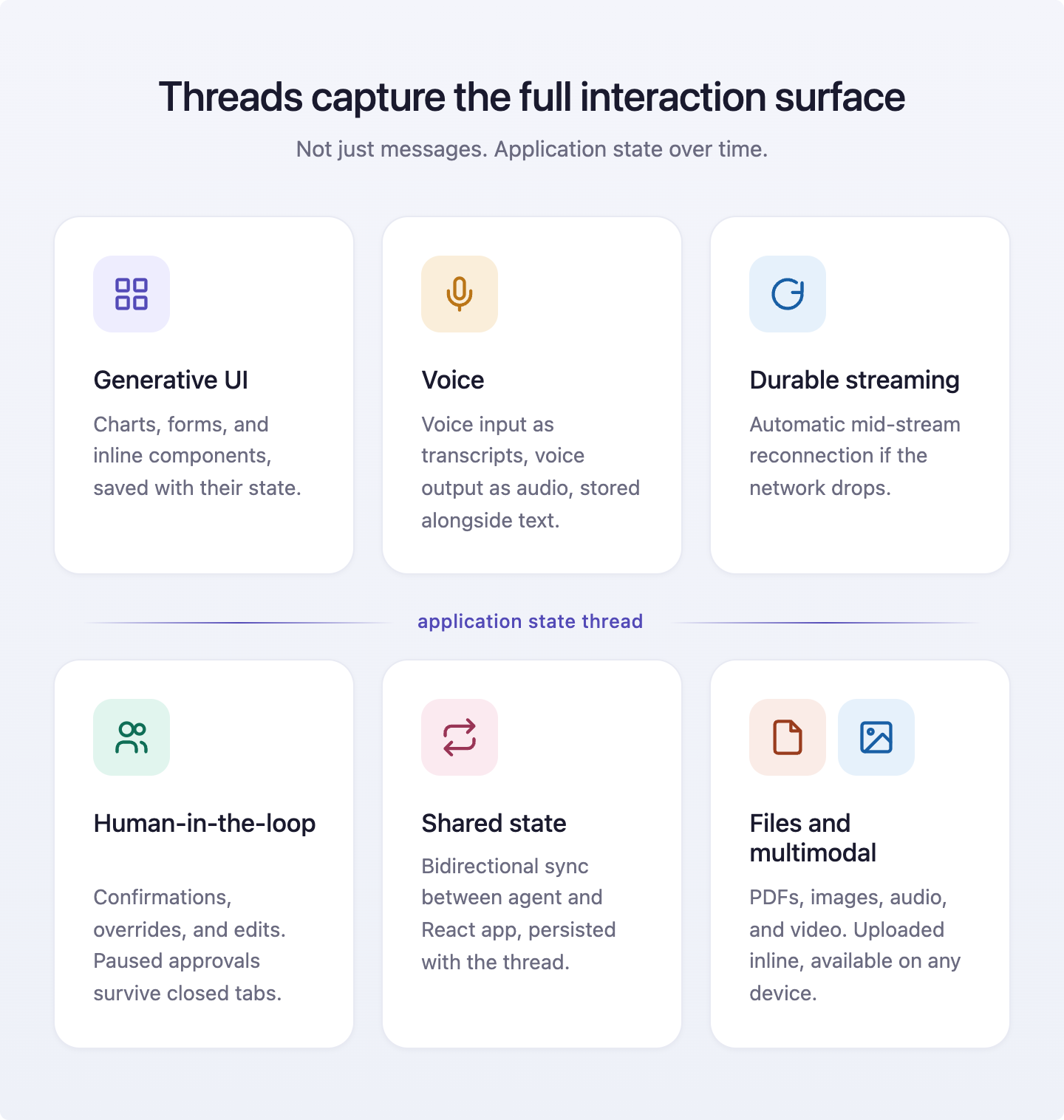
It holds everything that happens between the user, the agent, and the app.
Agents are a black box. You write the code, run it, and hope it behaves. When something goes wrong, there's no stack trace, just a user getting a weird response and zero visibility into what actually happened.
The CopilotKit Inspector is a built-in debugging tool that overlays on your app, giving you full visibility into what's happening between your frontend and your agents in real time:
Enabled by default in development. To disable it:
<CopilotKit
  showDevConsole={false}
>
  {children}
</CopilotKit>
When you open the Inspector, threads are the default tab. Sign up for the free Developer tier to see your conversation history.
If you're building with a coding agent like Claude Code, Cursor, or Windsurf, there's one more thing worth setting up before you write a line of CopilotKit code.
Coding agents usually default to whatever knowledge was in their training data, which could be months stale - deprecated hooks mentioned in old tutorials, patterns that no longer work. Context matters a lot when you are using agentic tools.
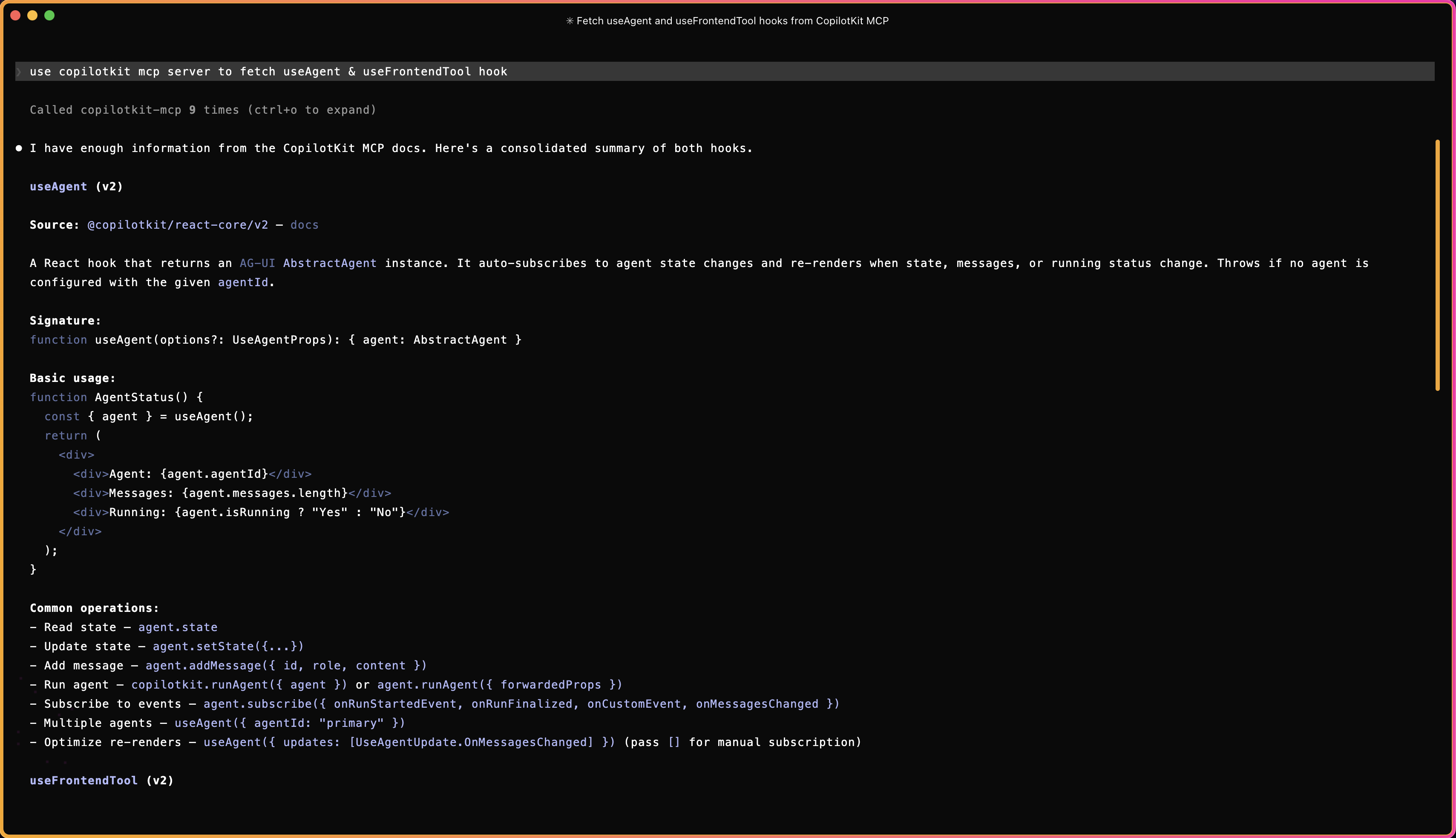
CopilotKit ships a knowledge MCP server at mcp.copilotkit.ai/mcp. Connect your coding agent to it and it gets live access to the right API signatures, accurate code examples, and implementation patterns. Free, no usage limit.
For Claude Code, run this in your terminal:
claude mcp add --transport http copilotkit-mcp https://docs.copilotkit.ai/build-with-agentsmcp
As you can see, Claude fetched the exact hook signatures just by name. This also keeps your context fresh and makes sure you are always building with the latest stable hooks.
For Cursor, Claude Web, Claude Desktop, Windsurf, Cline, Codex, GitHub Copilot and others, refer to the Coding Agents docs.
If your tool doesn't support MCP, drop this into your model's context directly:
https://docs.copilotkit.ai/build-with-agentsllms.txtYou've felt this before. You ask an AI to compare three options and you get a wall of text when you wanted a table. You ask for a calendar and you get prose describing one. The model isn't the problem. It can render the table. It just doesn't know it's allowed to.
Generative UI is the layer that lets agents stop describing and start showing.
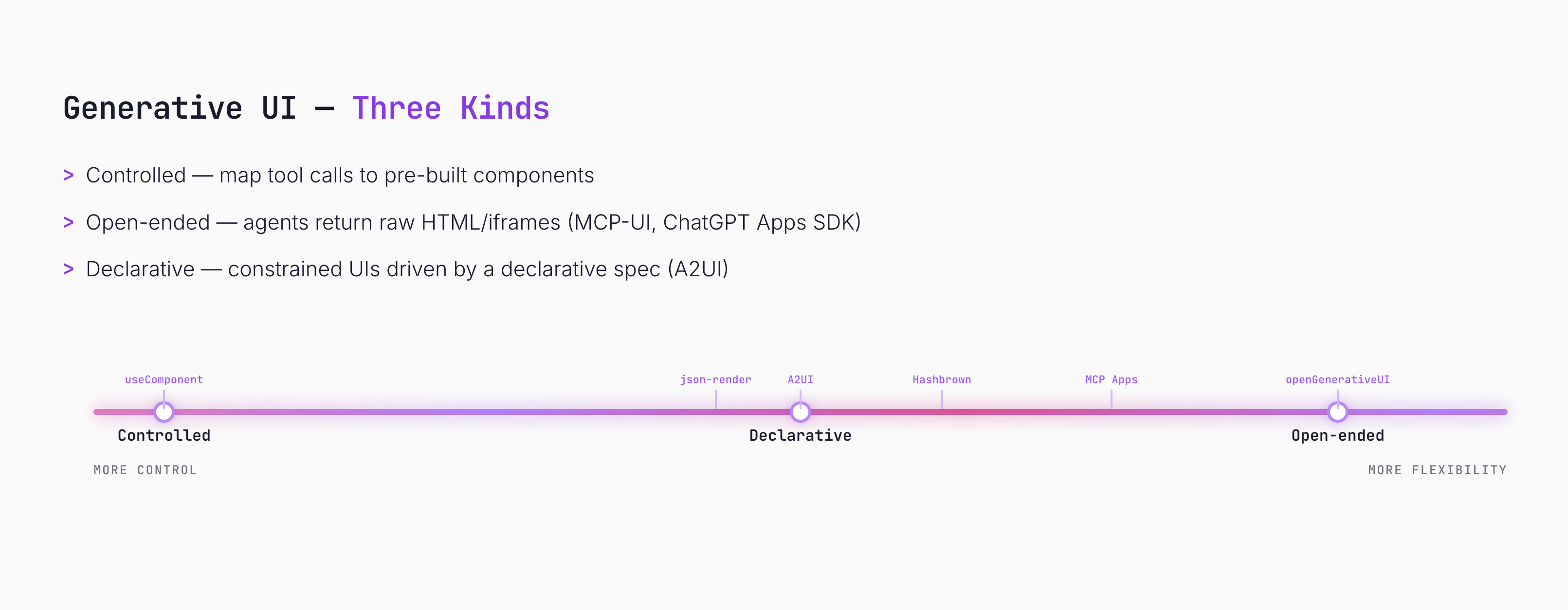
Three patterns have emerged. The spectrum runs from more control to more flexibility. CopilotKit ships support for all three. You can try all the examples live.
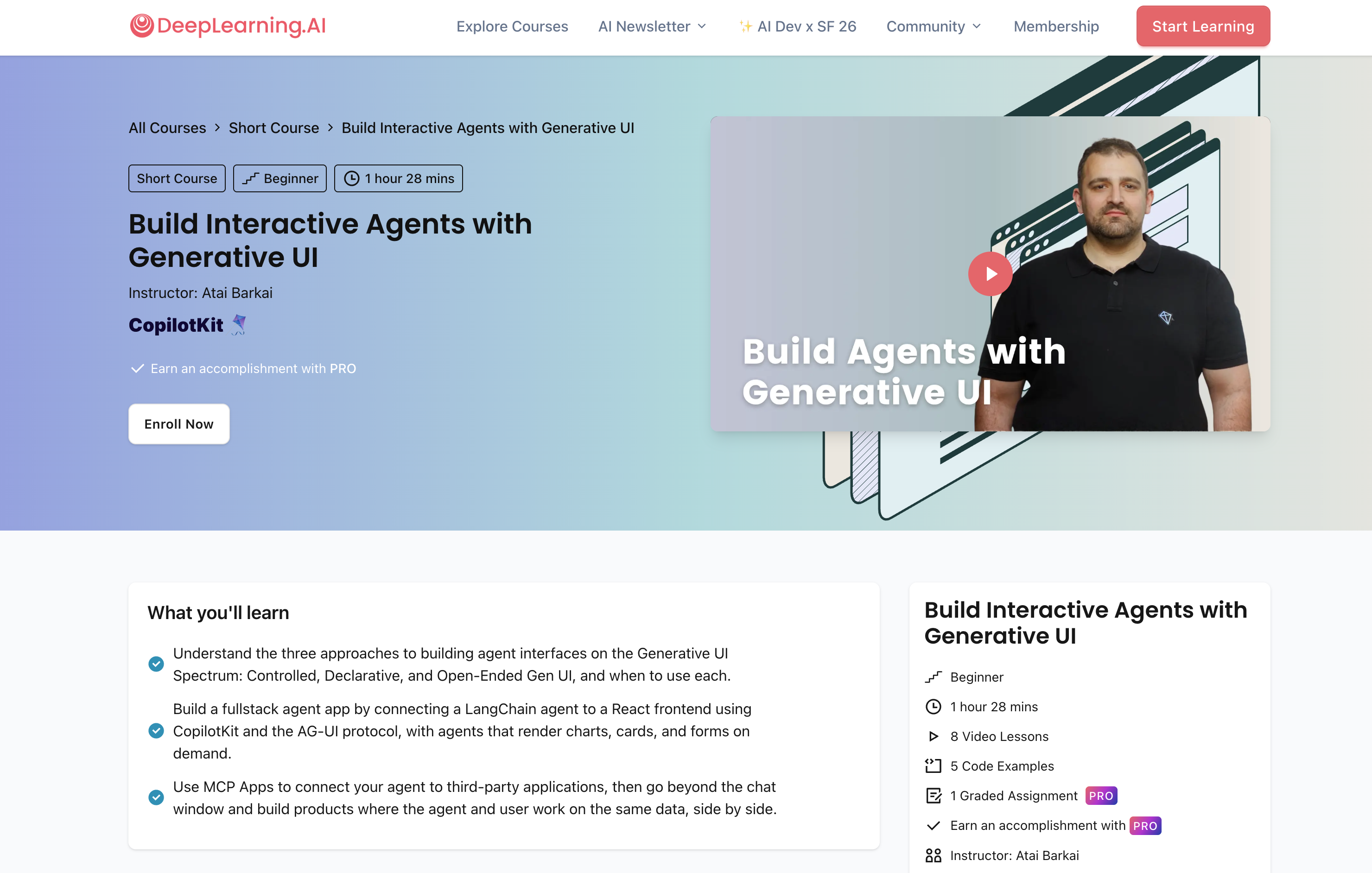
If you prefer watching, the DeepLearning.AI course covers everything: Build Interactive Agents with Generative UI.
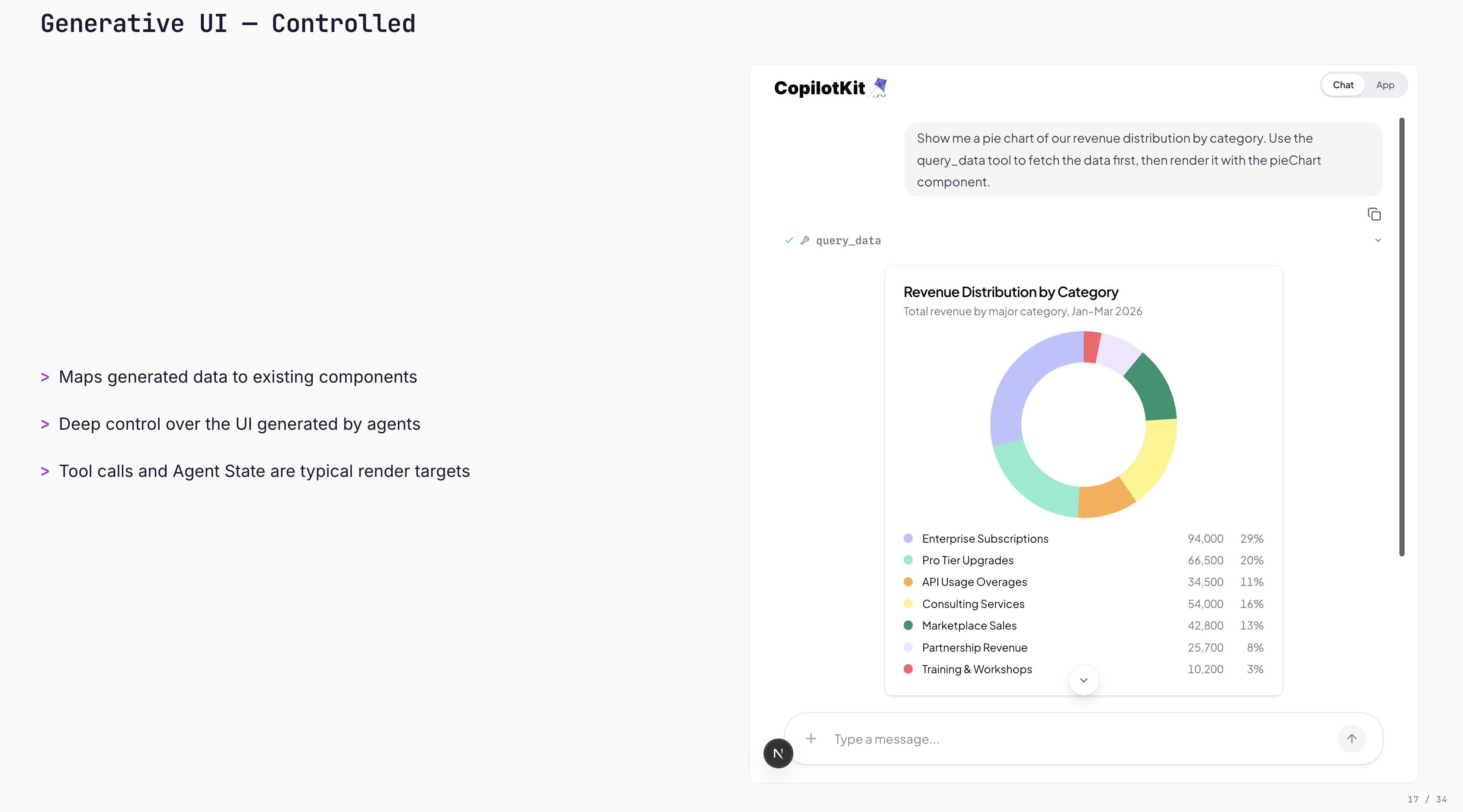
Controlled - you pre-build the components, the agent picks which one to show and fills it with data. Ask for your spending breakdown, the agent calls pieChart and streams the data into it. Your design system, pixel-perfect. The hook is useComponent.
The catch: every component you register is a tool definition in the agent's context. Past 25, the agent starts guessing. Pie chart and donut chart both "show proportions." It picks wrong.
Example: "Show me our revenue distribution by category" -- the agent fetches the data and renders your pieChart component inline.
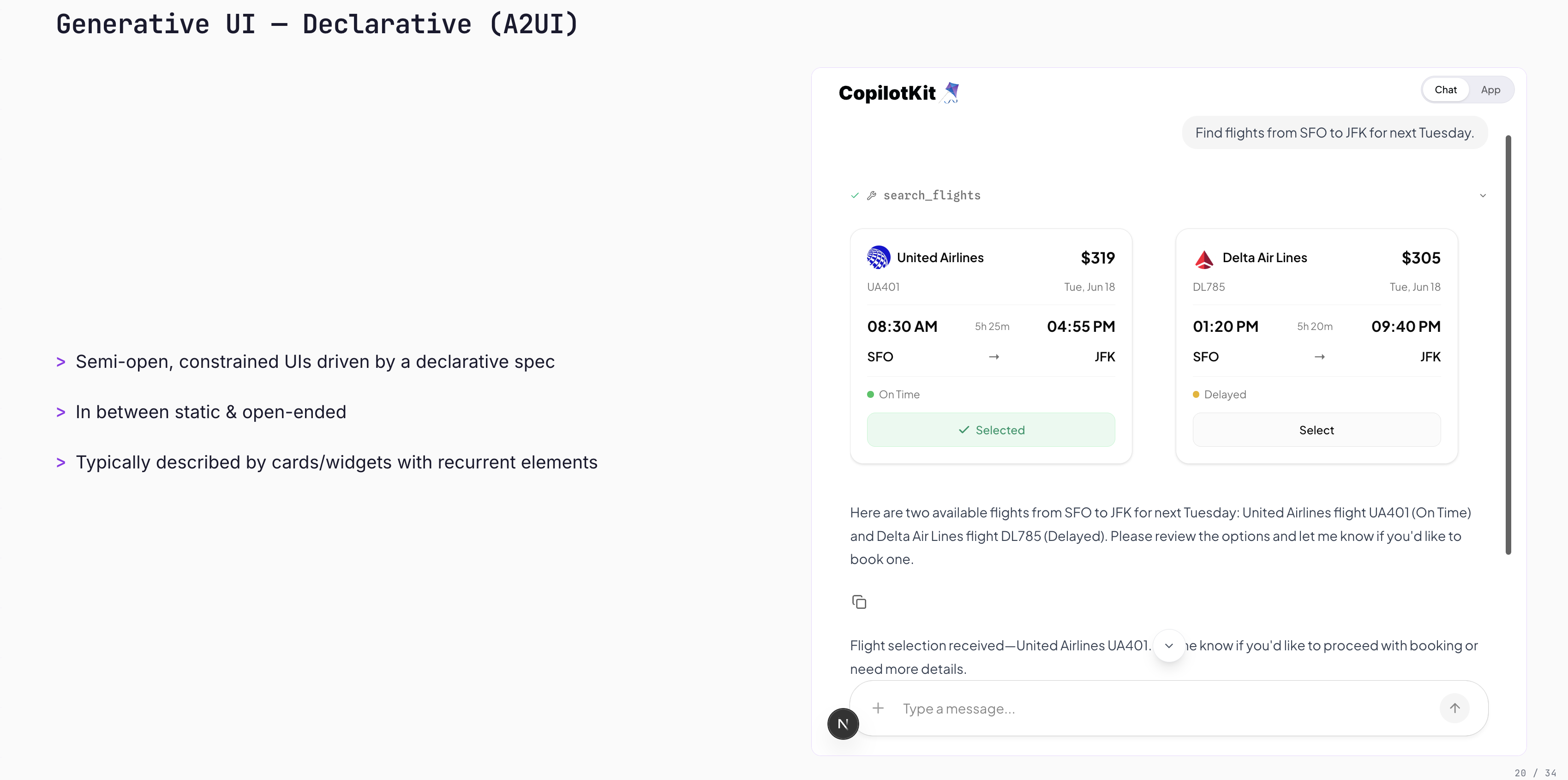
Declarative (A2UI) - instead of pre-building every component, you give the agent a schema and it figures out the layout. One tool, many UIs, flat token cost as your library grows. Add a new card type, and the agent can use it immediately. Built on Google's A2UI protocol.
The catch: the LLM owns the layout. Output varies run to run. Not for legal disclosures, marketing surfaces, or anything where exact pixel placement matters.
Example: "Find flights from SFO to JFK for next Tuesday" -- the agent composes flight cards. Click a flight, and the agent receives the selection.
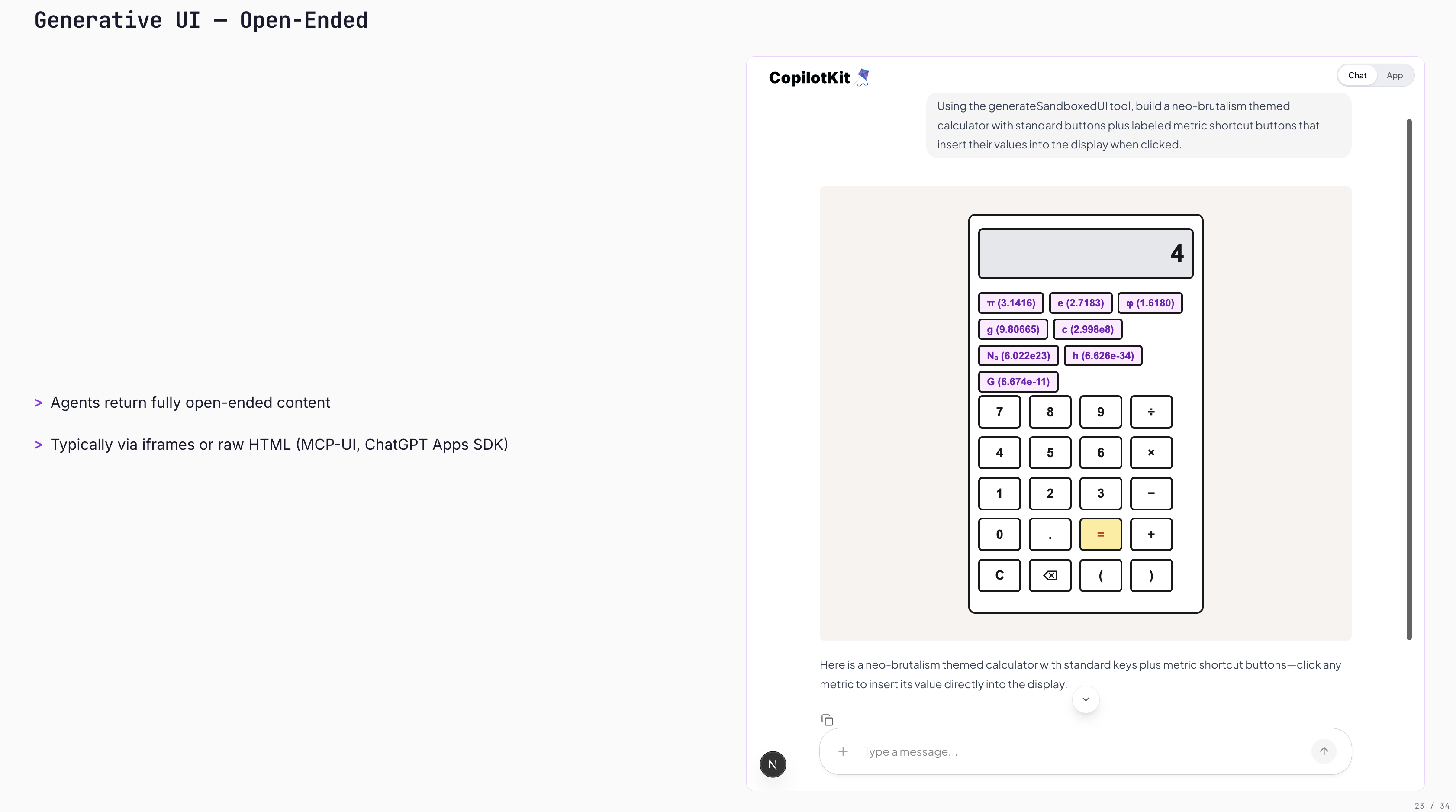
Open-ended (MCP Apps / Open Generative UI) - the agent writes raw HTML, your app renders it in a sandboxed iframe. No catalog, no schema, no rules.
Good for throwaway - "show me how electrons work", "give me a weird bar chart of my last 10 queries." Not for anything a real user sees twice.
Example: "Build a neo-brutalism themed calculator" -- the agent generates the full interactive HTML on the spot.
If you are interested in reading more about the tradeoffs with complete code, check out these blogs:
The prebuilt components CopilotChat, CopilotSidebar, CopilotPopup cover most cases. But not every product should have a floating chat bubble.
Sometimes the agent needs to live inside your dashboard, respond through a voice interface, or narrate its progress in a sidebar that matches your product so well users don't know it's an AI feature.
If you just need to tweak the layout or style of the prebuilt components, the slot system is the easier path.
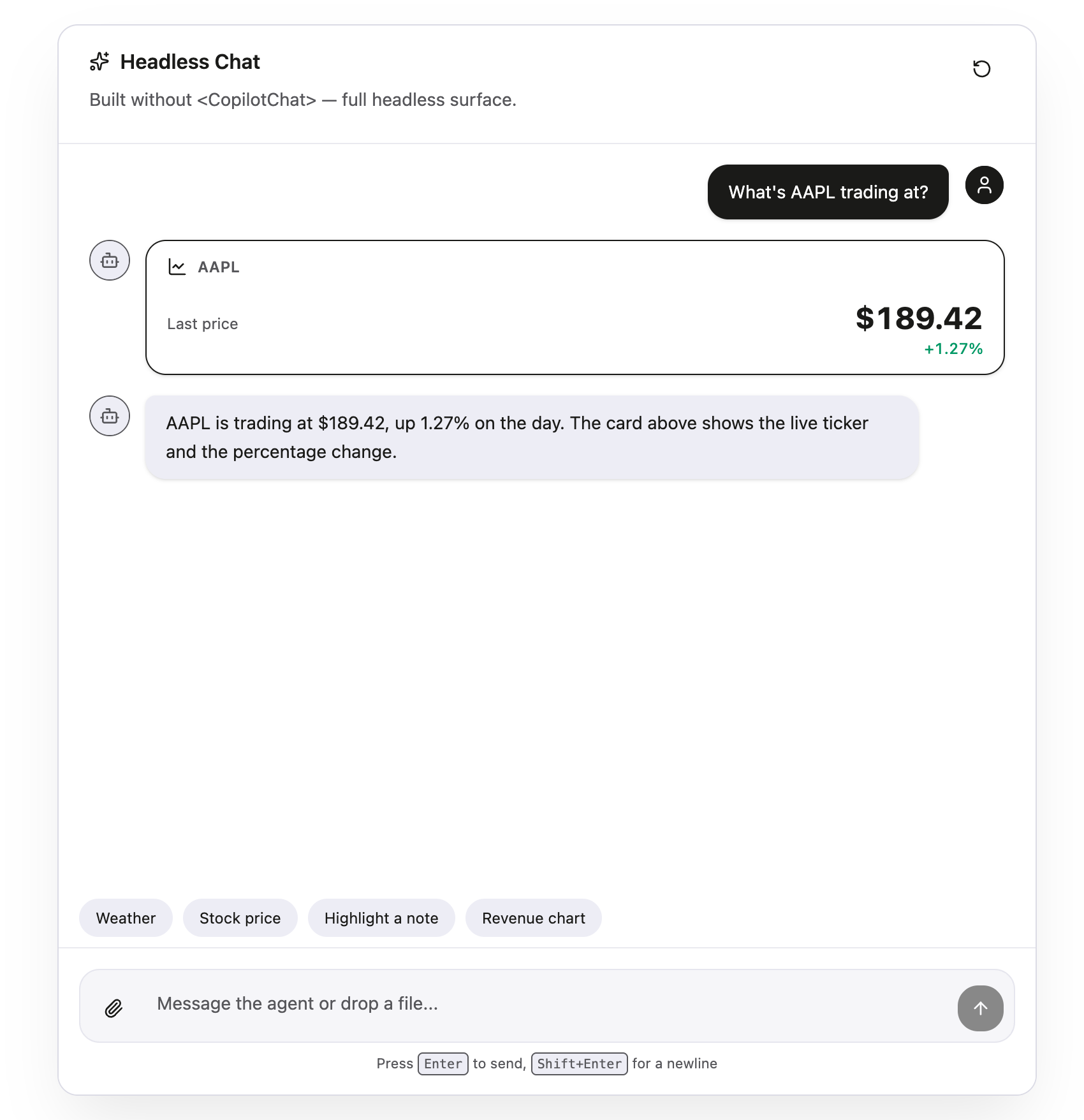
Headless UI is for when you need to go further - a completely different layout, a non-chat interface, or something embedded deep in your existing UI.
Here are the two primitives everything is built on:
useAgent gives you the messages, state, and run status.useCopilotKit gives you copilotkit.runAgent() to trigger the agent from anywhere:import { useAgent, useCopilotKit } from "@copilotkit/react-core/v2";
export default function Chat() {
const { agent } = useAgent();
const { copilotkit } = useCopilotKit();
return (
<div>
{agent.messages.map(m => (
<p key={m.id}>{m.content}</p>
))}
<button onClick={() => copilotkit.runAgent({ agent })}>
{agent.isRunning ? "Thinking..." : "Send"}
</button>
</div>
);
}
Read more on the docs.
The CopilotKit VSCode extension brings four tools into your editor so you can iterate without running the full app.
Hook Explorer (Generative UI) - scans your workspace for CopilotKit hooks, renders their generative UI with auto-generated form controls. Offline, no agent run needed.
A2UI Catalog Preview - live preview your catalog components. Edit the file, save, and the preview hot-reloads instantly.
Playground - full chat surface that actually runs your agent inside the editor. Detects your hooks, wires them to a local runtime, and hot-reloads on save.
AG-UI Inspector - shows a real-time stream of every AG-UI event your runtime emits, color-coded and filterable.
You can install it from VSCode Marketplace or from the terminal. Read more on the docs.
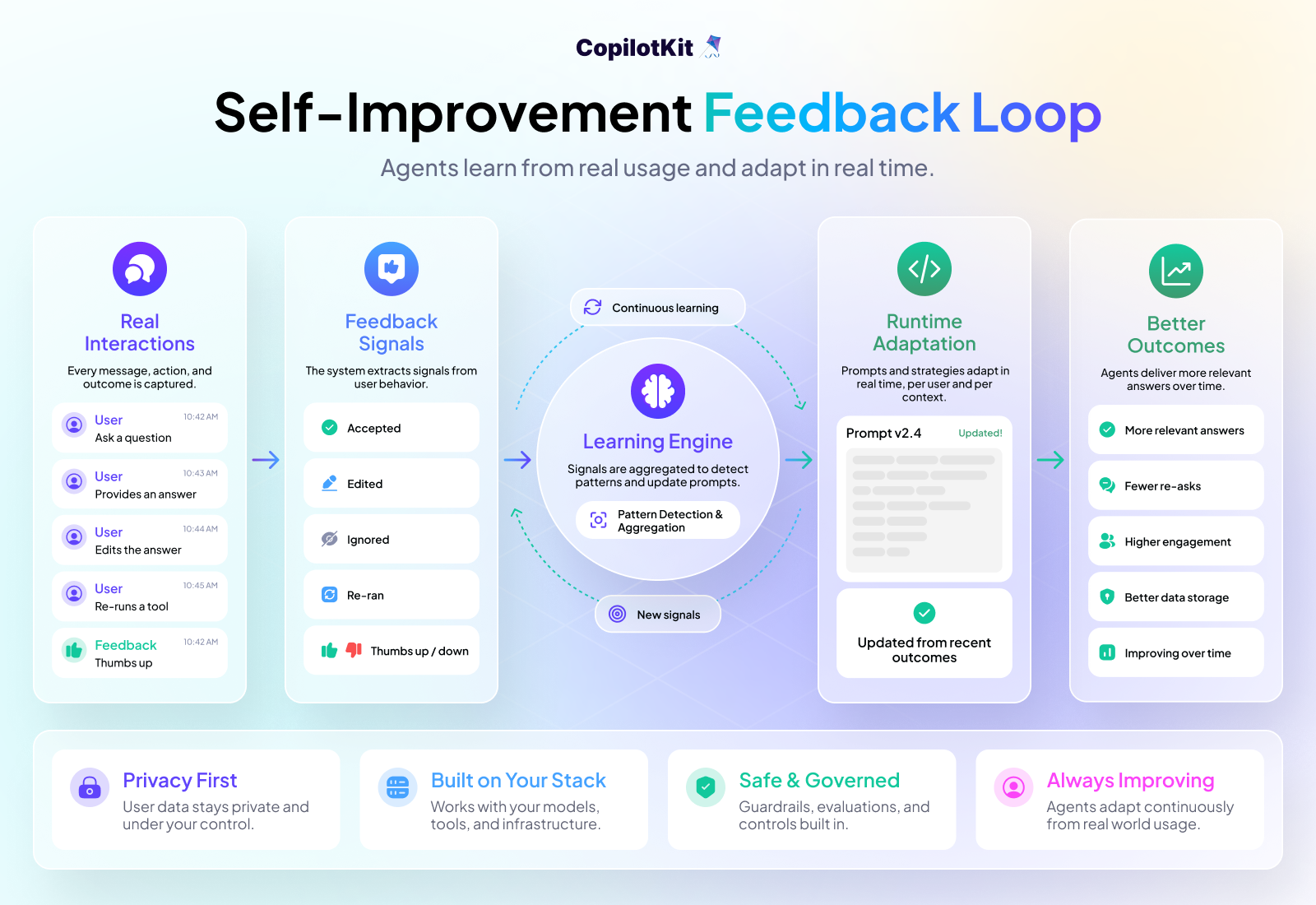
code --install-extension copilotkit.copilotkitRight now, agents stay exactly as smart as the day you shipped them. If the agent makes the same mistake every time a user tries to export a CSV, it keeps making that mistake until you notice, trace it back, patch the prompt, and redeploy.
Every user-agent interaction flows through AG-UI as typed events. Accepted answers, edited responses, re-run tools, ignored suggestions - all of it is captured. The thread layer makes that data persistent. That's a labeled feedback stream sitting right there.
These are part of the CopilotKit Intelligence Platform.
Analytics & Insights - see how your agent is performing in production. Which flows are working, where users are dropping off, and what's getting ignored. SQL-queryable data for compliance and audit. Connects to DataDog, New Relic, or whatever you already use.
Continuous Learning from Human Feedback (CLHF) - signals from real usage feed back into the agent. Prompts adapt at runtime, per user and per context, based on recent outcomes. The agent keeps getting better the more it's used.
This is what Cursor did to build their Composer model. Every developer interaction was implicit training data. CopilotKit is bringing that loop to your app, on top of AG-UI.
Both are in active development. Sign up for early access.
CopilotKit is the layer between your agent and your users.
The hard part of agent products isn't the model - it's the interface that makes it usable, stateful, and safe for real people. That's the problem we exist to solve, and everything in this guide is built around it.
The use cases are wide open. SaaS copilots, productivity tools, customer support agents, internal dashboards, and generative UI experiences nobody has built yet. Whatever you're shipping, the docs have everything you need.
If you get stuck, reach out to us in the CopilotKit or AG-UI communities.
Want to bring CopilotKit into your stack? Book a call with our engineers.
Happy building!
Subscribe to our blog and get updates on CopilotKit in your inbox.