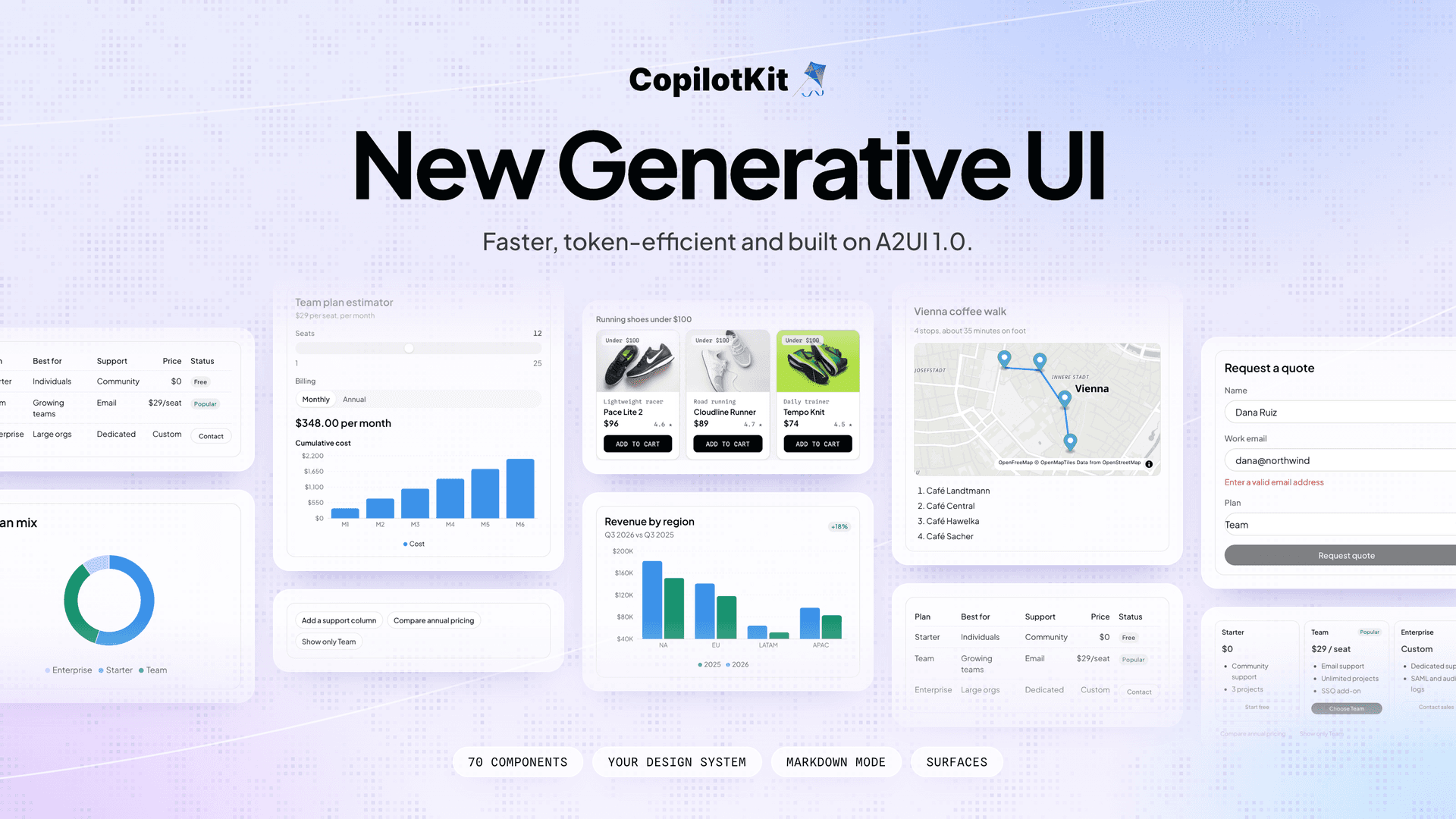
Today, we're excited to release major upgrades to Generative UI in CopilotKit!
We've added a standard catalog of 70 ready-made components, including forms, charts, maps, and more. You can extend the catalog with your own components or override any of ours, so the generated UI always follows your design system.
With surfaces, your agent can generate UI outside the chat, anywhere on your page. The new markdown mode lets your agent write UI straight into its reply, so text and UI stream together as one answer.
Everything is built on A2UI v1.0, works with any agent, and is token-efficient and safe by design. Setup takes just two lines.
Here's everything that ships with this release:
createGenerativeUI, then extend, omit, or override the standard catalog to match your design system.GenerativeUISurface and the agent can render there, with your own content as the fallback.Our engineering team put a lot of effort into making generative UI with CopilotKit easier to build, customize and debug. If you have feedback or ideas, we'd love to hear them on GitHub or in our Discord community.
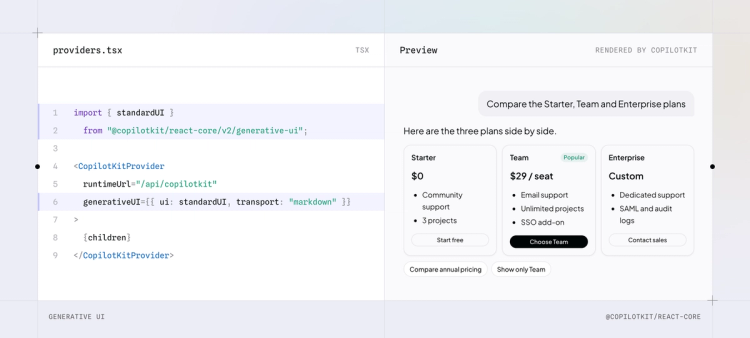
If you already use CopilotKit, run pnpm update to get the latest version, then pass the standard catalog (standardUI) to your provider and pick a mode:
import { standardUI } from "@copilotkit/react-core/v2/generative-ui";

<CopilotKitProvider
  runtimeUrl="/api/copilotkit"
  generativeUI={{ ui: standardUI, transport: "markdown" }} // "tool" is the default
>
Your runtime doesn't change. The built-in agent works out of the box, and any AG-UI agent (LangGraph, Mastra, Google ADK and more) just needs to pass the run's tools and context to its model.
Here's what it looks like in action!
Starting a new app? The quickstart walks you through it and has a ready-made prompt you can copy into your coding agent to set everything up.
The standard catalog gives your agent 70 components, covering layout, text, form inputs, tables, images, video, charts built on Recharts and maps built on MapLibre. There are ready-made blocks too, like link previews, citations, product cards and follow-up suggestions.
Every component is interactive, so a slider can update a price and a chart instantly in the browser, without another request to the agent.
To add your own components, register them with createGenerativeUI. The description tells the agent when to render each component, and the props define what it passes in (via Zod, Valibot, ArkType).
const shopUI = createGenerativeUI({
  id: "acme/shop@1",
  extends: [standardUI],
  components: {
    ProductCard: {
      component: ProductCard,
      description: "One product, with values from the search results.",
      props: z.object({ name: z.string(), price: z.number(), ... }),
    },
  },
});
Three options let you decide how your catalog sits alongside the standard one:
extends keeps the standard catalog next to yours, so the agent can place your product cards inside its own rows and grids.omit removes the components you don't need. The agent stops seeing them, which keeps the prompt smaller.overrides swaps any standard component for your own, so every card and button matches your design system.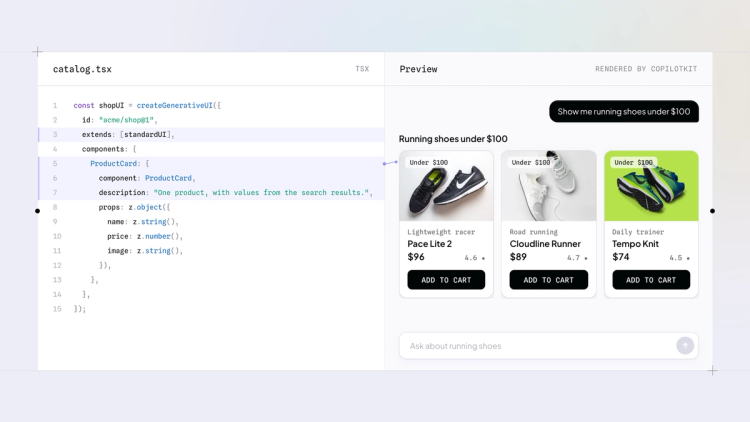
The whole catalog is fully typed, so a misspelled component name or an undefined prop gets caught before you ship.
Until now, generative UI in CopilotKit only happened in the chat. With surfaces, the agent can render anywhere on your page, which brings it into full products like a store or a dashboard. This is the part of the release we're most excited about.
Here's the Featured row of a store's home page, turned into a surface.
export function FeaturedSection({ products }) {
  return (
    <section>
      <h2>Featured</h2>
      <GenerativeUISurface
        id="featured"
        ui={shopUI}
        description="The Featured Products row of the home page. Show products here as a ProductGrid of ProductCards."
        components={["ProductGrid", "ProductCard"]}
        fallback={<ProductGrid products={products} />}
      />
    </section>
  );
}
The description tells the agent what the area is for, components limits what it can render there, and the fallback is your regular row until the agent takes over.
Our shop example uses surfaces across a real store. The Featured row, product pages and the cart are all surfaces, so users can reshape any of them from the chat to fit what they need.
Speed and token cost decide whether generative UI holds up in production, so we prioritized both for this release.
Tool mode streams the UI piece by piece, so it builds on screen while the model is still writing. Markdown mode does the same inside the agent's reply, so text and UI arrive together with no extra model call.
Here's how we keep token use down:
omit leave the prompt entirely.Every piece the agent sends is checked against your catalog before it renders. If something doesn't match, the agent gets the reason and fixes it on the next turn. And generated UI never executes code on your page.
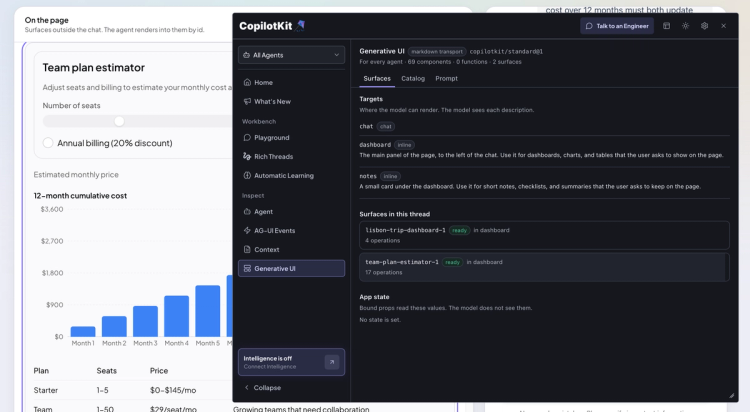
We've also added a new Generative UI pane to the CopilotKit Inspector to help you debug every surface. It shows what rendered, anything rejected and why, and the exact prompt the model received.
Under the hood, the agent speaks A2UI 1.0, the framework-agnostic generative UI protocol from Google. The standard catalog includes all 18 A2UI basic components, plus 52 more from us.
If you already use A2UI with CopilotKit, nothing breaks. These features are experimental while the A2UI 1.0 spec is being finalized, so the API may still change.
The easiest way to start is the quickstart guide. Copy its setup prompt into your coding agent, and it wires generative UI into your app for you.
To learn more:
Want help bringing it into your product? Book a call with our engineers, and we'll set it up with your components and design system.
We can't wait to see what you build. Follow CopilotKit on Twitter for what's next, and join the CopilotKit and AG-UI communities if you get stuck.

Subscribe to our blog and get updates on CopilotKit in your inbox.