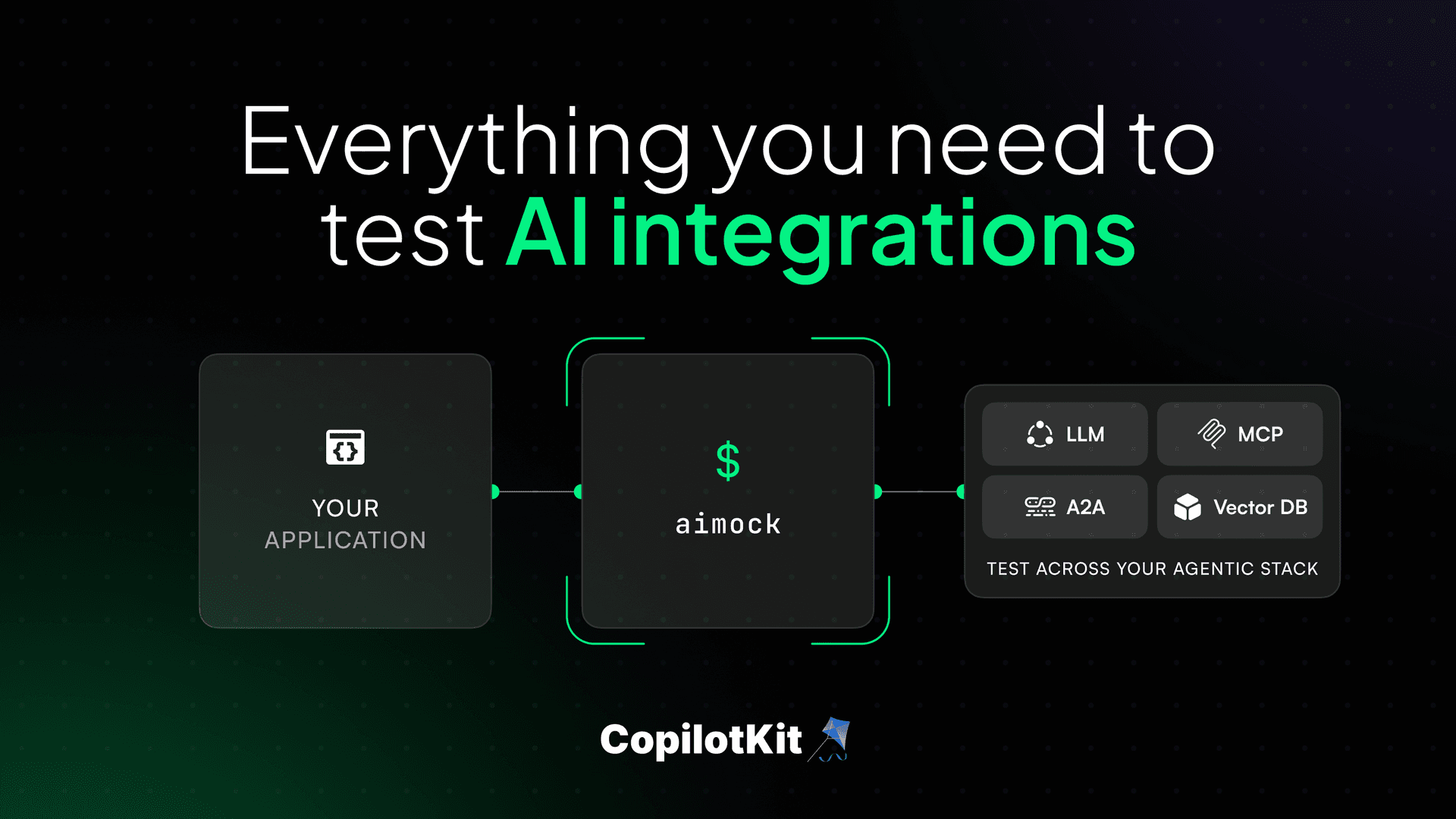
When we started building AI apps, every test run hit live LLM APIs, burned tokens, and failed randomly because some provider tweaked their response format that week. So we built LLMock, open-sourced it and thought we were done.
But in reality, a single agent request in 2026 can touch six or seven services before it returns a response: the LLM, an MCP tool server, a vector database, a reranker, a web search API, a moderation layer, a sub-agent over A2A.
Most teams mock one of them. The other six are live, non-deterministic, and quietly making your test suite a lie. That is why we built AIMock.
AIMock mocks your entire agentic stack from one config file. It also does things no other mocking tool does: records real API responses and replays them as fixtures, runs daily drift detection to catch provider changes before your users do, and lets you inject failures to prove your app handles them gracefully.
Zero dependencies, everything built from Node.js builtins. Docs.
npm install @copilotkit/aimock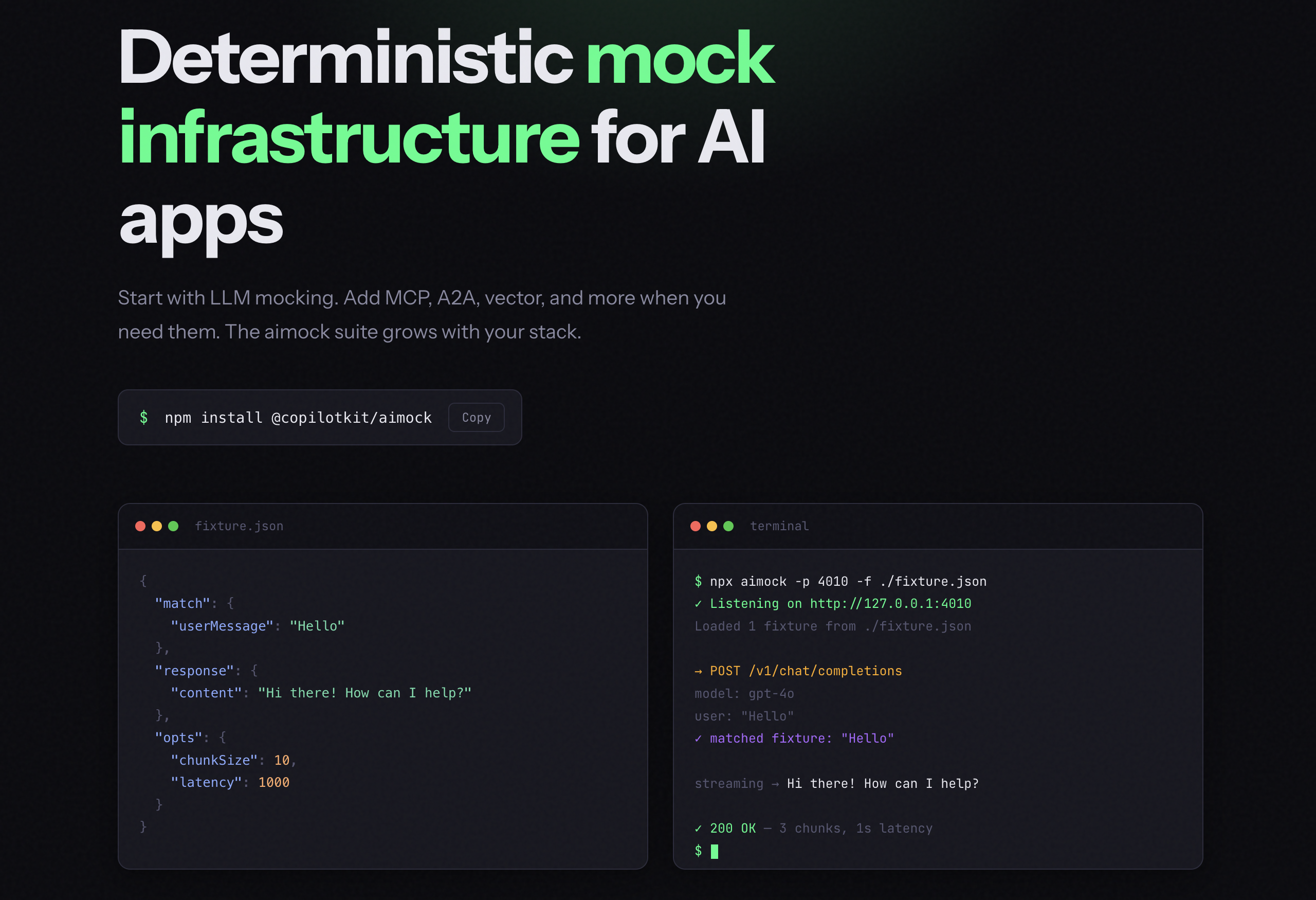
AIMock is open source and free.
A realistic agent request looks like this:
User message
→ LLM decides to use a tool
→ Tool call via MCP (file system, database, calendar)
→ RAG retrieval from Pinecone or Qdrant
→ Web search via Tavily
→ Cohere reranker to sort results
→ Back to LLM with full context
Each of these is a live network call in your test environment. Every one can fail, return something slightly different, or cost you tokens.
We looked at every tool out there. Some handled LLM mocking. Some handled one protocol. None covered the full picture. You would have to stitch together three or four libraries, each with its own config format, and still have gaps.
Here is how AIMock compares to other options out there.
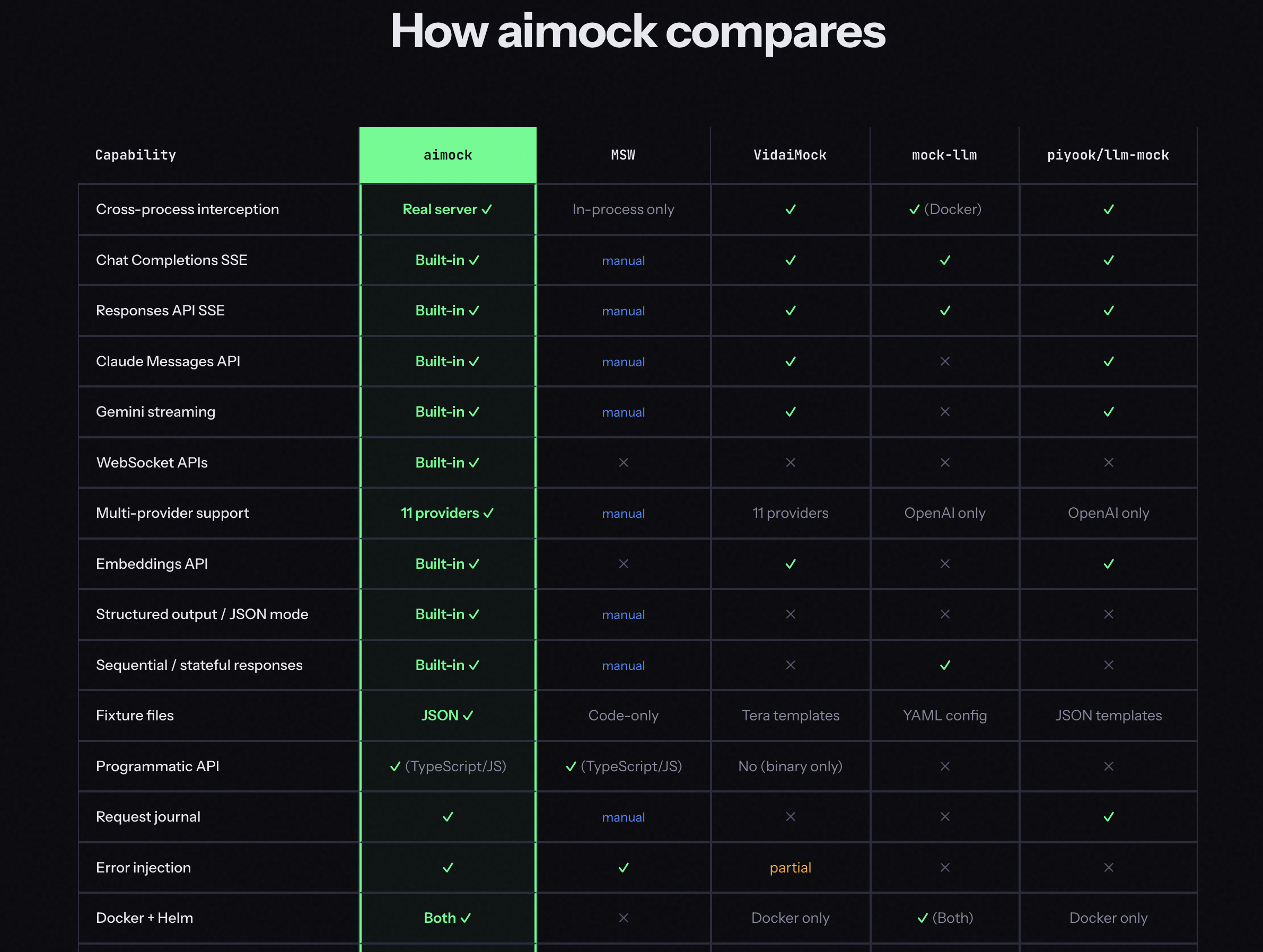
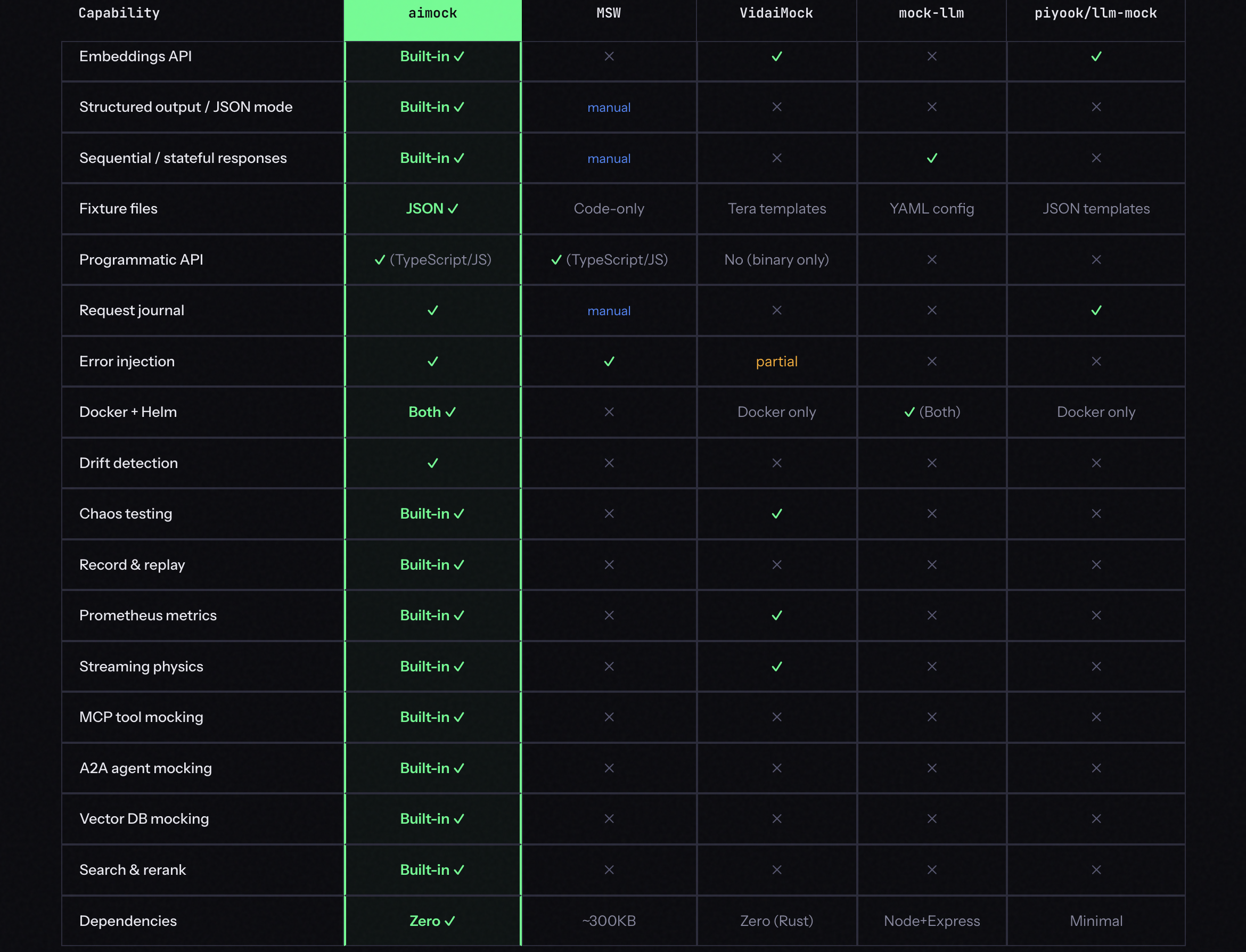
It mocks everything your AI app talks to. Here is what is inside:
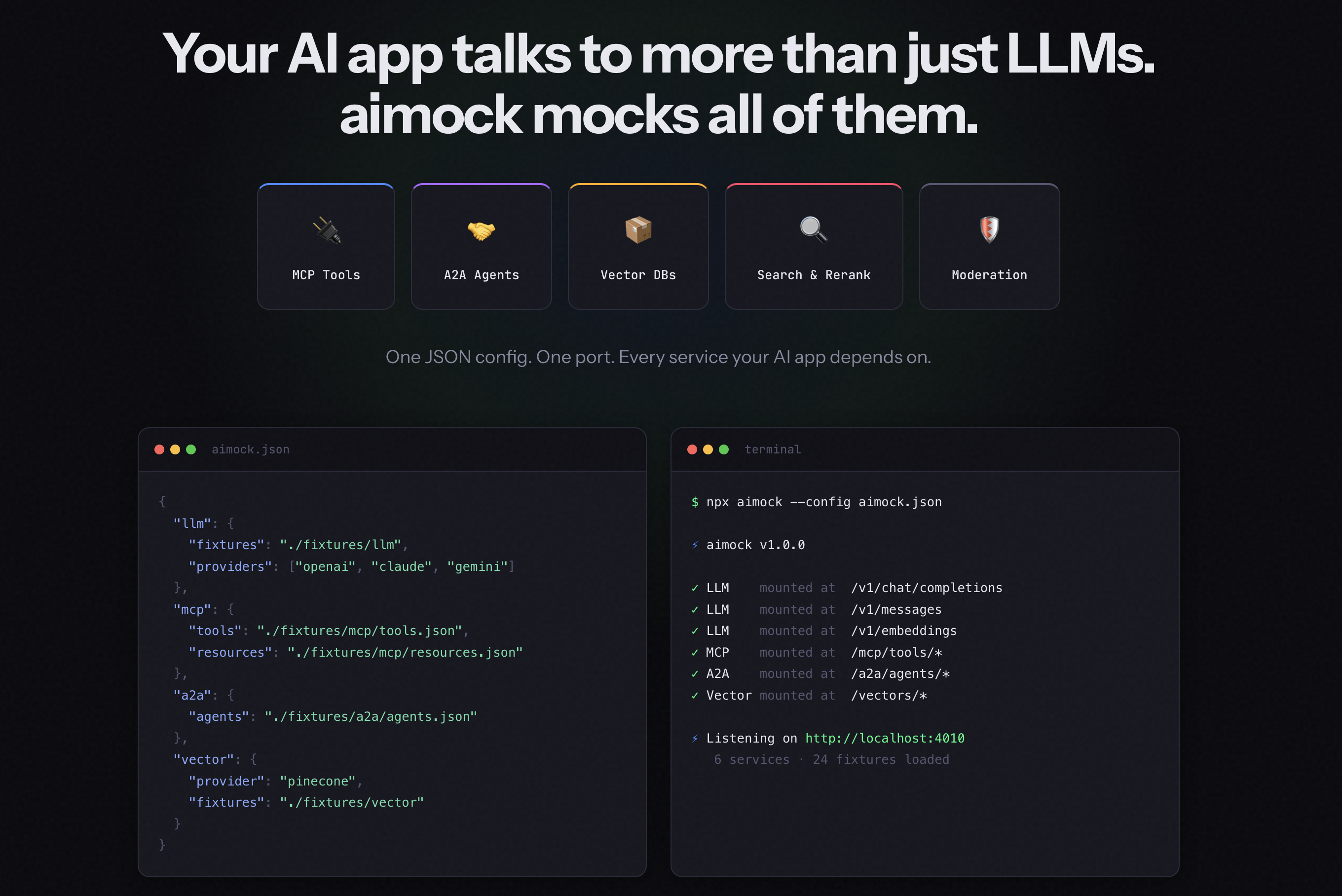
On top of that, AIMock does three things no other mocking tool does:
Run all of them on one port with a single config file:
{
  "llm": { "fixtures": "./fixtures/llm", "providers": ["openai", "claude", "gemini"] },
  "mcp": { "tools": "./fixtures/mcp/tools.json" },
  "a2a": { "agents": "./fixtures/a2a/agents.json" },
  "vector": { "path": "/vector", "collections": [] }
}
Get started with the AIMock CLI:
npx aimock --config aimock.json --port 4010Let's go through each one in brief.
LLMock runs a real HTTP server on a real port, not in-process patching. Any process on the machine can reach it: your Next.js app, agent workers, LangGraph processes, anything that speaks HTTP.
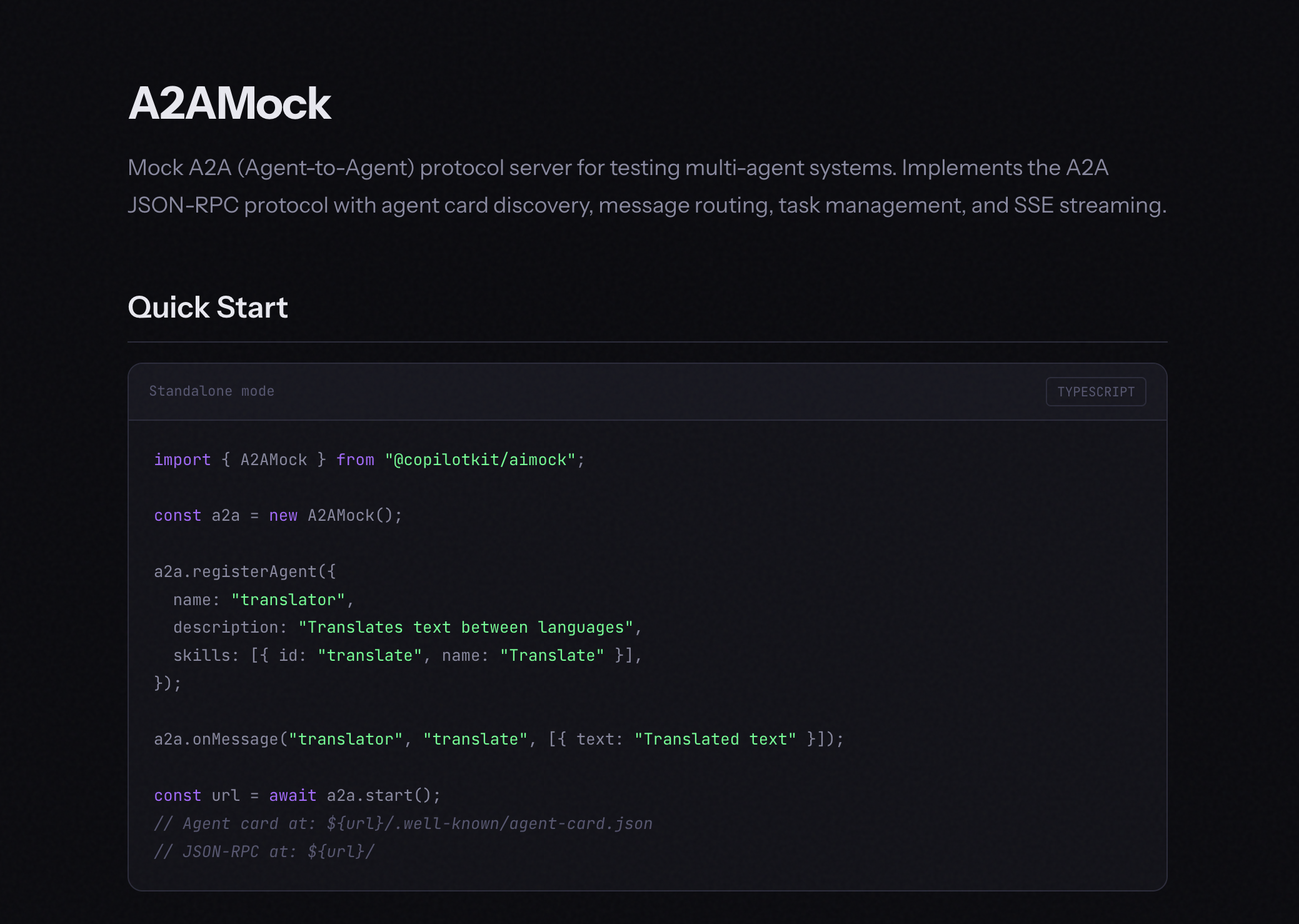
It has native support for 11 providers: OpenAI, Claude, Gemini, Bedrock, Azure, Vertex AI, Ollama, Cohere, OpenRouter and Anthropic Azure. Reasoning models are supported across all of them.
Any OpenAI-compatible endpoint like Mistral, Groq, Together AI, vLLM works out of the box too. Full streaming, tool calls, structured outputs, extended thinking, multi-turn conversations, and WebSocket APIs are all built in.
AIMock handles the translation internally, so one fixture format works across all providers.
Using the programmatic API with vitest, register a fixture and assert on the response. beforeAll starts the mock server once for the suite, afterAll tears it down, and mock.on() registers a fixture that maps a user message to a deterministic response.
import { LLMock } from "@copilotkit/aimock";
import { describe, it, expect, beforeAll, afterAll } from "vitest";

let mock: LLMock;

beforeAll(async () => {
  mock = new LLMock();
  await mock.start();
});

afterAll(async () => {
  await mock.stop();
});

it("non-streaming text response", async () => {
  mock.on({ userMessage: "hello" }, { content: "Hello! How can I help?" });

  const res = await fetch(`${mock.url}/v1/chat/completions`, {
    method: "POST",
    headers: { "Content-Type": "application/json" },
    body: JSON.stringify({
      model: "gpt-4",
      messages: [{ role: "user", content: "hello" }],
      stream: false,
    }),
  });

  const body = await res.json();
  expect(body.choices[0].message.content).toBe("Hello! How can I help?");
  expect(body.object).toBe("chat.completion");
  expect(body.id).toMatch(/^chatcmpl-/);
});
Point your existing OpenAI client at the mock URL. Nothing else in your code changes. No API keys, no network calls, the same response every time. Full provider docs here.
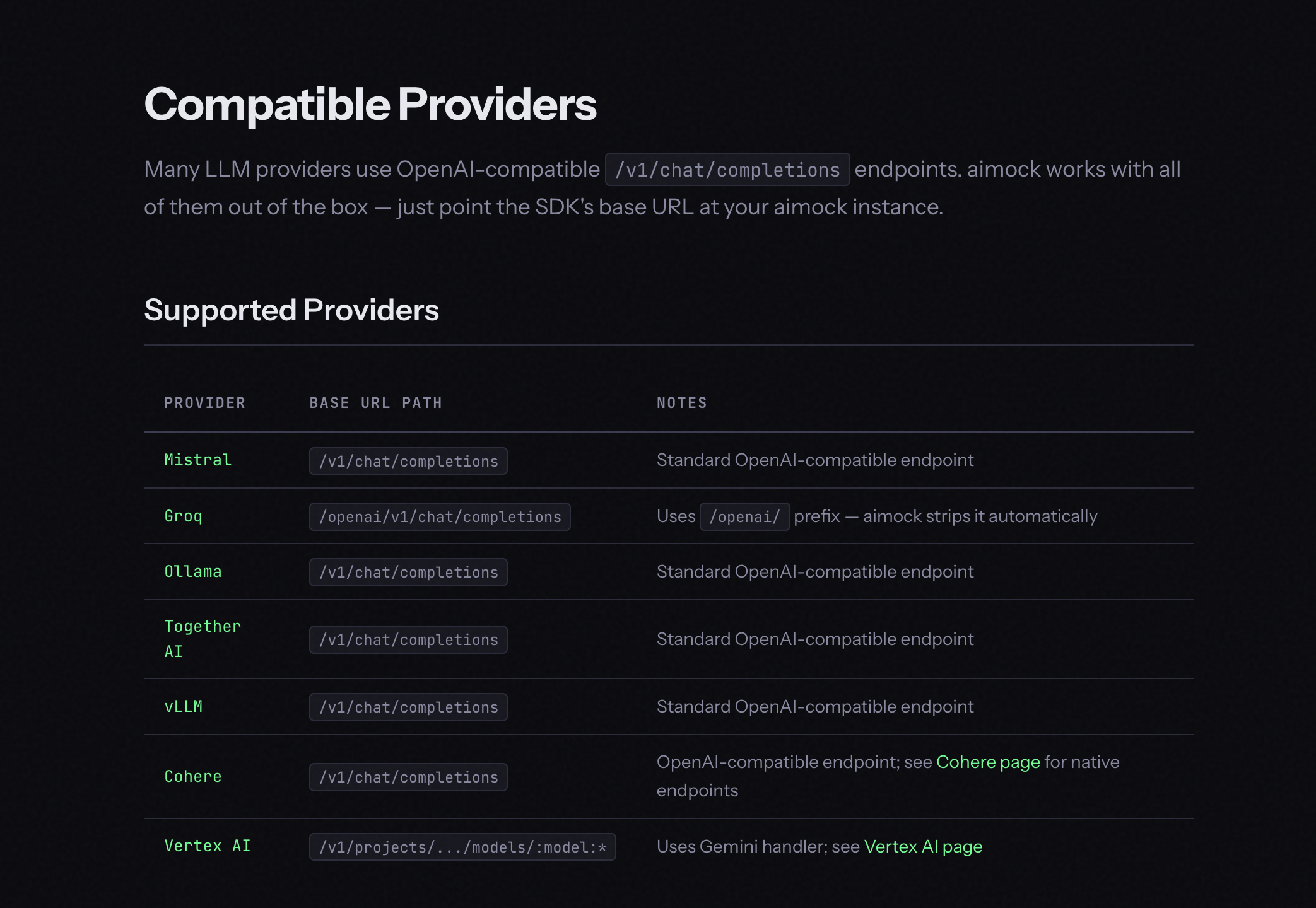
MCP is how agents call tools. If your agent uses MCP, every tool call in your test suite is hitting a live server with real latency and no control over what comes back.
MCPMock gives you a local server that speaks the full MCP protocol over JSON-RPC 2.0. Your agent connects to it exactly like a real MCP server. You control what comes back.
import { MCPMock } from "@copilotkit/aimock/mcp";

const mcp = new MCPMock();

mcp.addTool({
  name: "search",
  description: "Search the web",
  inputSchema: { type: "object", properties: { query: { type: "string" } } },
});

mcp.onToolCall("search", (args) => {
  const { query } = args as { query: string };
  return `Found 3 results for "${query}"`;
});

const url = await mcp.start();
// point your MCP client at `url`
In a real agent test, your LLM and MCP tool server run together. Mount MCPMock onto LLMock so they share one port:
import { LLMock, MCPMock } from "@copilotkit/aimock";

const llm = new LLMock({ port: 5555 });
const mcp = new MCPMock();

mcp.addTool({ name: "calc", description: "Calculator" });
mcp.onToolCall("calc", (args) => "42");

llm.mount("/mcp", mcp);
await llm.start();
// MCP available at http://127.0.0.1:5555/mcp
It supports:
Mcp-Session-Id lifecycle per the Streamable HTTP specFull docs here.
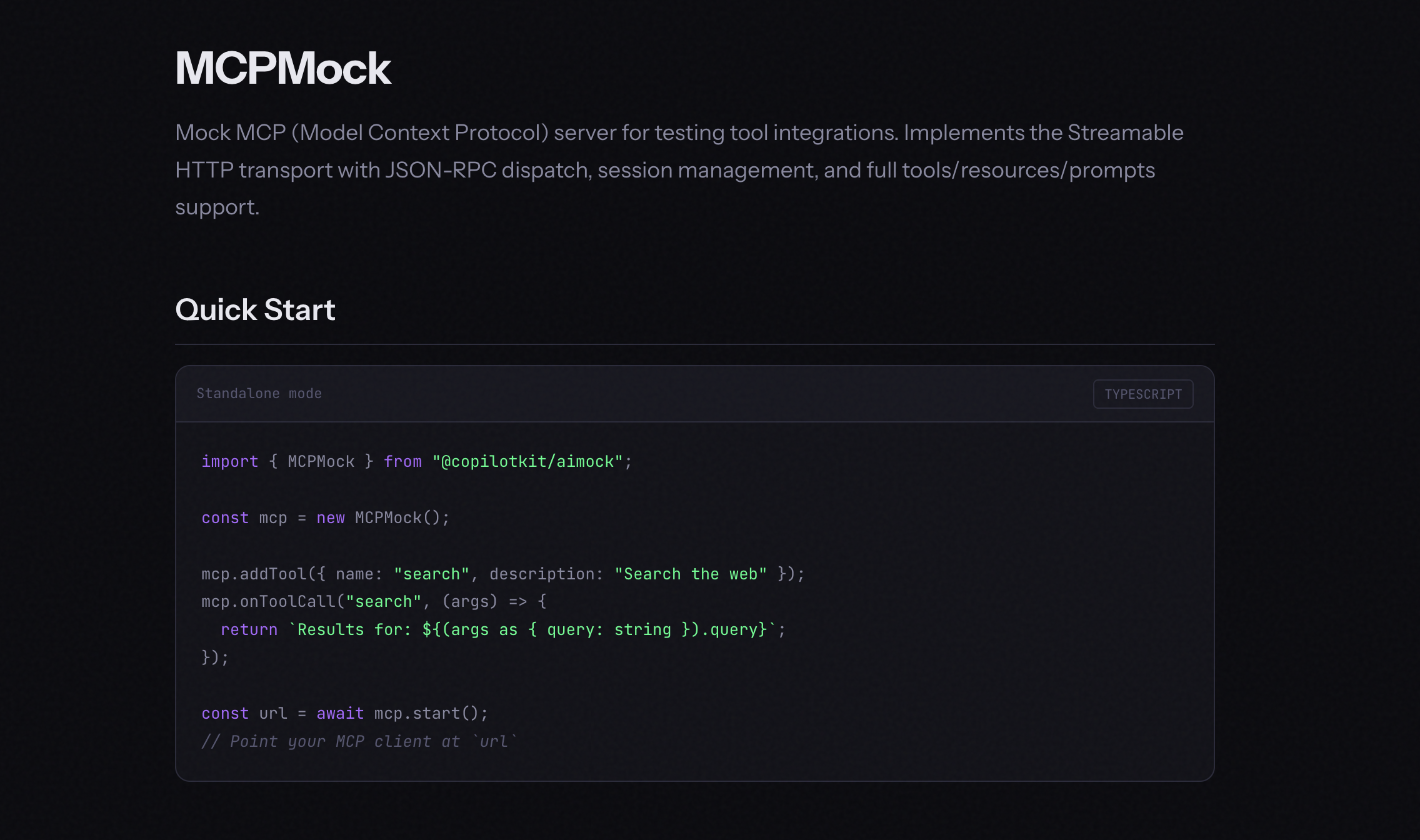
A2A (Agent2Agent) is how agents discover and talk to each other. It handles agent cards, message routing, and streaming responses between agents.
Testing a multi-agent system is hard when every agent is live. One agent goes down, your whole test suite breaks.
A2AMock gives you a local A2A server with full agent card discovery, message routing, task management and SSE streaming. Register your agents, define how they respond, and test your multi-agent workflows end-to-end without anything actually running.
import { A2AMock } from "@copilotkit/aimock/a2a";

const a2a = new A2AMock();

a2a.registerAgent({
  name: "translator",
  description: "Translates text between languages",
  skills: [{ id: "translate", name: "Translate" }],
});

a2a.onMessage("translator", "translate", [{ text: "Translated text" }]);

const url = await a2a.start();
// Agent card at: ${url}/.well-known/agent-card.json
// JSON-RPC at: ${url}/
Here is the pattern for long-running tasks with incremental updates:
a2a.onStreamingTask("agent", "long-task", [
  { type: "status", state: "TASK_STATE_WORKING" },
  { type: "artifact", parts: [{ text: "partial result" }], name: "output" },
  { type: "artifact", parts: [{ text: "final result" }], lastChunk: true, name: "output" },
], 50); // 50ms delay between events
For task management, agent cards, and JSON-RPC methods, see the full docs here.
If your app does retrieval-augmented generation, your tests depend on what is in your vector database right now. Your dev index is messy, your staging index does not match prod, and results shift every time someone upserts new vectors.
VectorMock is a mock vector database server that supports Pinecone, Qdrant, and ChromaDB API formats with collection management, upsert, query, and delete operations.
import { VectorMock } from "@copilotkit/aimock/vector";

const vector = new VectorMock();

vector.addCollection("docs", { dimension: 1536 });
vector.onQuery("docs", [
  { id: "doc-1", score: 0.95, metadata: { title: "Getting Started" } },
  { id: "doc-2", score: 0.87, metadata: { title: "API Reference" } },
]);

const url = await vector.start();
// point your vector DB client at `url`
If you need results to vary based on the query, use a dynamic handler instead:
vector.onQuery("docs", (query) => {
  const topK = query.topK ?? 10;
  return Array.from({ length: topK }, (_, i) => ({
    id: `result-${i}`,
    score: 1 - i * 0.1,
  }));
});
Here are compatible endpoints for Pinecone, Qdrant, and ChromaDB APIs.
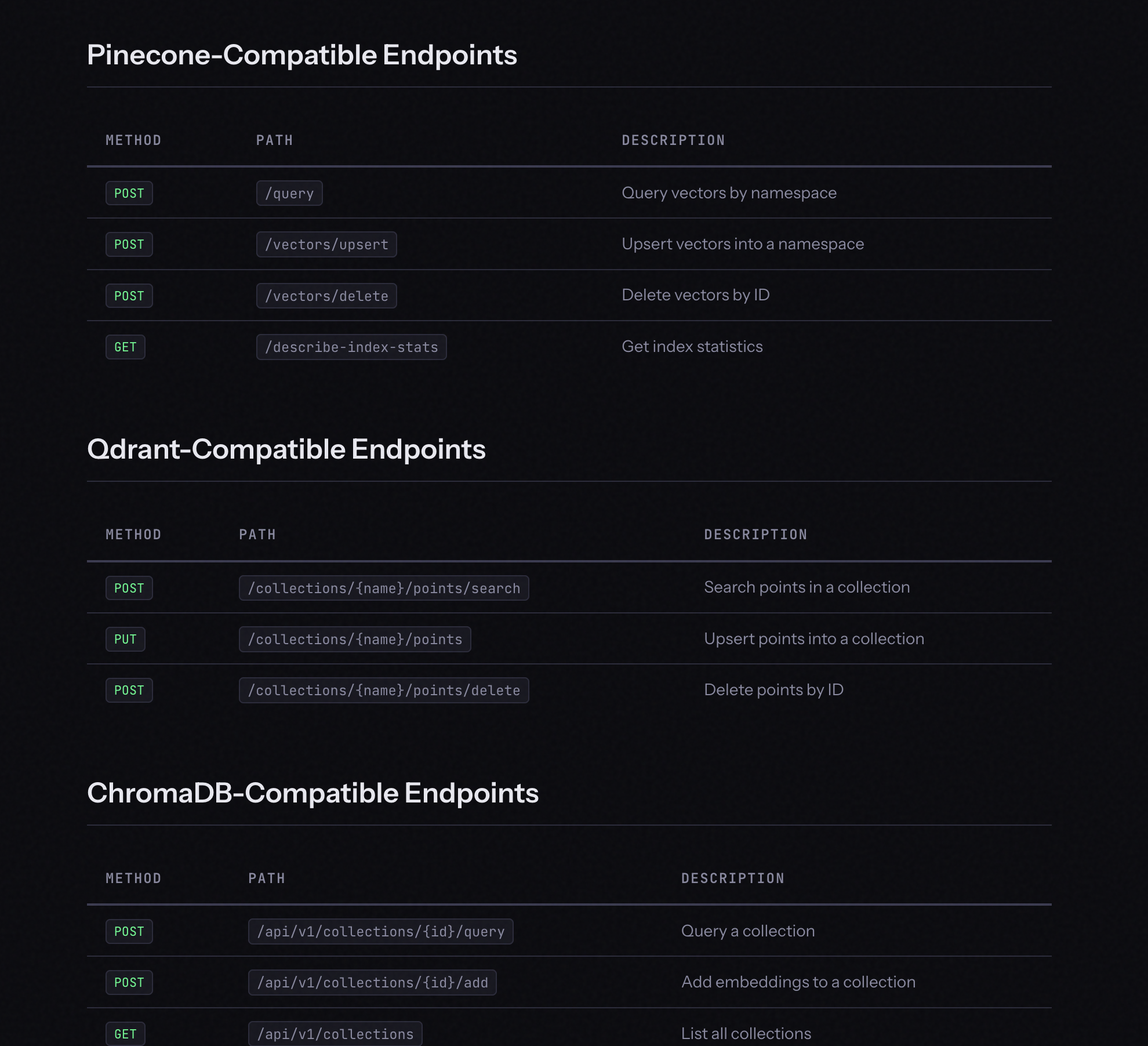
Consistent retrieval results. Full docs here.
These are the APIs most people forget to mock, and the ones that quietly make your test suite non-deterministic.
Services within AIMock provides built-in mocks for web search, reranking, and content moderation. Register fixture patterns on your LLMock instance and requests are matched by query/input text. No separate server needed.
POST /searchPOST /v2/rerankPOST /v1/moderations. Unmatched requests return unflagged by default.import { LLMock } from "@copilotkit/aimock";
const mock = new LLMock();
// String pattern — case-insensitive substring match
mock.onSearch("weather", [
{ title: "Weather Report", url: "https://example.com/weather", content: "Sunny today" },
]);
// RegExp pattern
mock.onSearch(/stock\s+price/i, [
{ title: "ACME Stock", url: "https://example.com/stocks", content: "$42.00", score: 0.95 },
]);
// Catch-all — empty results for unmatched queries
mock.onSearch(/.*/, []);
mock.onRerank("machine learning", [
{ index: 0, relevance_score: 0.99 },
{ index: 2, relevance_score: 0.85 },
]);
mock.onModerate("violent", {
flagged: true,
categories: { violence: true, hate: false },
category_scores: { violence: 0.95, hate: 0.01 },
});If you just need catch-all responses to stop live requests, enable all three in config:
{
  "services": {
    "search": true,
    "rerank": true,
    "moderate": true
  }
}
String patterns use case-insensitive substring matching. RegExp patterns do full regex testing. First match wins. All service requests are recorded in the journal so you can inspect exactly what got called. Full docs here.
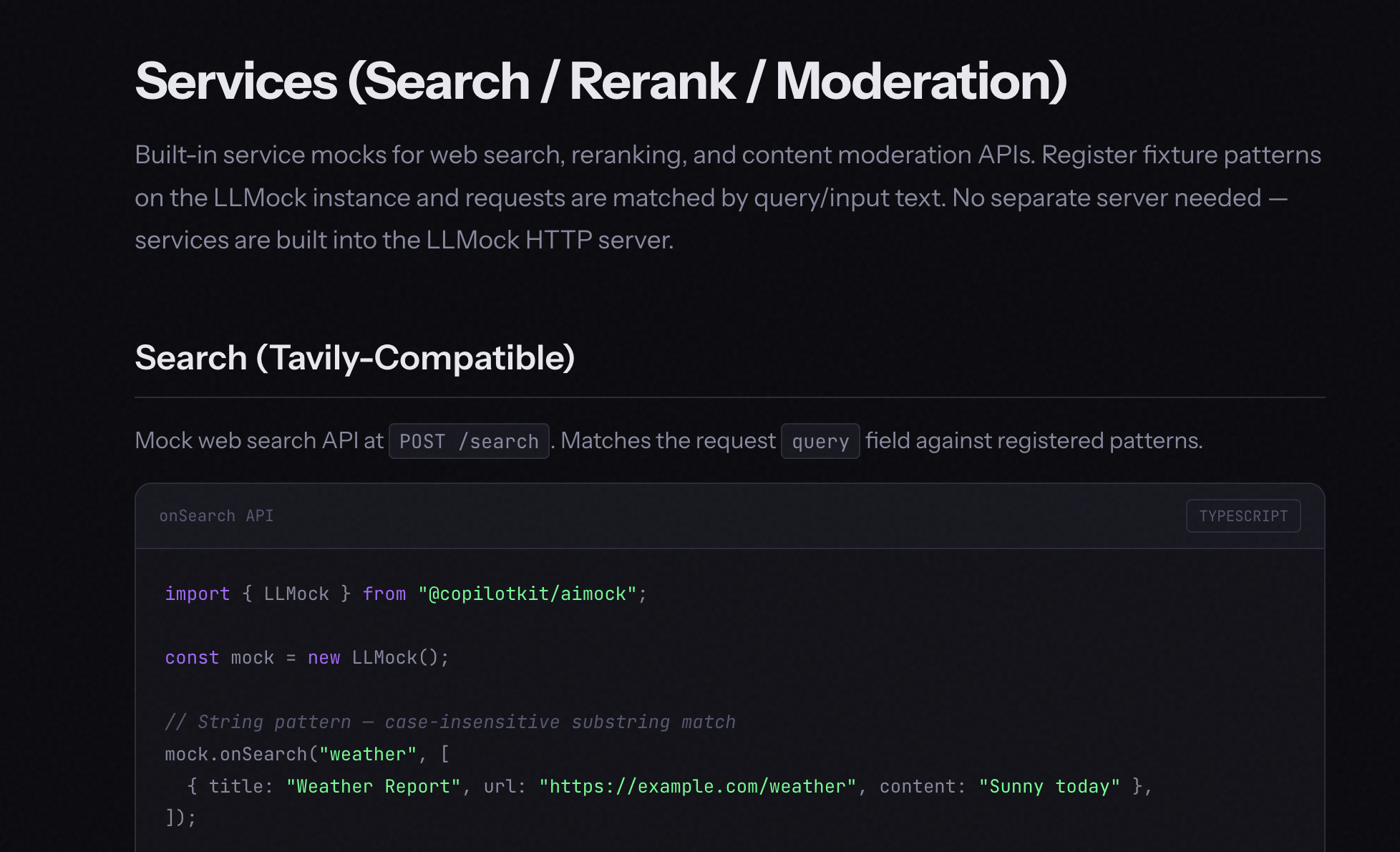
This is one of the things no other mocking tool does.
Here is the problem: mocks are a snapshot of how an API behaved when you wrote the fixture. OpenAI adds a field. Claude changes a default. Gemini tweaks its streaming format. Your mocks still pass. CI is green. Then your app breaks in production.
Drift Detection runs a three-way comparison in CI every day:
If any of those three disagree, you know within 24 hours. Not when a user files a bug.
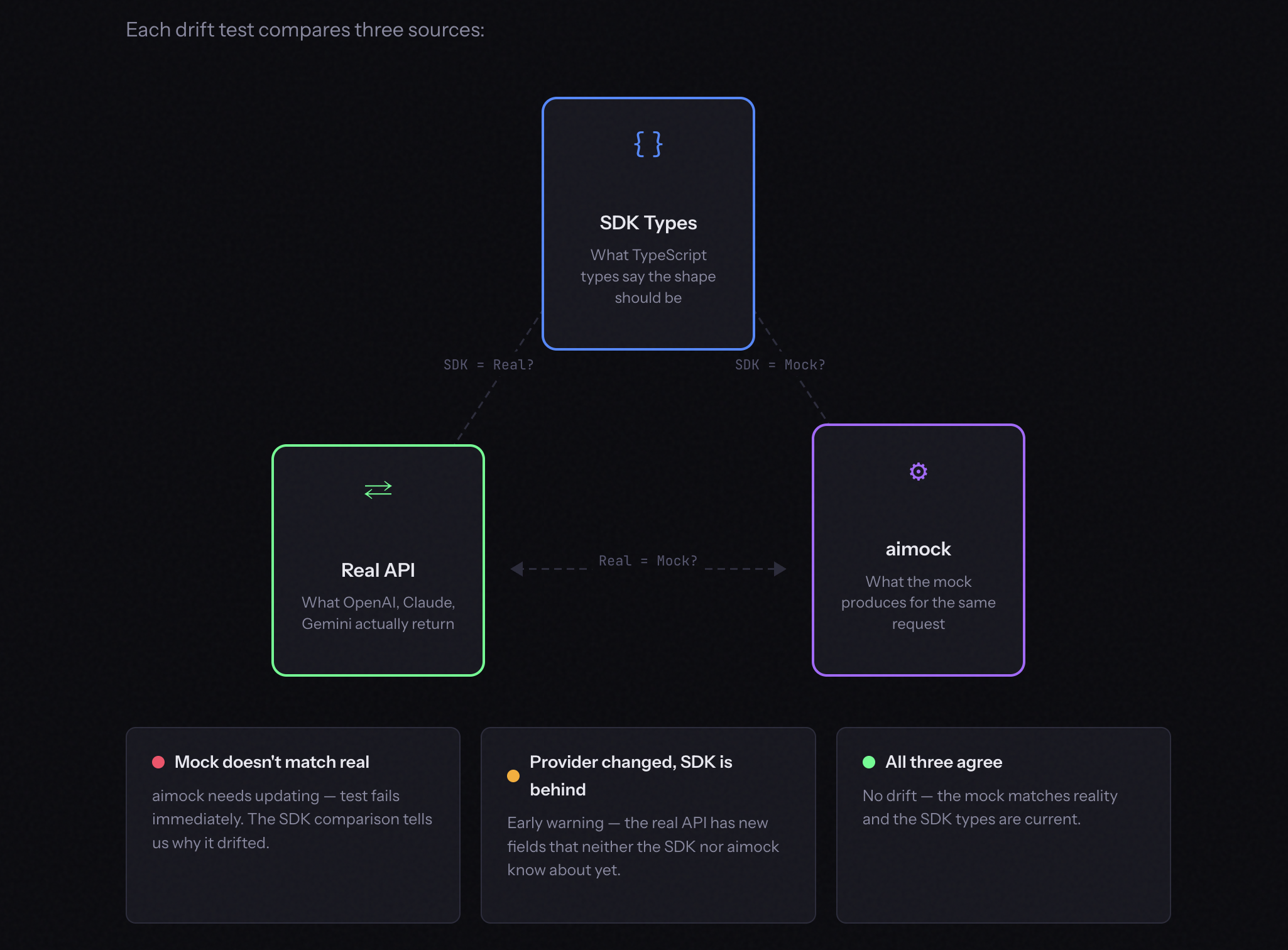
Here is what the output looks like when drift is detected:
$ pnpm test:drift

[critical] AIMOCK DRIFT — field in SDK + real API but missing from mock
Path:    choices[].message.refusal
SDK:     null    Real: null    Mock: <absent>

[critical] TYPE MISMATCH — real API and mock disagree on type
Path:    content[].input
SDK:     object    Real: object    Mock: string

[warning] PROVIDER ADDED FIELD — in real API but not in SDK or mock
Path:    choices[].message.annotations
SDK:     <absent>    Real: array    Mock: <absent>

✓ 2 critical (test fails) · 1 warning (logged) · detected before any user reported it
Severity levels:
Here is how the three-way comparison works under the hood:
import { extractShape, triangulate, formatDriftReport, shouldFail } from "./schema";

// 1. Get the SDK shape (what TypeScript says)
const sdkShape = openaiChatCompletionShape();

// 2. Call the real API and the mock in parallel
const [realRes, mockRes] = await Promise.all([
  openaiChatNonStreaming(config, [{ role: "user", content: "Say hello" }]),
  httpPost(`${instance.url}/v1/chat/completions`, { /* ... */ }),
]);

// 3. Extract response shapes
const realShape = extractShape(realRes.body);
const mockShape = extractShape(JSON.parse(mockRes.body));

// 4. Three-way comparison
const diffs = triangulate(sdkShape, realShape, mockShape);
const report = formatDriftReport("OpenAI Chat (non-streaming text)", diffs);

// 5. Critical diffs fail the test
if (shouldFail(diffs)) {
  expect.soft([], report).toEqual(
    diffs.filter(d => d.severity === "critical")
  );
}
Run it yourself against live endpoints:
# Run drift checks against live endpoints
pnpm vitest --config vitest.config.drift.ts
MSW, VidaiMock, Mokksy - none of them do this. Your mocks should never silently go stale. Full docs here.
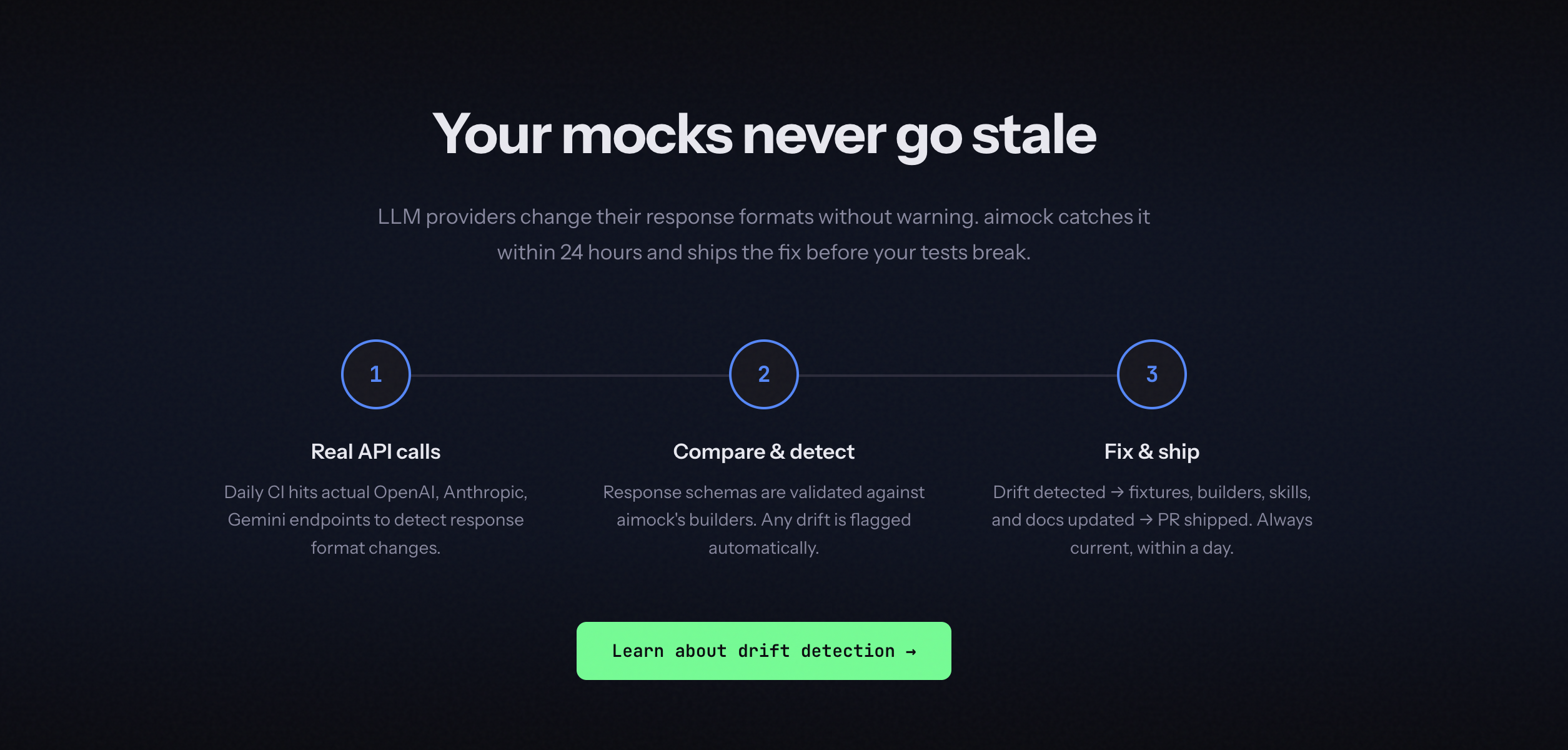
Writing fixtures by hand is fine for simple cases. It gets painful fast when you are dealing with multi-turn agent conversations with tool calls, streaming responses, and branching logic. MSW, VidaiMock, mock-llm, piyook - none of the LLM mocking tools solve this.
Record and Replay works like a VCR. Here is exactly what happens:
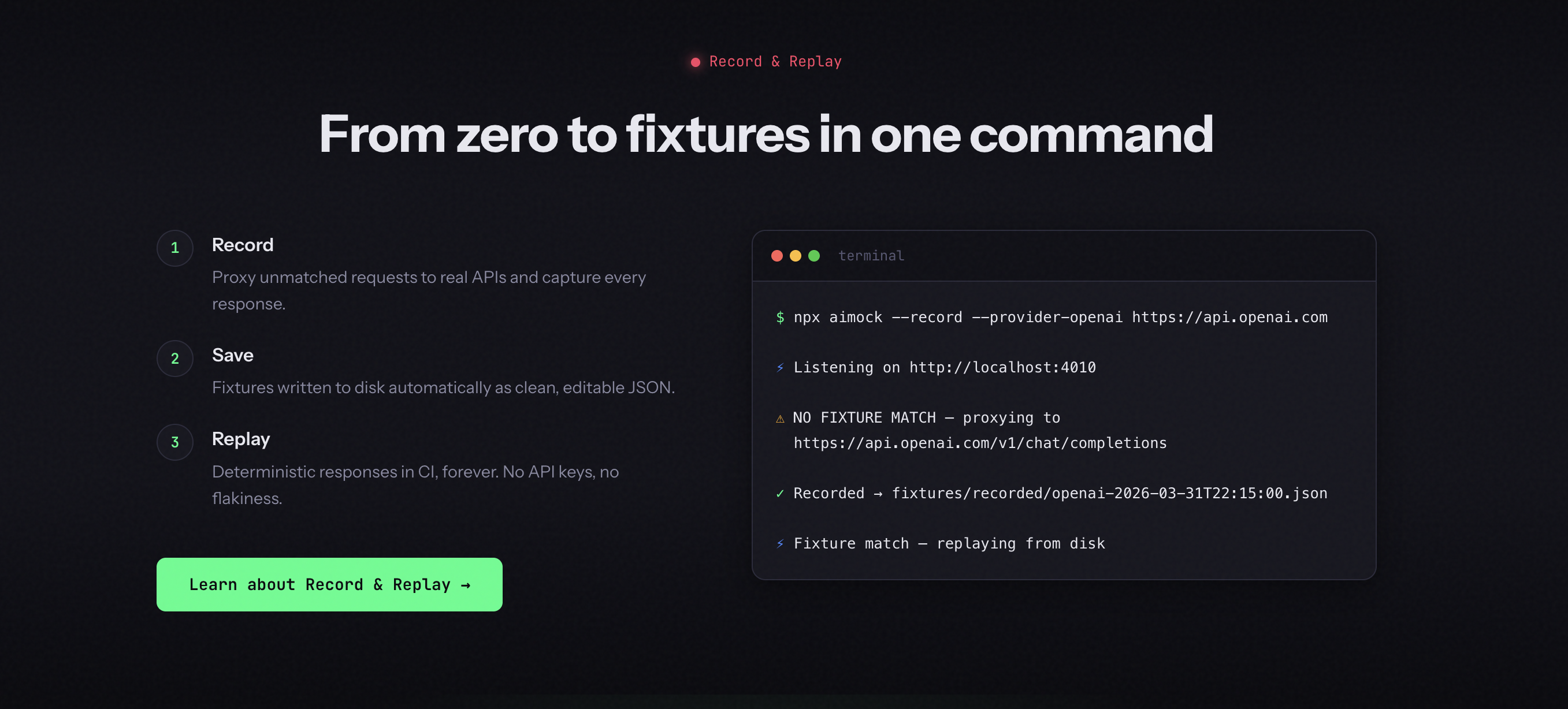
Quick start using CLI:
$ npx aimock --fixtures ./fixtures \
  --record \
  --provider-openai https://api.openai.com \
  --provider-anthropic https://api.anthropic.com
Recorded fixtures are saved automatically and look like this:
{
  "fixtures": [
    {
      "match": { "userMessage": "What is the weather?" },
      "response": { "content": "I don't have real-time weather data..." }
    }
  ]
}
AIMock handles stream collapsing automatically across six formats: OpenAI SSE, Anthropic SSE, Gemini SSE, Cohere SSE, Ollama NDJSON, and Bedrock EventStream. Auth headers are forwarded to the upstream provider but never saved in fixtures.
It also supports a programmatic API with enableRecording() and requestTransform for normalizing dynamic data like timestamps.
In CI, add --strict so any unmatched request returns 503 and fails immediately instead of slipping through silently. Without it, missing fixtures return 404 and your test suite may never tell you a live API call was attempted.
Full docs here.
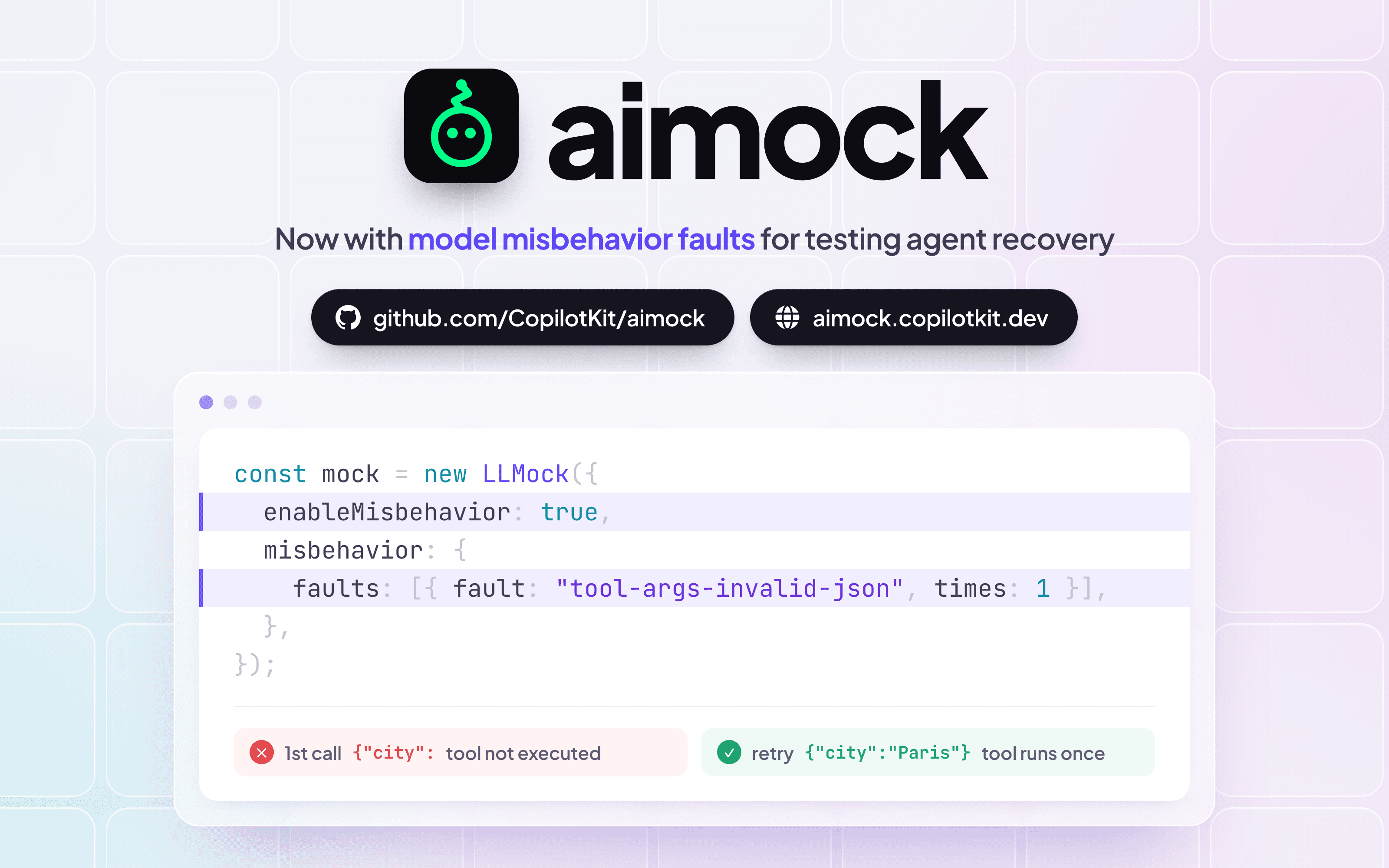
Your app will eventually get a 500 from OpenAI. A malformed JSON response from a tool. A mid-stream disconnect from a vector database. The question is whether you find out in testing or in production.
Chaos Testing lets you inject failures at configurable probabilities at three levels: server-wide, per fixture, or per individual request.
Three failure modes:
{"error":{"message":"Chaos: request dropped","code":"chaos_drop"}}Server-level chaos applies to all requests:
import { LLMock } from "@copilotkit/aimock";

const mock = new LLMock();
mock.setChaos({
  dropRate: 0.1,        // 10% of requests return 500
  malformedRate: 0.05,  // 5% return broken JSON
  disconnectRate: 0.02, // 2% drop the connection
});

// remove all chaos later
mock.clearChaos();
Fixture-level chaos targets specific responses only:
{
  "fixtures": [
    {
      "match": { "userMessage": "unstable" },
      "response": { "content": "This might fail!" },
      "chaos": {
        "dropRate": 0.3,
        "malformedRate": 0.2,
        "disconnectRate": 0.1
      }
    }
  ]
}
Per-request headers override everything else - useful for forcing a specific failure in a single test:
// Force 100% disconnect on this specific request
await fetch(`${mock.url}/v1/chat/completions`, {
  method: "POST",
  headers: {
    "Content-Type": "application/json",
    "x-aimock-chaos-disconnect": "1.0",
  },
  body: JSON.stringify({ model: "gpt-4", messages: [{ role: "user", content: "hello" }] }),
});
All chaos events are tracked in the journal with a chaosAction field and counted in Prometheus metrics. Full docs here.
Beyond the core modules, AIMock ships a lot more worth knowing about.
Embeddings - POST /v1/embeddings is fully supported. Return explicit vectors via fixtures or let AIMock generate them deterministically from a hash of the input text. Same input always produces the same vector, default dimensions are 1536.
WebSocket APIs - OpenAI Realtime, OpenAI Responses over WebSocket, and Gemini Live are all supported using raw RFC 6455 framing. If your app uses voice or real-time streaming agents, these are covered.
Sequential Responses - return different responses for the same prompt on each successive call. Useful for testing retry logic and multi-turn workflows where the same message should behave differently over time.
[
  { "match": { "userMessage": "retry", "sequenceIndex": 0 }, "response": { "content": "First attempt" } },
  { "match": { "userMessage": "retry", "sequenceIndex": 1 }, "response": { "content": "Second attempt" } },
  { "match": { "userMessage": "retry" }, "response": { "content": "Fallback" } }
]
Streaming Physics - configure ttft (time to first token), tps (tokens per second), and jitter to simulate realistic timing. Pre-built profiles cover fast models, reasoning models, and overloaded systems.
Prometheus Metrics - request counts, latency histograms, and current fixture count at /metrics. Enable with --metrics flag.
Docker and Helm - the official Docker image is available at ghcr.io/copilotkit/aimock (GitHub Container Registry) for CI/CD. It runs as a plain HTTP server, so any language can use it. No Node.js needed on the test runner side.
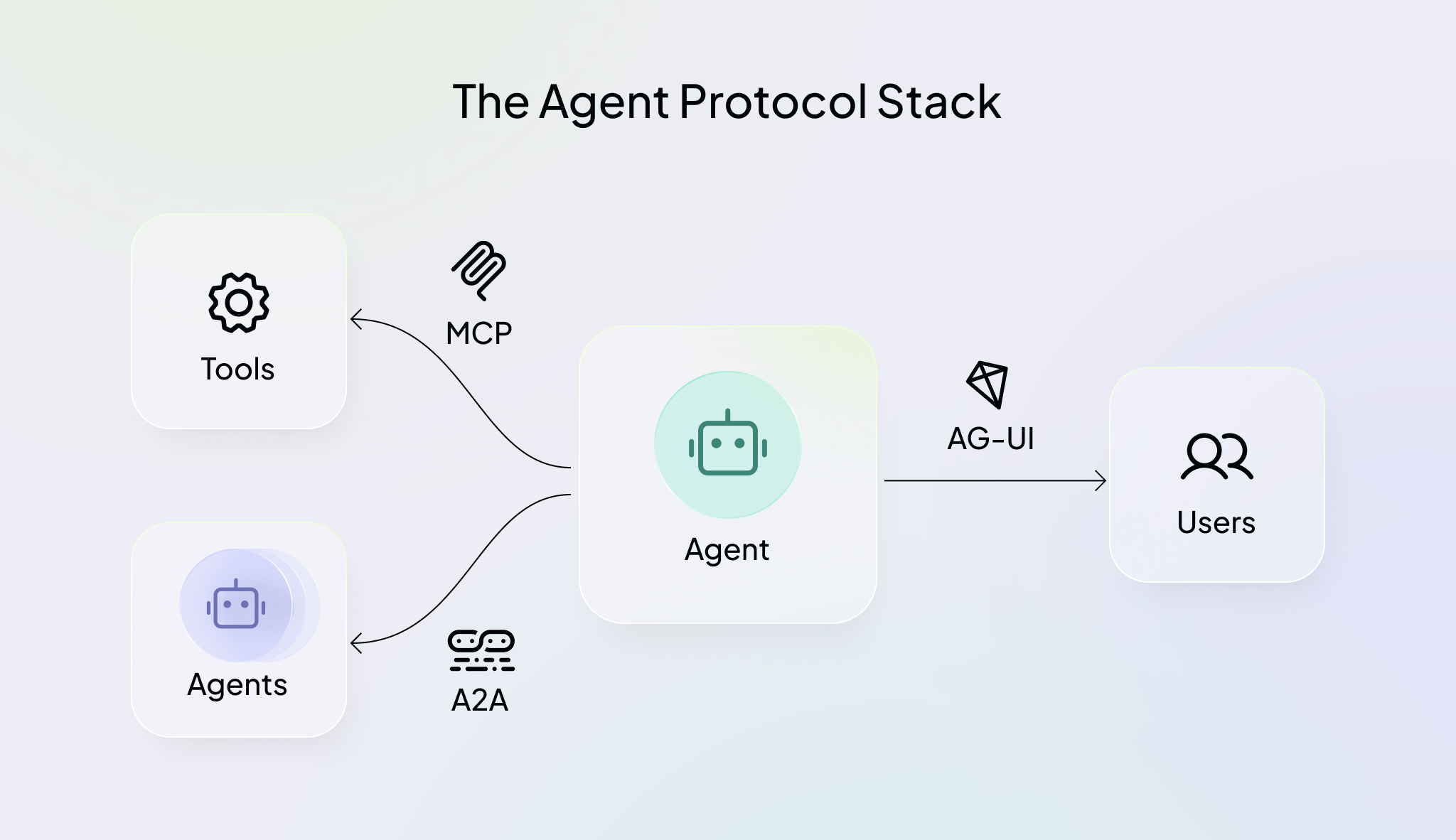
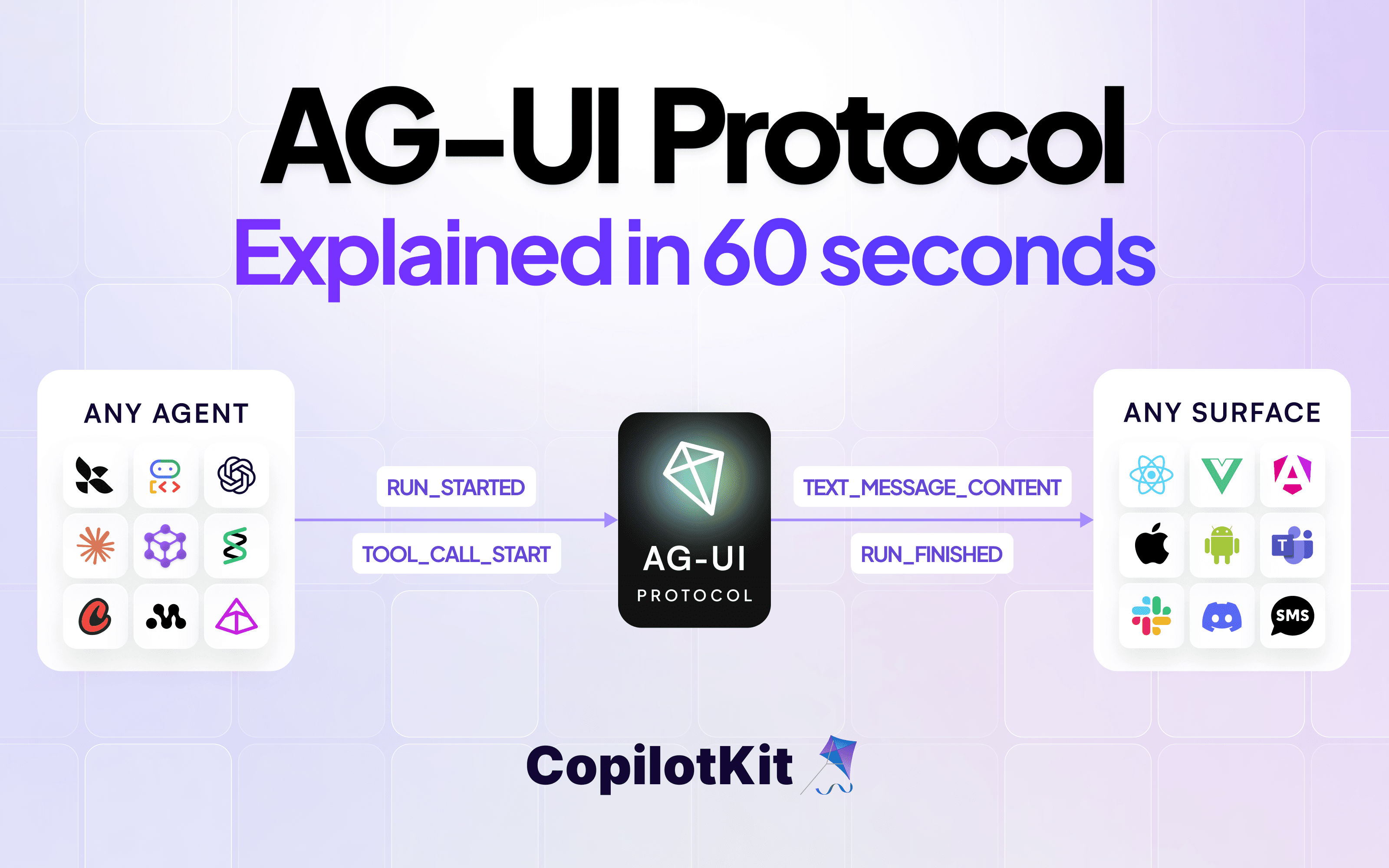
AG-UI is the open protocol that connects AI agents to frontend applications - adopted by LangGraph, CrewAI, Mastra, Google ADK, AWS Bedrock AgentCore, and more.
It uses AIMock for its end-to-end test suite, verifying AI agent behavior across LLM providers with fixture-driven responses. AG-UI is a protocol used in production. If you want to see what a real AIMock setup looks like at scale, that is a good place to start.
The docs include step-by-step migration guides for MSW, VidaiMock, mock-llm, Python mocks and Mokksy. You will find a side-by-side comparison and a breakdown of what you gain and keep.
If you are on MSW, you do not have to replace everything: you can keep MSW for general REST and GraphQL mocking and use AIMock only for AI endpoints.
If you are already using @copilotkit/llmock, the upgrade is a find-and-replace:
pnpm remove @copilotkit/llmock
pnpm add @copilotkit/aimock
The LLMock class, all fixture formats, and the programmatic API are unchanged. Your existing tests will work as-is.
npm install @copilotkit/aimockYour test suite should be as complete as your stack. That is what AIMock is for.
Subscribe to our blog and get updates on CopilotKit in your inbox.