OpenBot 1.0 is out, packed with new features and major upgrades! 🎉
OpenBot is the modular, self-hostable agent workspace with built-in governance. Use it as-is, white-label it or customize it deeply. This release makes it much easier to get started, gives you more ways to make it your own, and ships a lot of what the community asked for.
We also just crossed 10K stars on GitHub. Star the repo and come build with us!
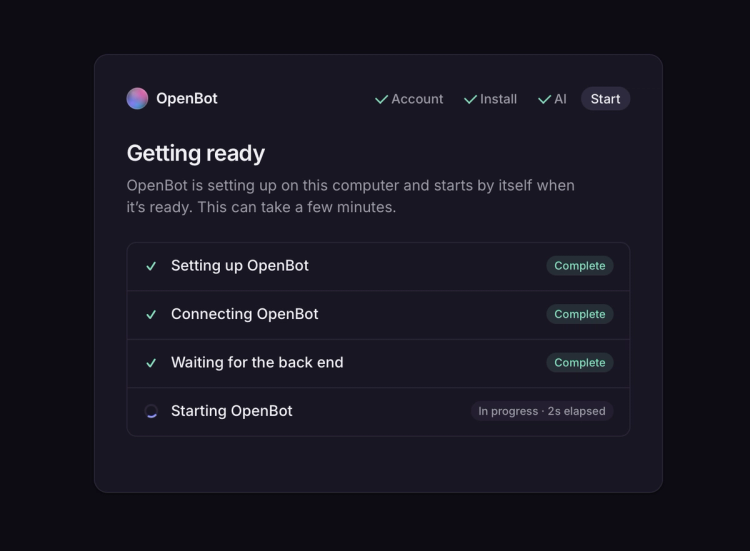
Download the desktop app and OpenBot sets up everything on your laptop, back end included, with no terminal. Sign in, connect your AI, and you’re talking to your first Bot in minutes.
Your first Bot also comes with starter tasks, like connecting an app or searching the web, so you can see what it does right away.
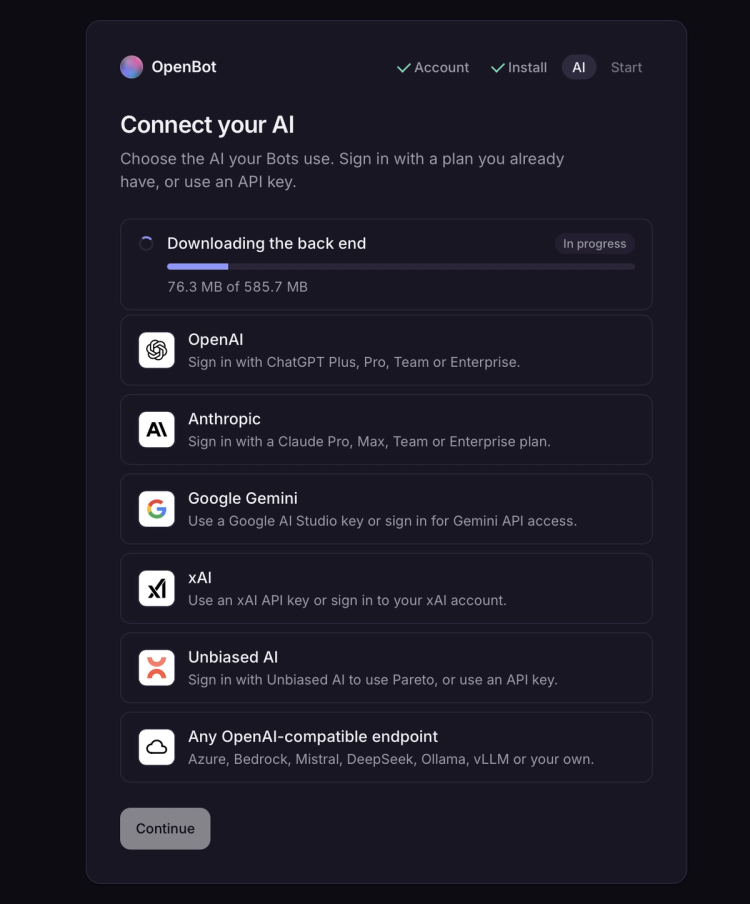
While you set up OpenBot, you can now choose the AI your Bots run on. If you have a Claude, ChatGPT or xAI subscription, sign in with it and your Bots use that plan.
You can also use Gemini, Unbiased AI, or any OpenAI-compatible endpoint (Azure, Bedrock, Mistral, DeepSeek, Ollama, vLLM or your own).
Once you’re in, you can switch the model and thinking effort for each conversation, right from the composer.
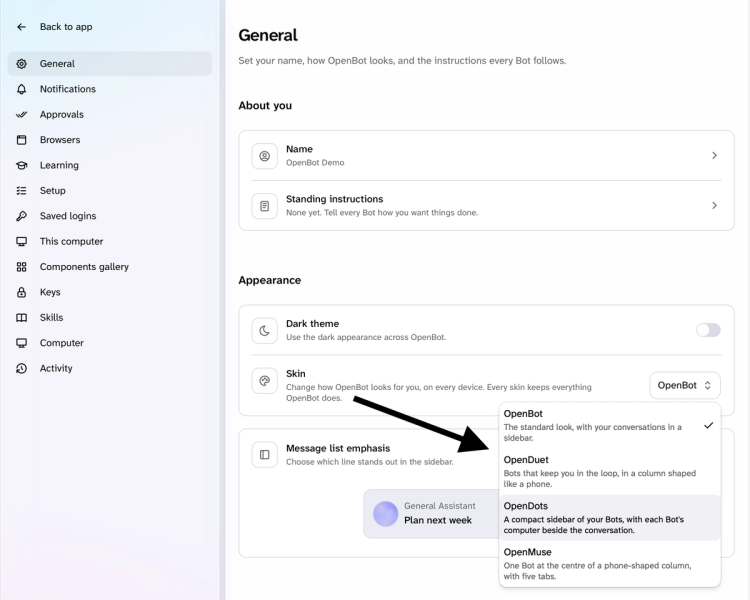
Over the past few weeks, we open-sourced our own versions of popular AI coworkers: OpenDots (OpenAI dots), OpenMuse (Meta Muse) and OpenDuet (Claude Duet), each built with the same UX as the original.
Now all three live inside OpenBot as skins. If you’re used to one of those interfaces, pick OpenDuet, OpenDots or OpenMuse in Settings and you get that UX instantly.
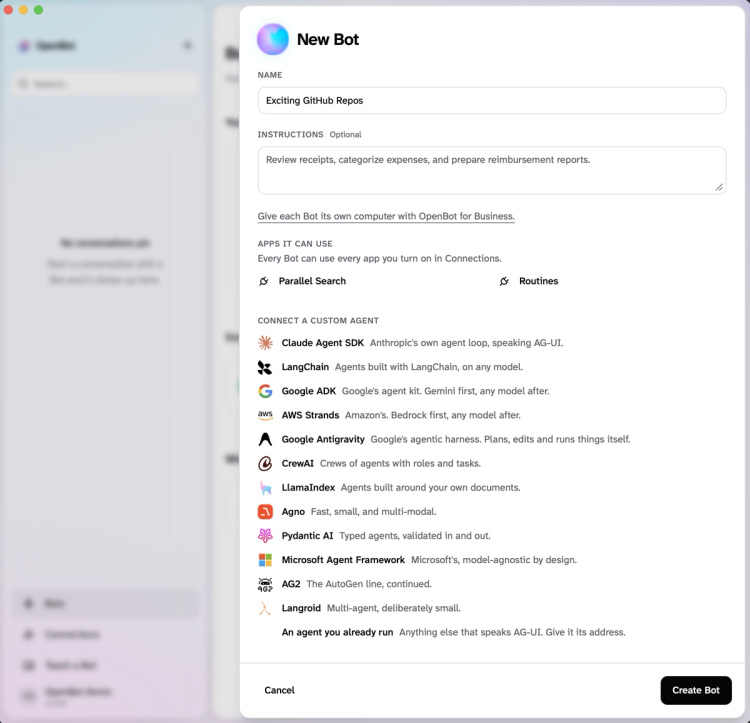
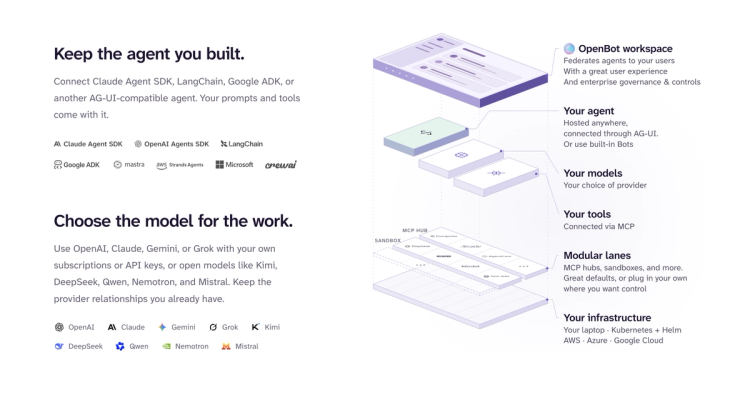
Your team might already have an agent that knows your systems inside out. OpenBot is built on AG-UI (Agent-User Interaction Protocol), so any agent that speaks it can join as a Bot.
That includes agents built with Claude Managed Agents, Google ADK, Google Antigravity, LangChain, Mastra, Microsoft Agent Framework, Pydantic AI, Agno, LlamaIndex, AWS Strands and more.
In OpenBot 1.0, you can add any of these as a custom agent from New Bot. Paste the agent's URL and it joins your workspace as a Bot.
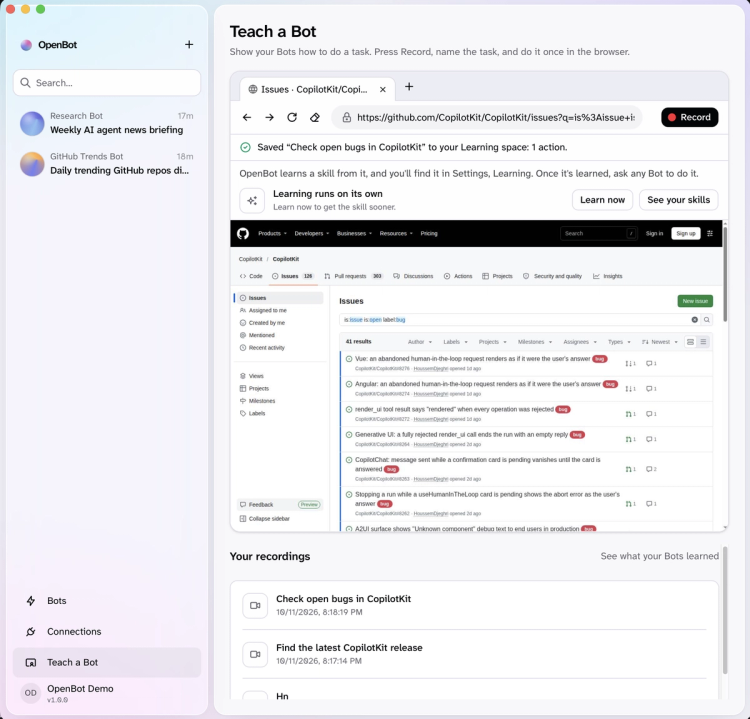
Some tasks are easier to show than explain. You can now record a task while you do it once in OpenBot's browser, and even talk through the steps as you go.
The recording goes to Automatic Learning, which turns it into a proposed skill. Once you review and approve it, any Bot can perform the same task.
Every Bot can now split a big task across up to five subagents, each working on its own part at the same time.
When a Bot reads something that keeps changing, like your inbox or a shared doc, it now offers to check in on it for you. It keeps an eye on it from then on and lets you know when something needs your attention.
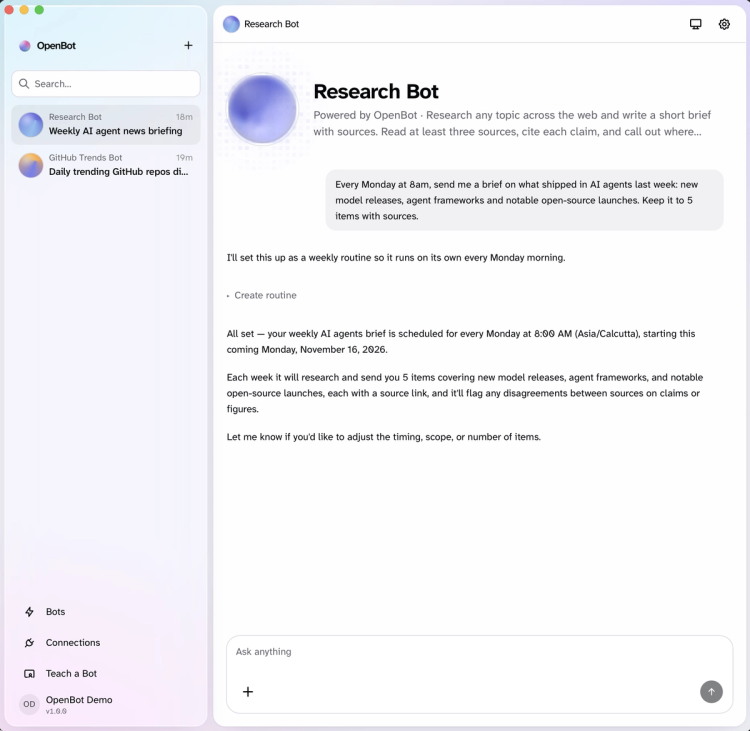
Routines are now enabled for every Bot, and you can set one up in plain words from any conversation, such as a brief on what shipped in AI agents every Monday at 8am.
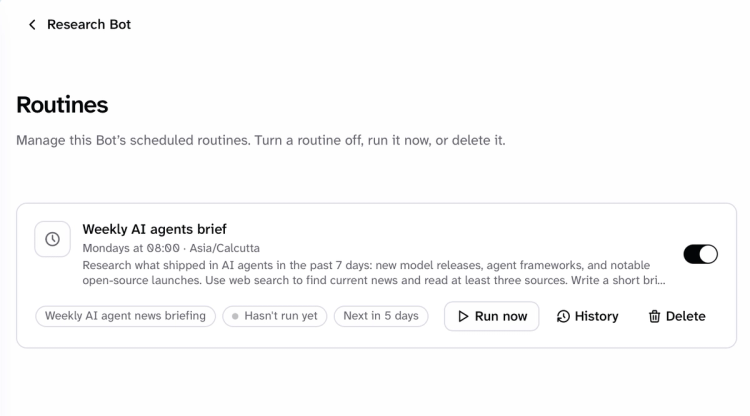
You can also manage each Bot’s routines from its page, so you can pause a routine, run it right away or look back at past runs.
Bots do their work on a computer with its own browser, files and shell. With OpenBot 1.0, all of a person’s Bots share one computer by default. With OpenBot for Business, you can also mark a Bot as Isolated to give it a computer of its own.
The Bot’s screen is now a real browser you can take over anytime, like when it hits a login or 2FA screen, and you can watch its shell live as it works.
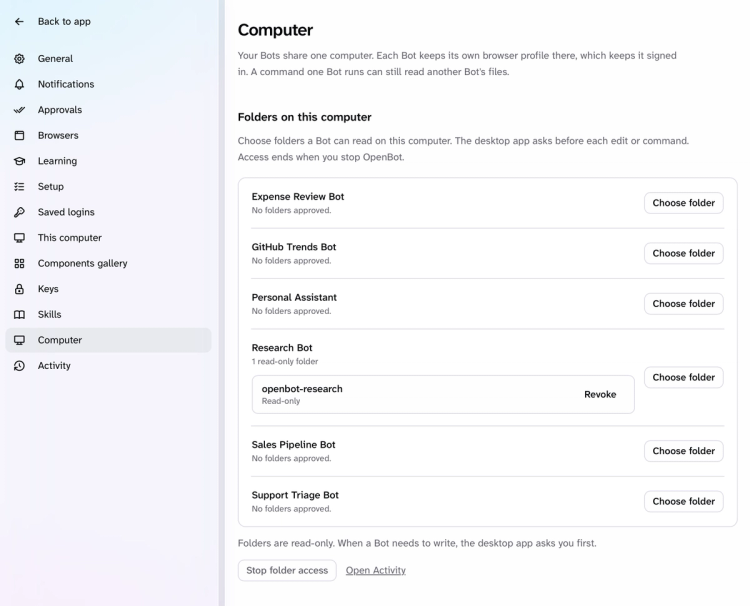
On the desktop app, you can also give each Bot read-only access to folders on your computer from Settings, and it asks you first before editing anything.
Bots now build interfaces from CopilotKit’s standard catalog on A2UI 1.0: 65 components across layout, inputs, charts, media and more. Every component matches OpenBot’s theme as well.
Bots still reply in Markdown by default and only use components when they make the answer easier to read. Charts also show the source of their data.
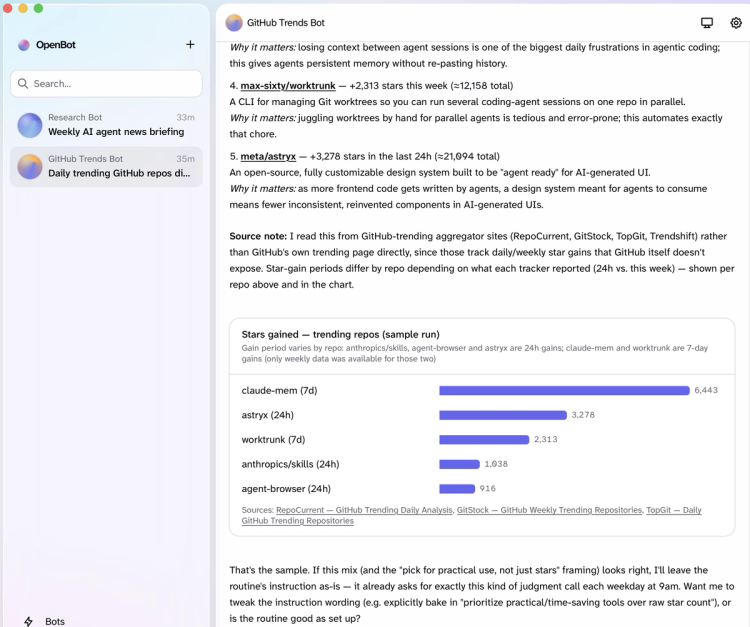
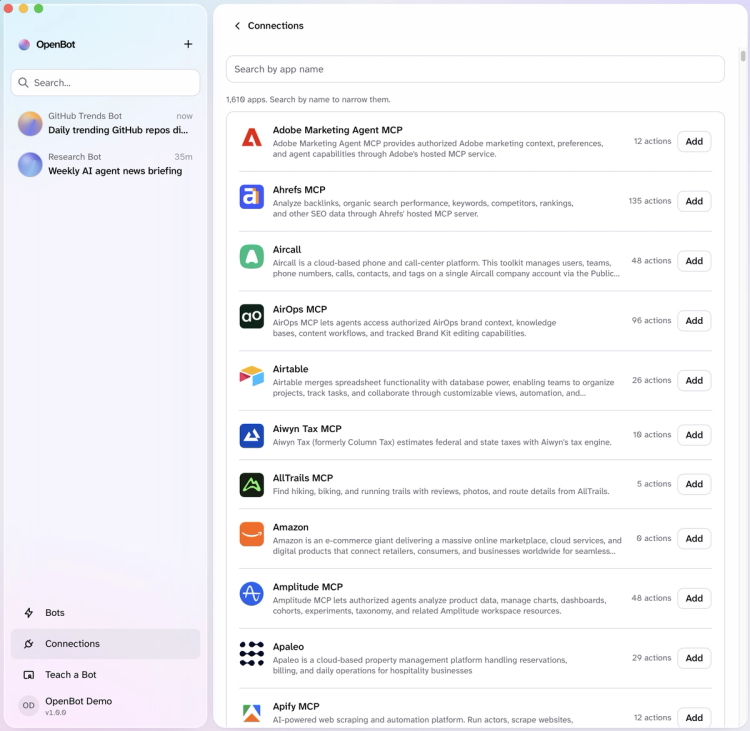
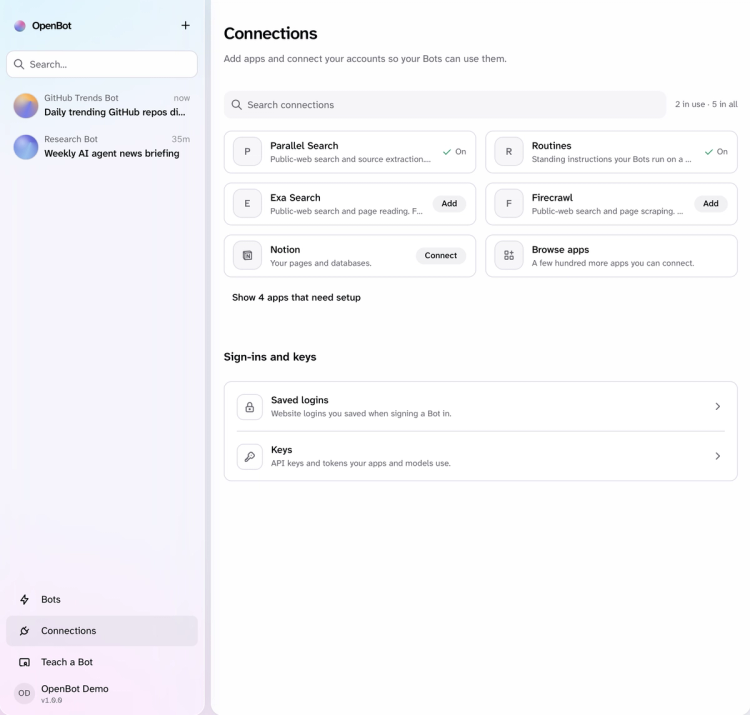
Connections is now one place for every app your Bots can use. Parallel Search is on from the start, Exa and Firecrawl are one click away for web search, Notion is ready to connect, and a few hundred more apps come through Composio or Arcade.
You can also connect more than one account for the same app, like your work and personal Gmail, and pick which one Bots use by default. Saved website logins and API keys for your Bots are kept here as well.
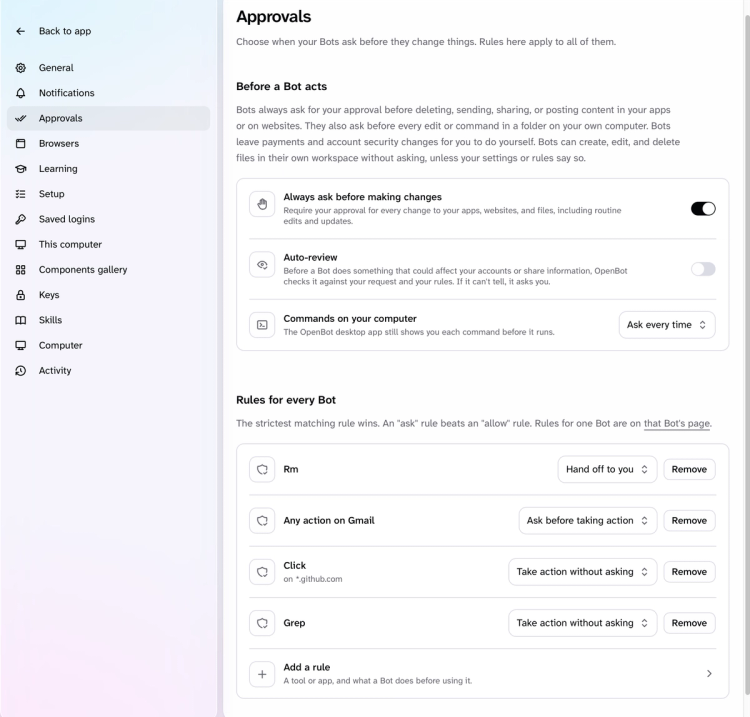
Bots always ask before they delete, send, share or post anything, even inside routines, and paying is always left to you. Approval cards now say in plain words what the Bot wants to do and from which account, such as “Research Bot wants to send an email from your work Gmail.”
You can also set your own approval rules in Settings, so Bots skip the ask for actions you trust.
When you're ready to bring OpenBot to your whole company, OpenBot for Business adds built-in governance on top, so your IT and security teams decide what Bots can do and can see everything they did. Book a demo to see all of this in action.
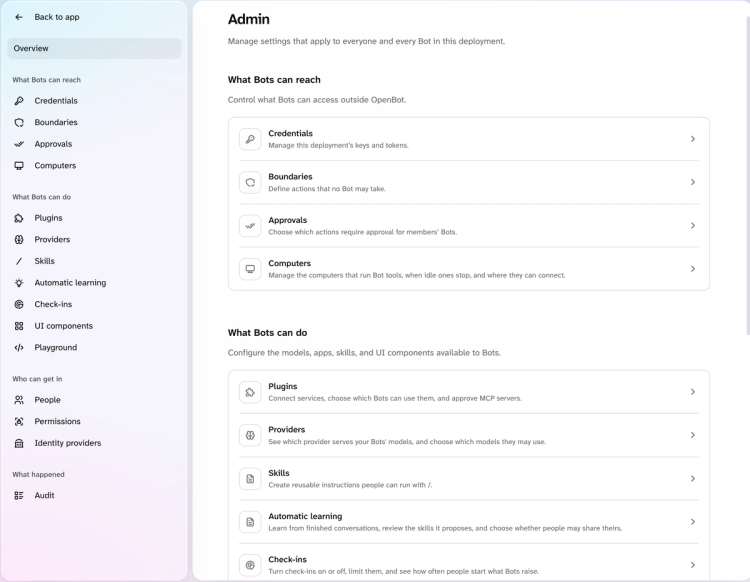
Here are some of the main highlights!
a) Company sign-in with SSO and SCIM
Your team signs in with the accounts they already use, through Google, Microsoft, Okta or your own SAML or OIDC provider. SCIM keeps access in sync, so when someone leaves, their access goes with them. Bots can also reach company systems behind Microsoft Entra as the person who's signed in.
b) Boundaries for actions Bots must never take
Boundaries stop Bots from ever taking actions you've ruled out, like releasing a payment. Each one is a named rule that OpenBot checks before every action, and you can see what each rule has stopped recently.
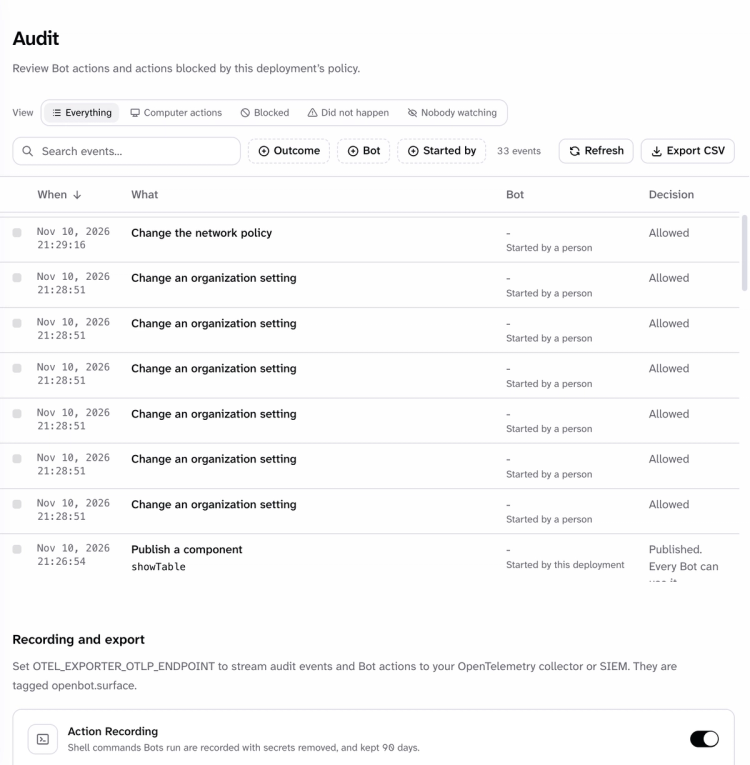
c) Full audit trail of every action
The audit trail gives your security team a full record of everything your Bots do. Every action a Bot took or tried is in one filterable table, whether it was allowed, refused or failed, along with who started it, and you can export it all as CSV.
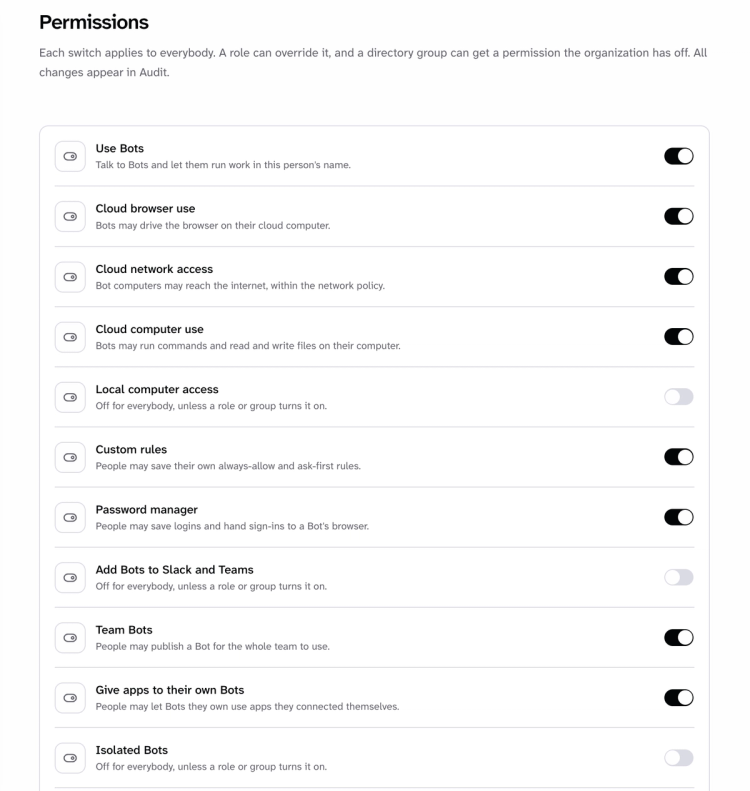
d) Company-wide enterprise controls
Enterprise controls let you decide what OpenBot can do across the whole company, from browser use to Slack and Teams.
You can allow only the models and MCP servers you've approved, set network rules for every Bot's computer, and choose whether people can pick their own model. When someone needs an app their Bot can't use yet, they can request it from an admin. Here are some of the permissions!
e) Learning your admins approve
Your Bots keep learning from how your team works, and admins stay in charge of what they learn. Every skill Automatic Learning proposes waits for review, and nothing reaches a Bot until someone publishes it.
f) Deploy on your own Kubernetes
OpenBot runs on your own cloud, with one Helm chart that installs it alongside CopilotKit Intelligence on EKS, AKS, GKE or any cluster you run. Our engineers help you roll it out and support your team from there.
You can copy the setup prompt on open.bot and let your coding agent handle it.
We rebuilt the whole interface for 1.0, from the sidebar and composer to each Bot’s page and the admin screens, so OpenBot is faster to find your way around and easier to work in every day.
We also made OpenBot more modular with a cleaner architecture, so you can bring your own agents, models, tools and sandboxes, and run it all on your own infrastructure, from your laptop to Kubernetes on AWS, Azure or Google Cloud.
The desktop app now works on Windows, uses the Docker Desktop you already have, and updates itself. Every update backs up your data first and rolls back if anything fails.
OpenBot is open source under the MIT license and free for personal use. The quickest way to try everything in this post is the desktop app, which runs the whole workspace on your Mac or Windows PC.
We’d love to see what you build with it. If OpenBot helps you, give us a star on GitHub, and if you’re bringing it to your team, OpenBot for Business is where to start.
To learn more:
Follow CopilotKit on Twitter for updates. If you get stuck, reach out in the CopilotKit or AG-UI communities.
Subscribe to our blog and get updates on CopilotKit in your inbox.



