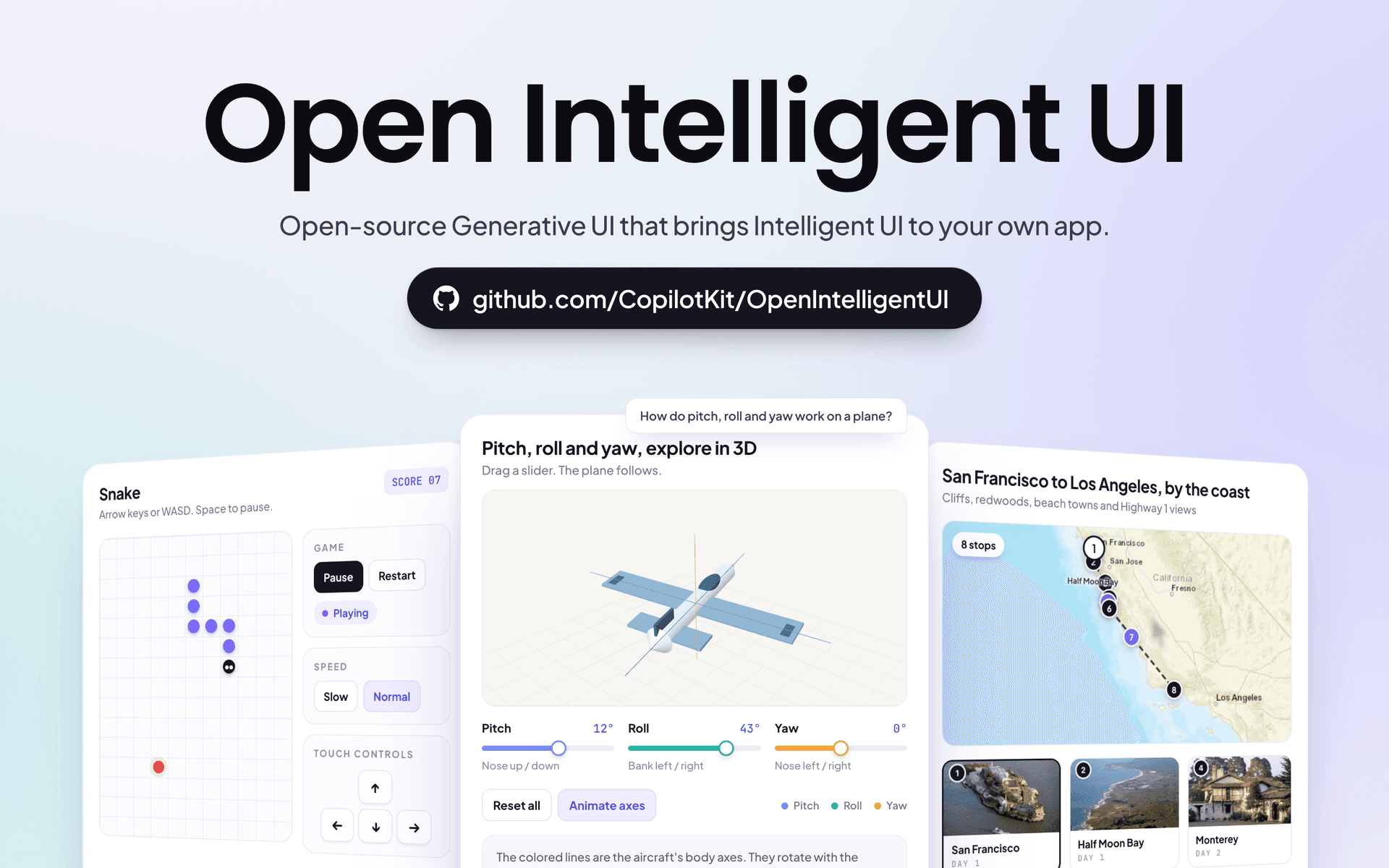
Today, we're releasing Open Intelligent UI - the open-source alternative to ChatGPT's Intelligent UI!
OpenAI shipped Intelligent UI this week. ChatGPT now answers with charts, maps, working tools and creates interfaces on demand. But it's closed, runs only on OpenAI's models and only lives inside ChatGPT. There is no API to bring it into your own product.
Open Intelligent UI gives you the same experience in your own app. You can bring any agent through AG-UI and use any model. It's fully open source and works with your existing components.
Want this in your own product? Book a call with our engineers and we'll help you set it up with your components and design system.
Your agent can now build interfaces on demand in your own agentic app. Here's everything you get!
You can download any generated interface as a standalone HTML file.
It's built on CopilotKit's Open Generative UI, and the agent behind it runs on LangChain Deep Agents.
You don't want your agent building interfaces that don't feel like part of your product. It builds a chart or a form, but the fonts, colors and components aren't yours.
Even OpenAI ran into this. Andrew Chen from their design team wrote after the launch that "the hardest part of generative UI isn't generating the UI". The more interesting challenge was "getting it to feel like it actually belongs in ChatGPT".
Now that it's live in Claude as Artifacts and in ChatGPT as Intelligent UI, users will expect it from every agentic product. And your team already has a design system and a full catalog of components you use across your product.
Generative UI should be built with what you already have:
OpenAI solved this for ChatGPT. CopilotKit solves it for your product, and supports every generative UI approach, including A2UI (Google's generative UI spec).
CopilotKit supports all the generative UI approaches in the agentic ecosystem. The spectrum runs from full control, where the agent only uses your own components, to full flexibility, where the agent writes the interface itself.
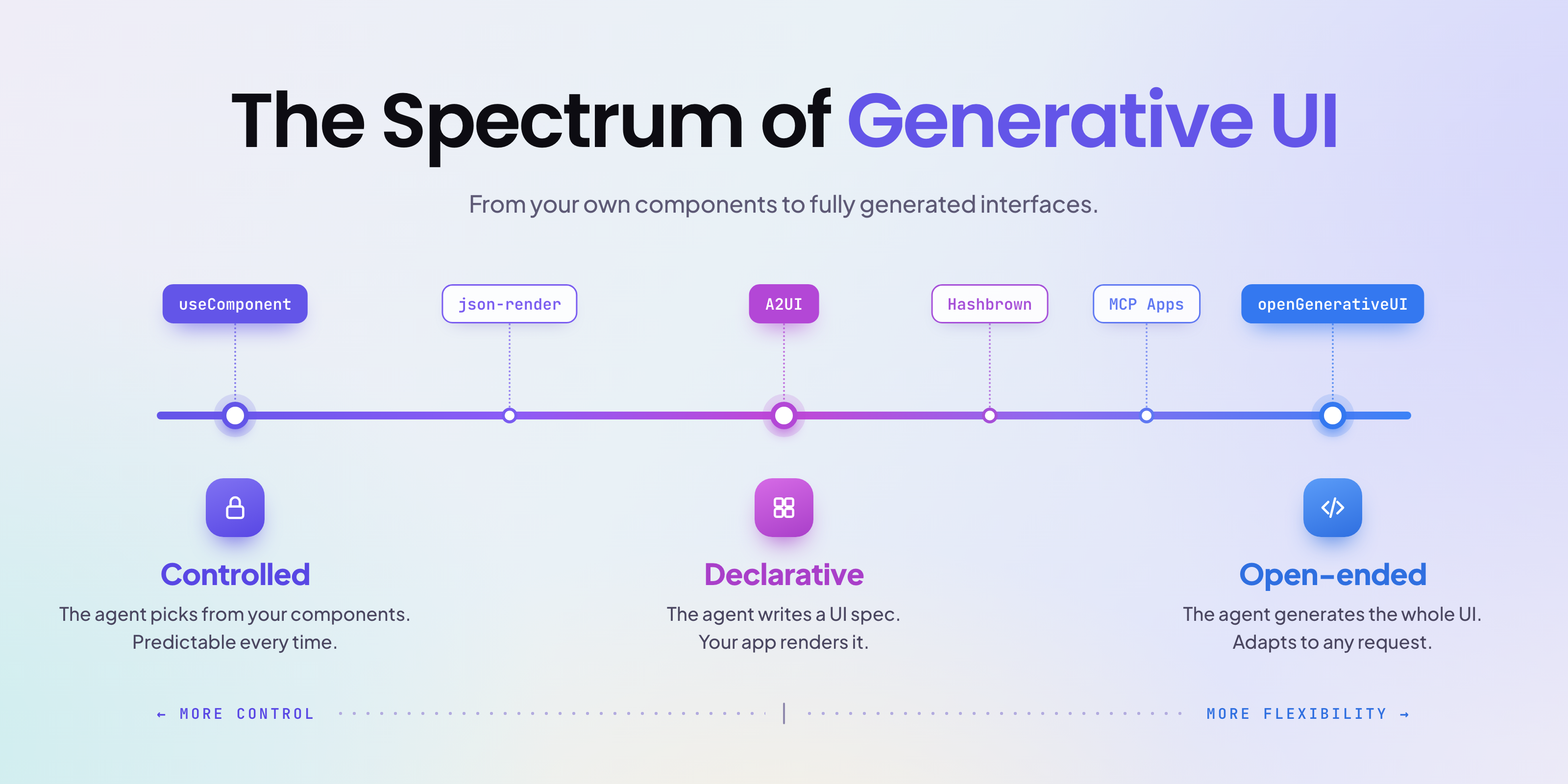
Read more in the blog Generative UI Spectrum: How Agents Now Ship Their Own Interfaces, where you'll find the code for each approach, links to the docs and when to use each one.
Here are a couple of examples built with CopilotKit.
1) A trip planner with Controlled generative UI, where the agent uses your existing components. It uses a live map, and the photos come from Wikipedia.
2) A snake game with Open Generative UI, where the agent builds the whole interface on the spot.
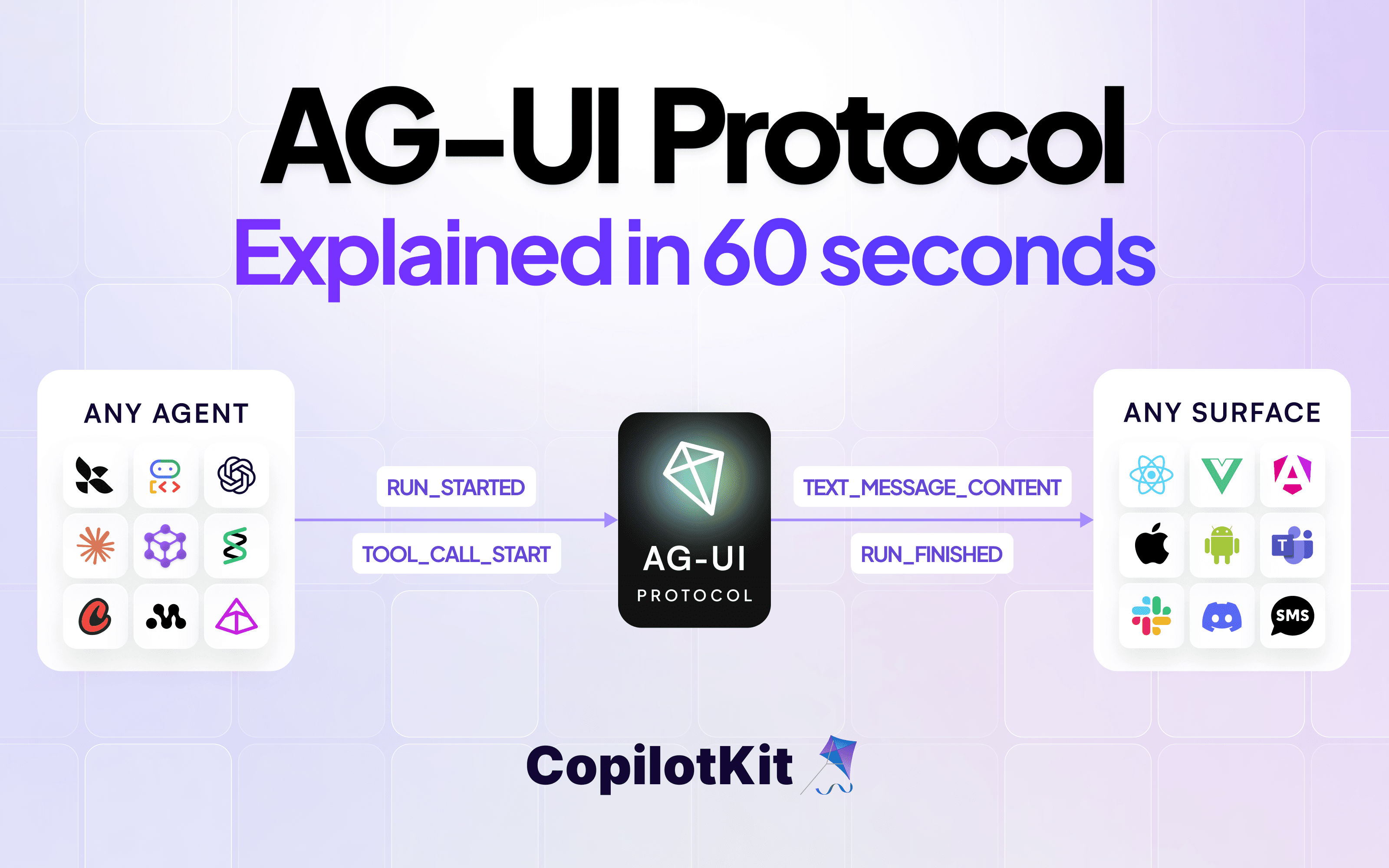
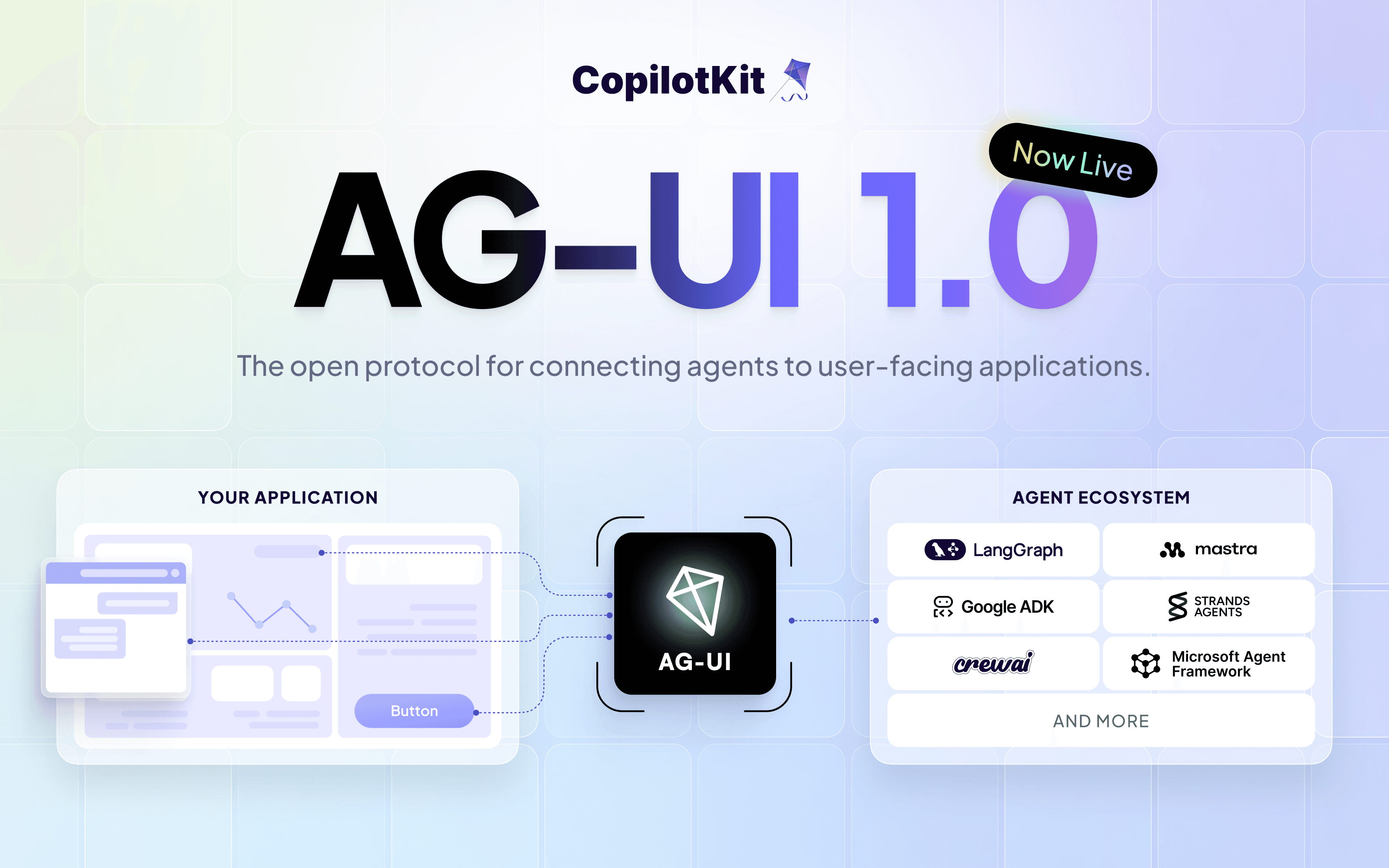
All of this is possible because of AG-UI (Agent-User Interaction Protocol), the open standard between agents and user-facing apps. Generative UI specs like A2UI and MCP Apps ride on top of AG-UI, so your agent can use any of them natively.
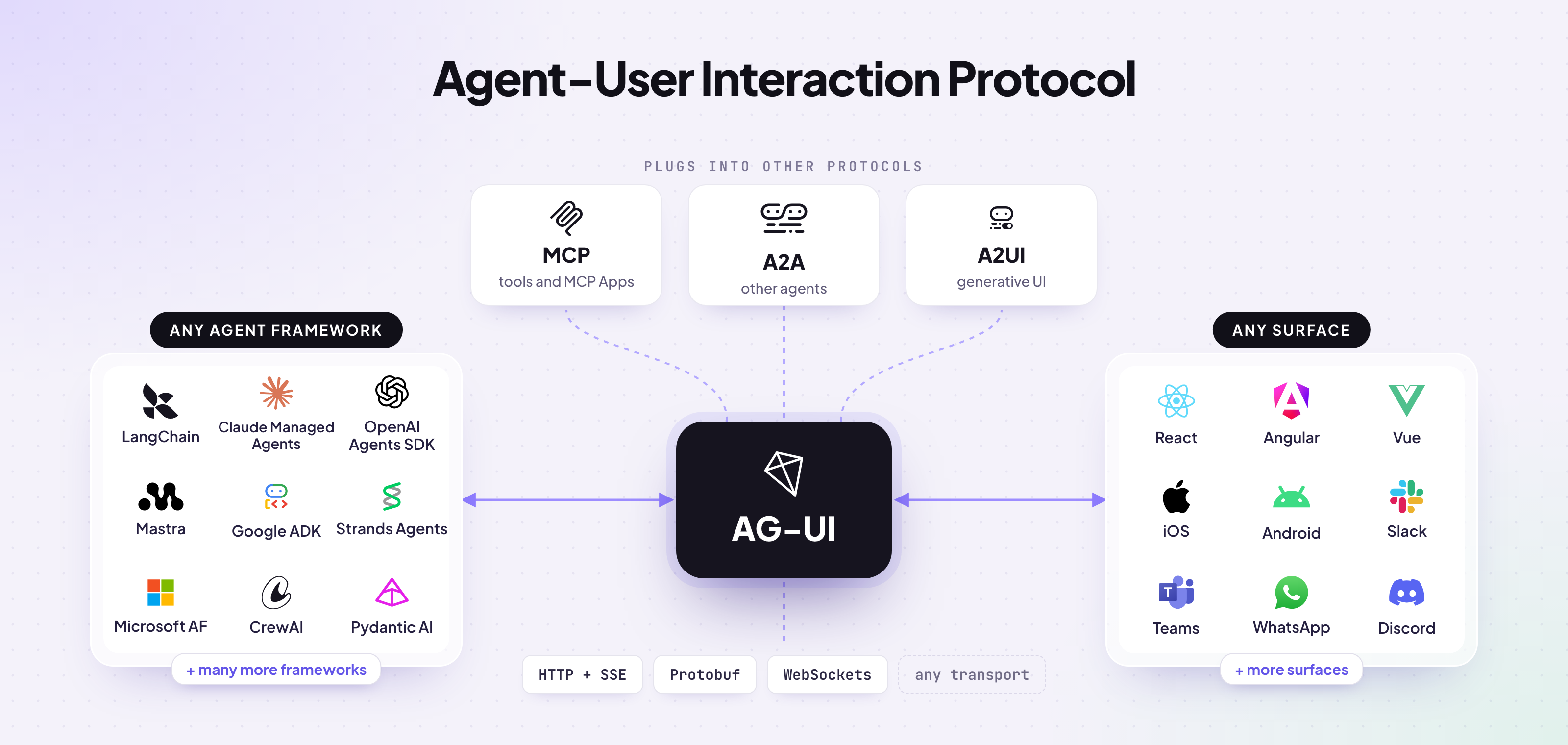
You can swap the LangChain agent in Open Intelligent UI for Mastra, Google ADK, Microsoft Agent Framework or any other AG-UI agent, without touching the UI.
Clone Open Intelligent UI and bring generative UI to your own app in minutes.
git clone https://github.com/CopilotKit/OpenIntelligentUI.git
cd OpenIntelligentUI
make setup
make devWe'll keep shipping updates to Open Intelligent UI. Have an idea or found a bug? Open an issue or a PR on GitHub, and follow CopilotKit on Twitter for what's next.
If you get stuck, reach out in the CopilotKit or AG-UI communities.
Subscribe to our blog and get updates on CopilotKit in your inbox.