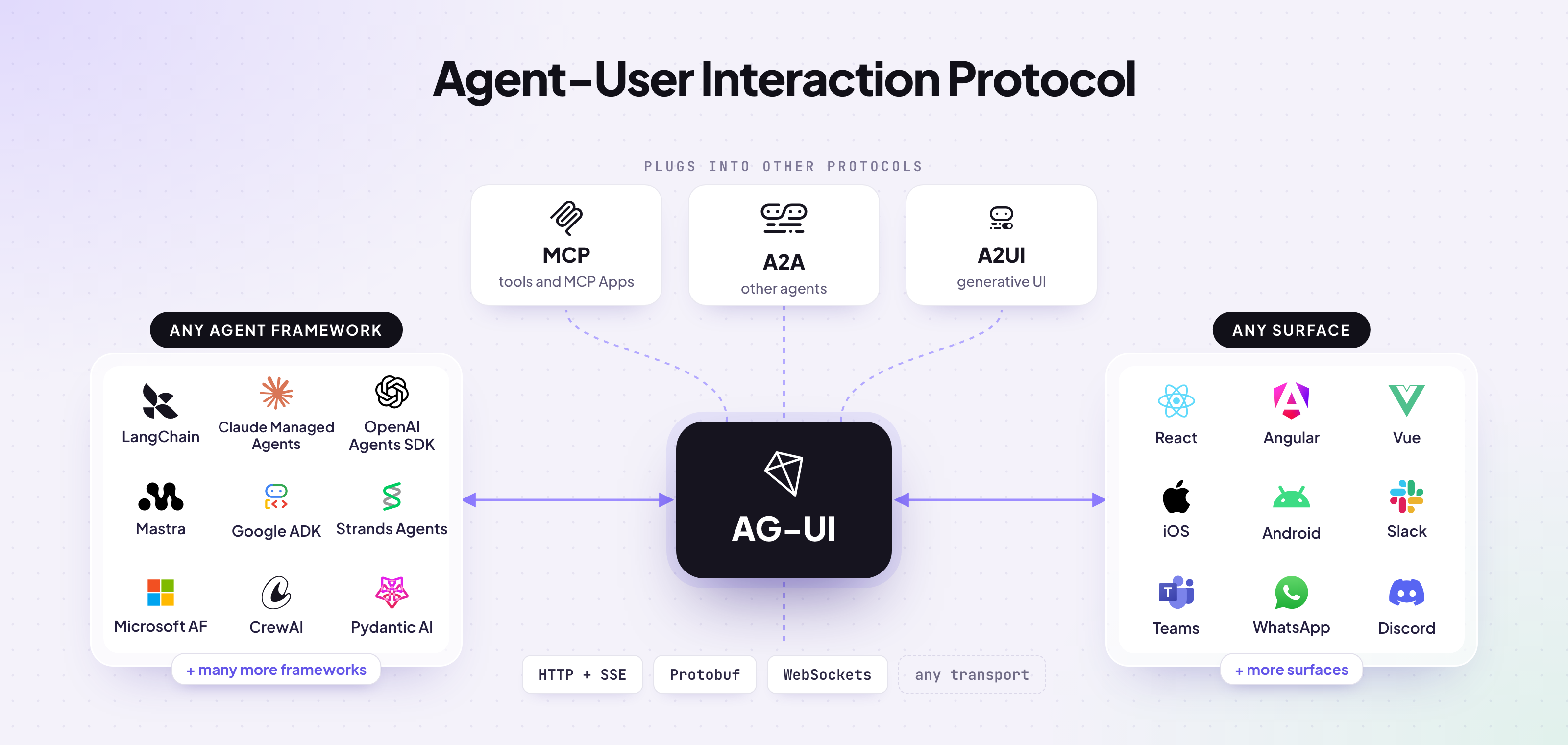
The agent ecosystem has grown fast, and three core open protocols have become the standard way to connect agents to everything around them:
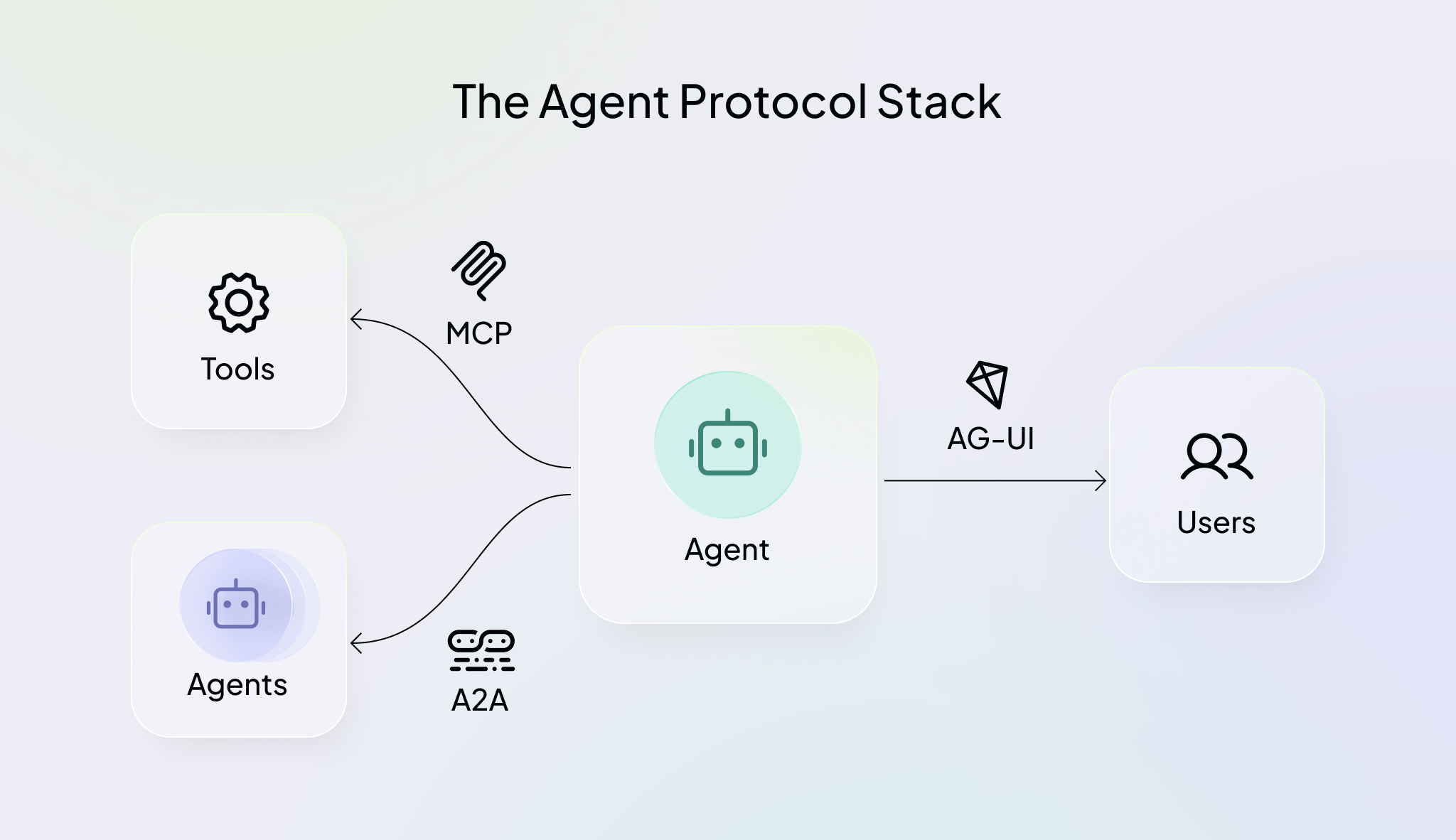
AG-UI just hit 1.0 with a stable specification. If you're building agents that people interact with, AG-UI is how they reach them.
Here's your guide to understanding the AG-UI Protocol in 60 seconds!
For decades, software has run on HTTP's simple rule: one request gets one complete response. If you search something on Google, your browser sends a request and gets the whole results page back in one go.
Agents don't work that way. Most are long-running, and along the way they:
Each agent run has a whole lifecycle, from the first token to the final answer, and your frontend has to stay in sync with every step as it happens.
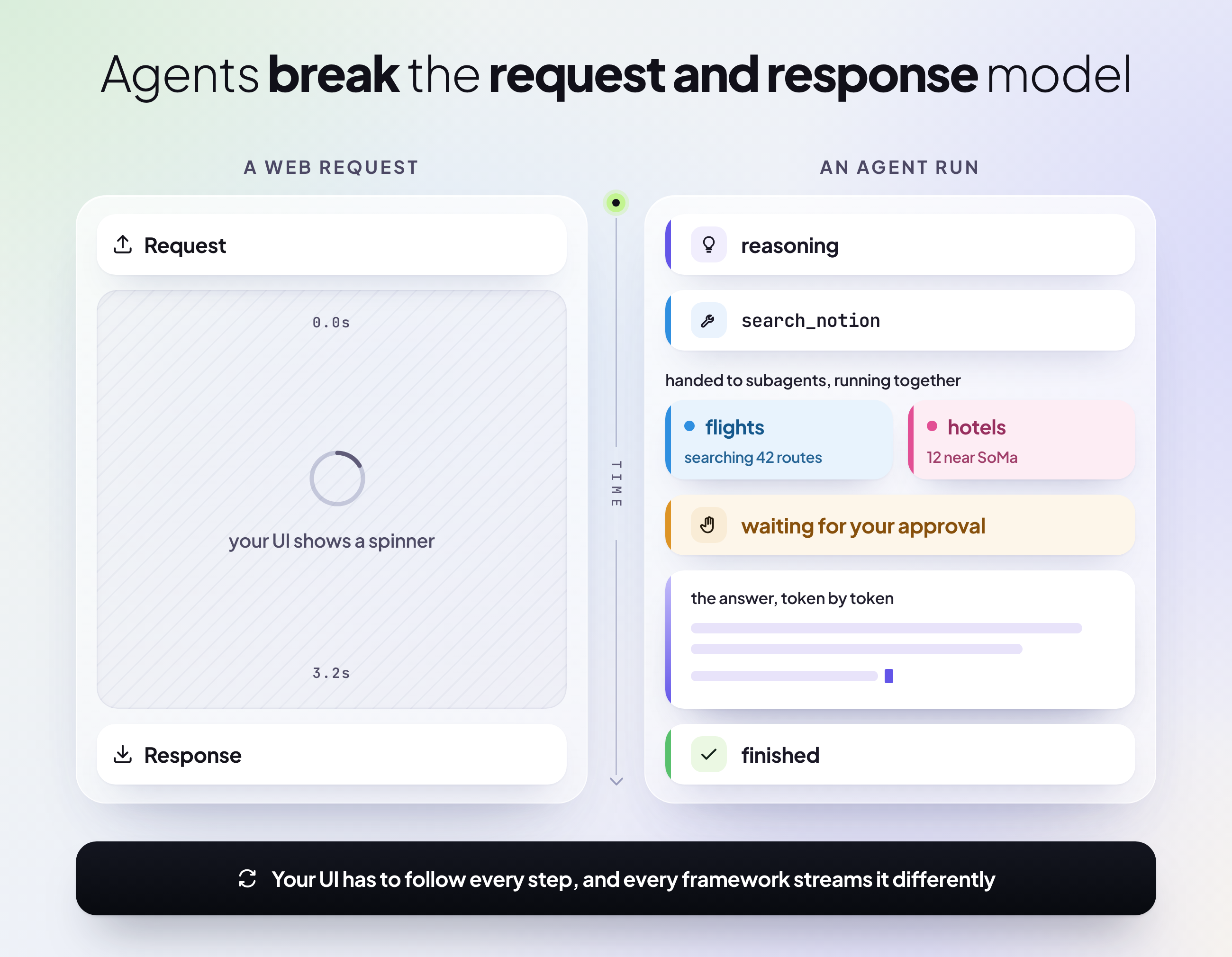
But every agent framework streams these updates in its own format, so developers write custom code to parse the stream, track what the agent is doing and map it to the UI. That's boilerplate you have to maintain and since agent frameworks change fast, it can break with any update. And every surface, whether it's a web app, Slack or Teams, needs its own version of that code as well.
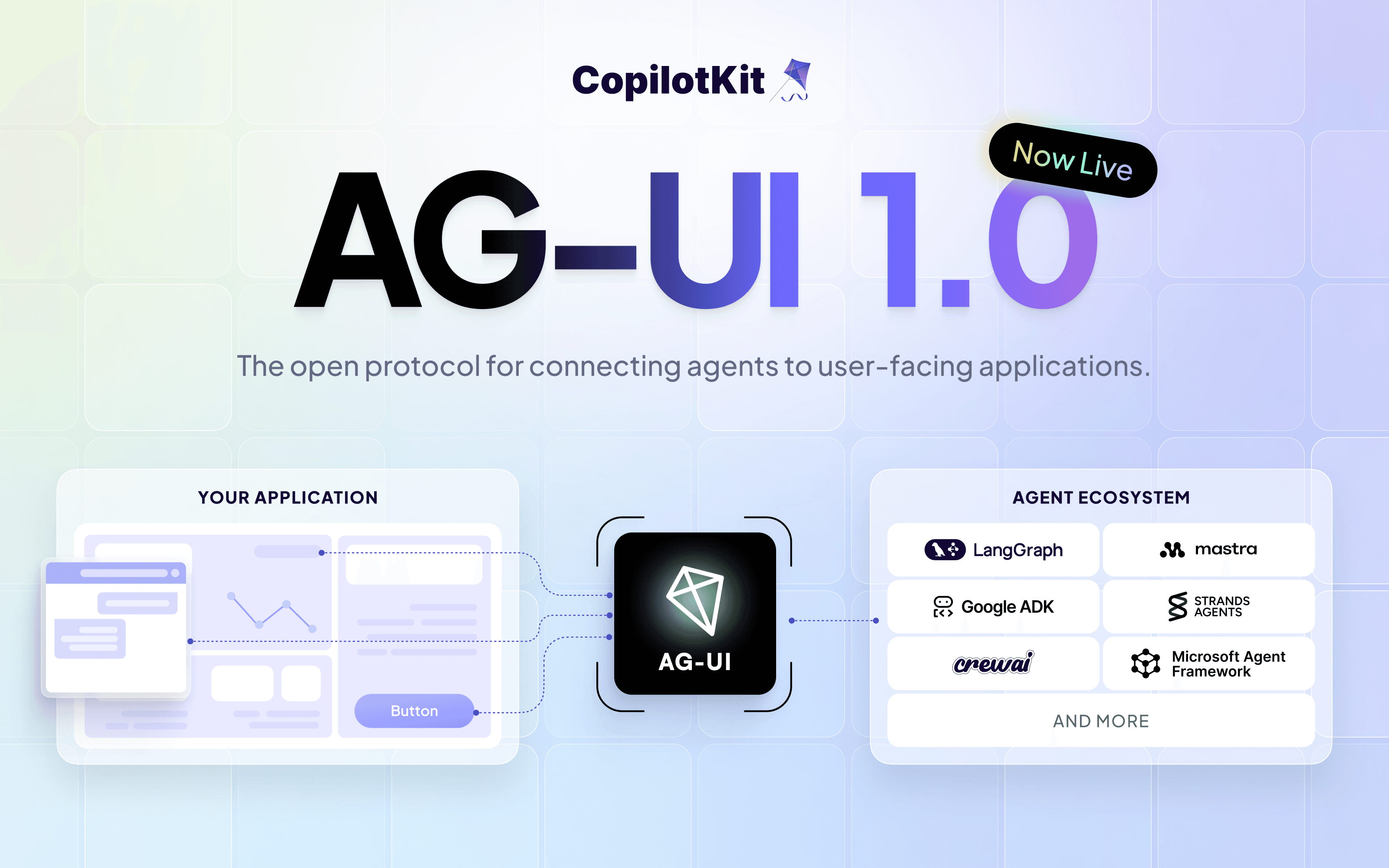
AG-UI (Agent-User Interaction Protocol) standardizes how agents communicate with user-facing applications.
Put simply, it's a framework-agnostic way to connect agentic backends to agentic frontends, and the user-facing layer that was missing from the agent stack.
It's adopted by Google, Microsoft, Amazon, Oracle, and most of the agent ecosystem already supports it, including Anthropic's Claude Managed Agents, LangChain, Mastra, Microsoft Agent Framework, TanStack, Google ADK, Pydantic AI, CrewAI, and many more.
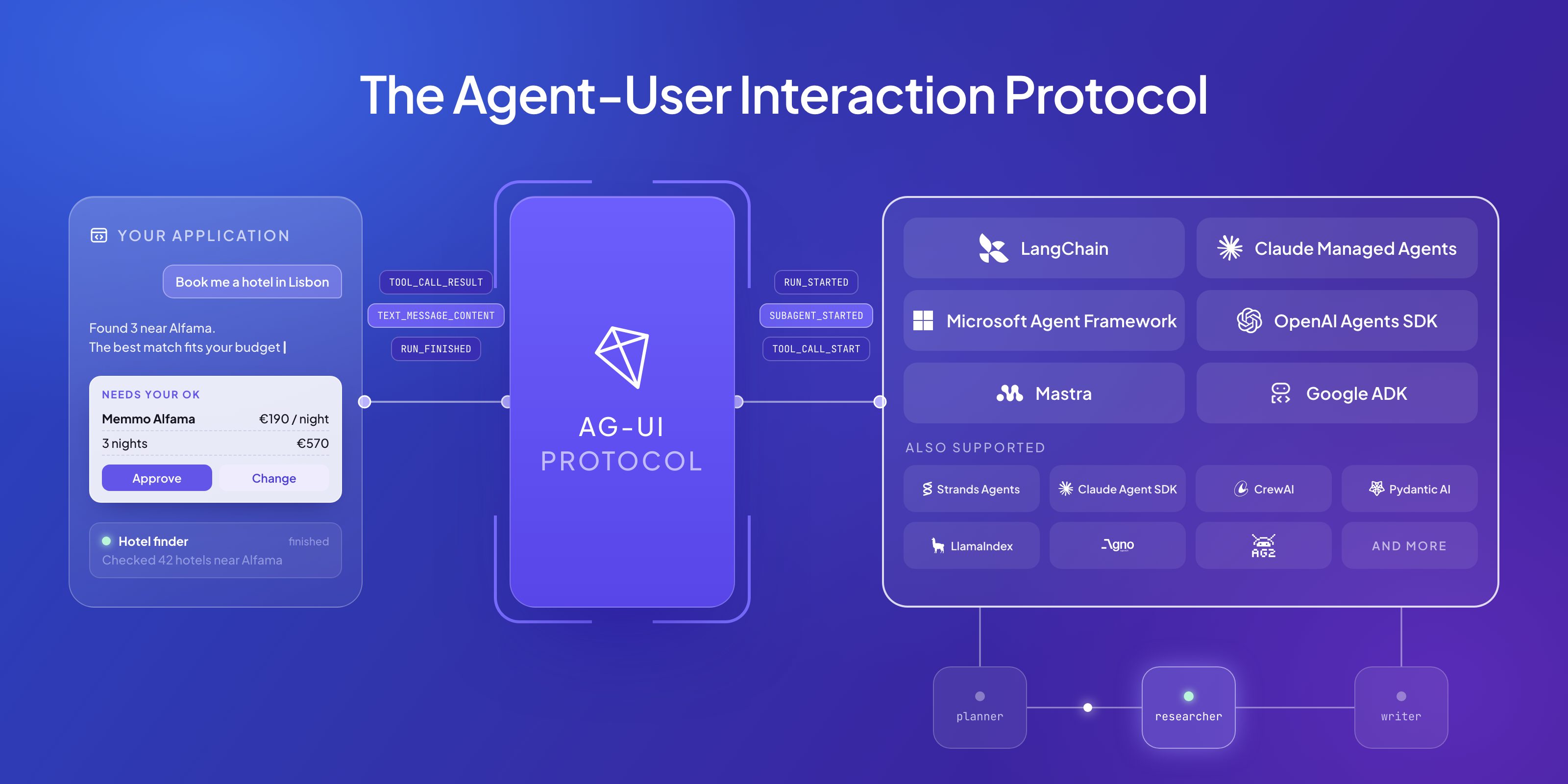
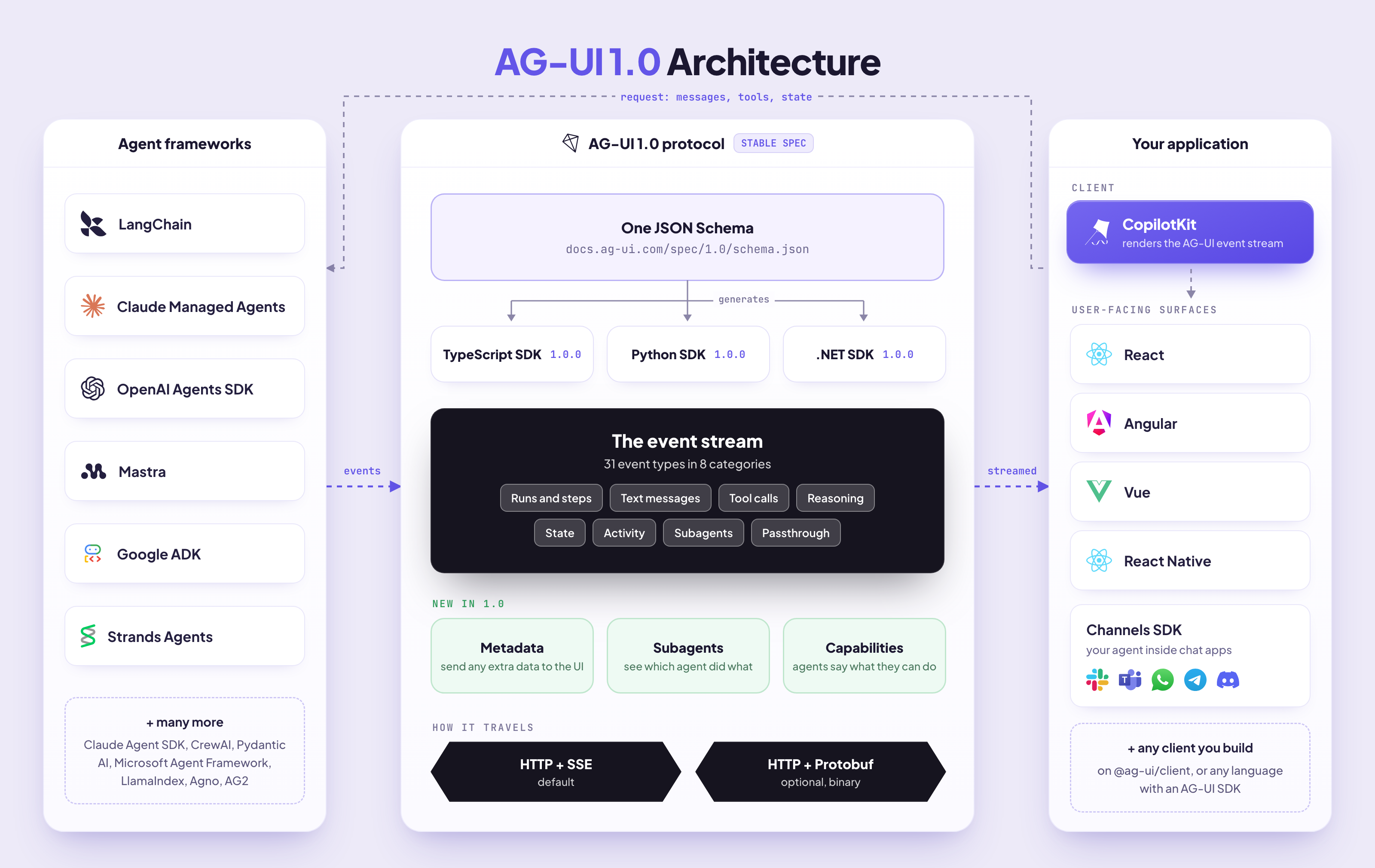
Under the hood, your app sends one request and gets a stream of events back. The spec defines two sides:
The protocol is transport-agnostic and language-agnostic. Official SDKs cover TypeScript, Python, and .NET, and you can send AG-UI events to Rust, Go or anywhere else you need them.
Generative UI specs like A2UI and MCP Apps also travel over AG-UI.
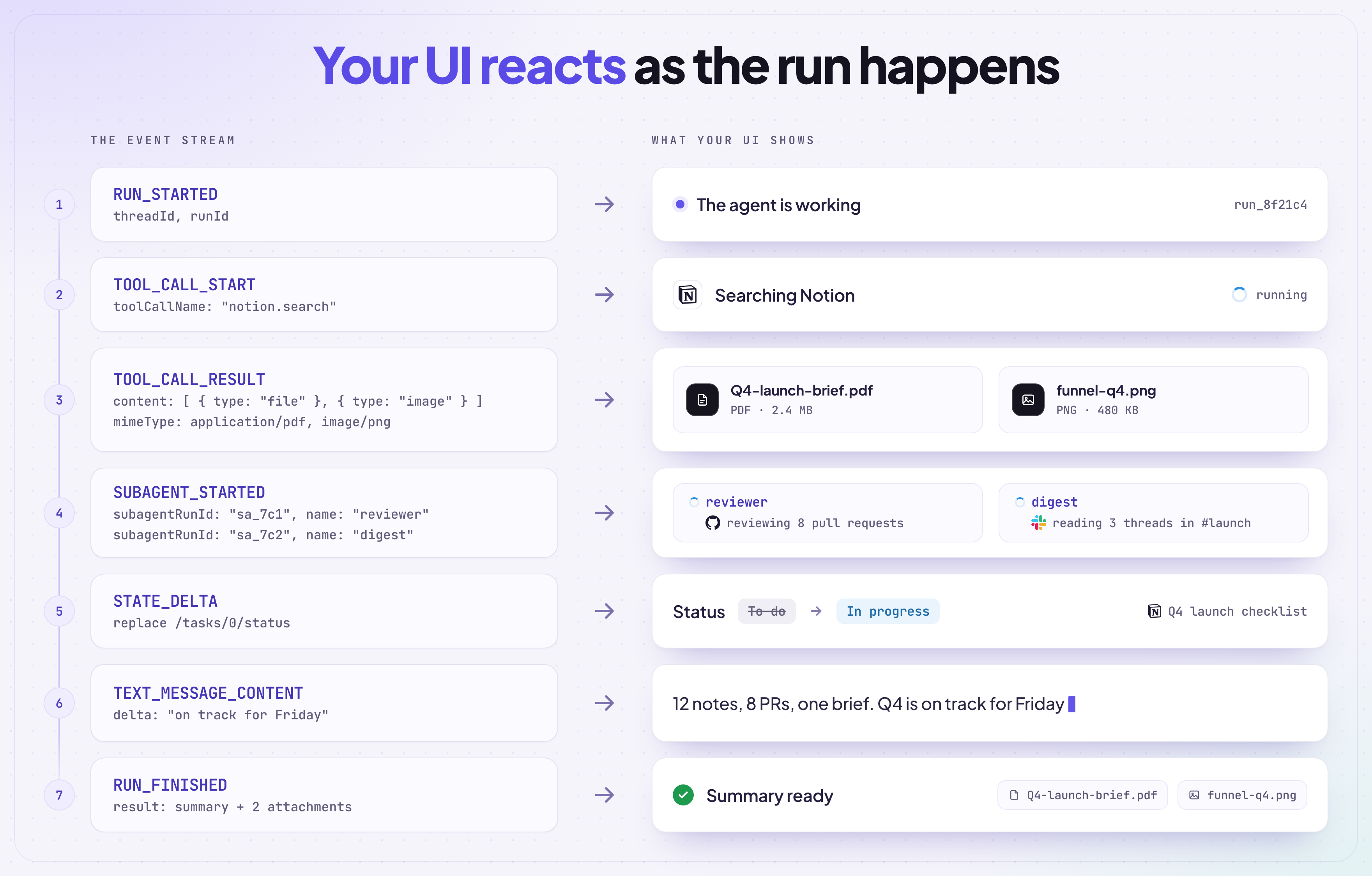
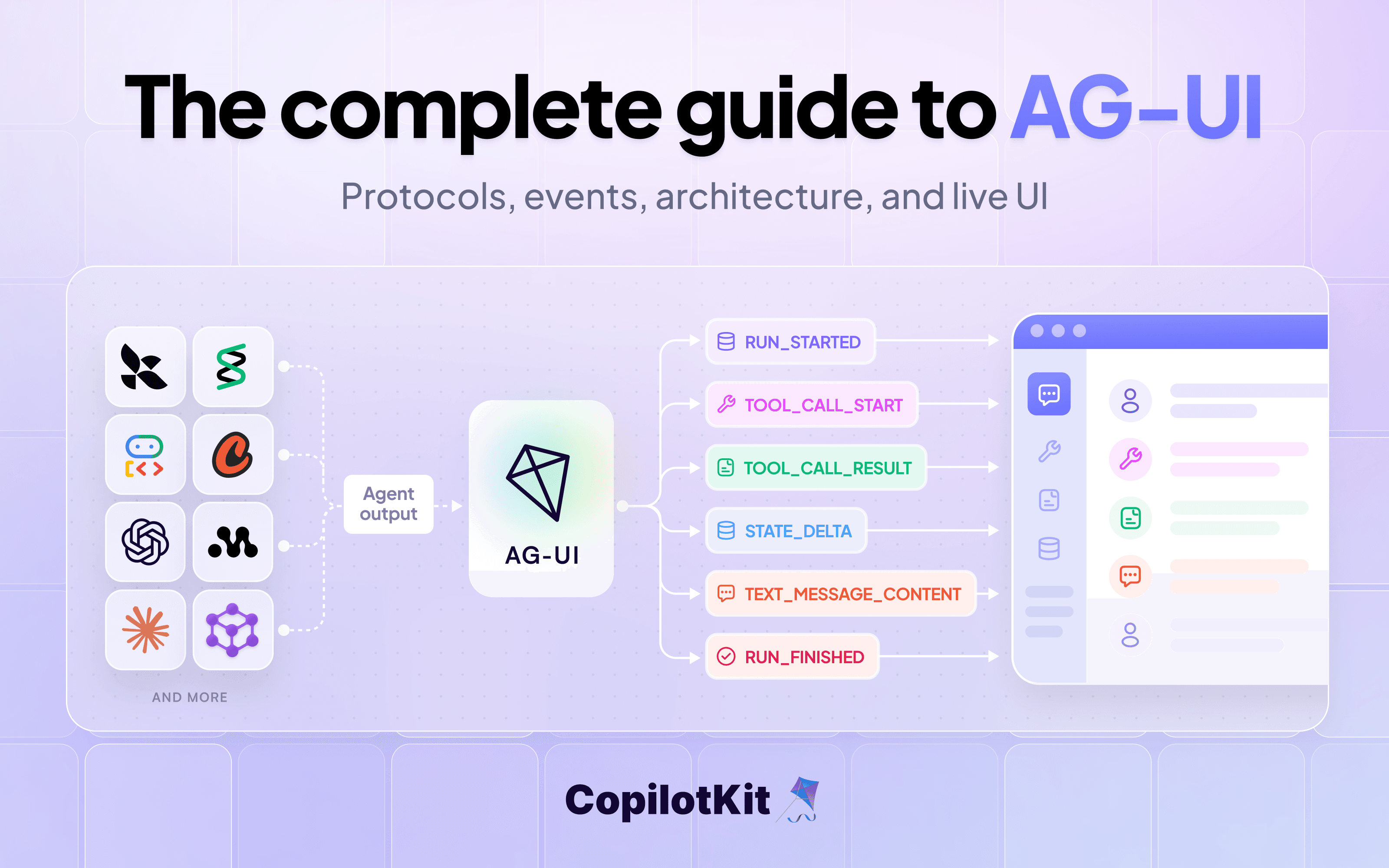
AG-UI events cover the complete agent lifecycle, grouped into eight categories like text messages, tool calls, state and subagents. Say you ask an agent to summarize your Notion notes. The agent:
RUN_STARTED)TOOL_CALL_START)TOOL_CALL_RESULT)STATE_DELTA)TEXT_MESSAGE_CONTENT)RUN_FINISHED)Your UI can react to each event the moment it happens (like showing "Searching Notion..." while the tool runs), instead of waiting for the whole run to finish.
AG-UI 1.0 introduces a stable specification backed by a JSON Schema, and the TypeScript, Python and .NET SDKs are now generated from it.
It also brings subagent support, metadata, multimodal tool results and more. Read more about all of them in the launch blog.
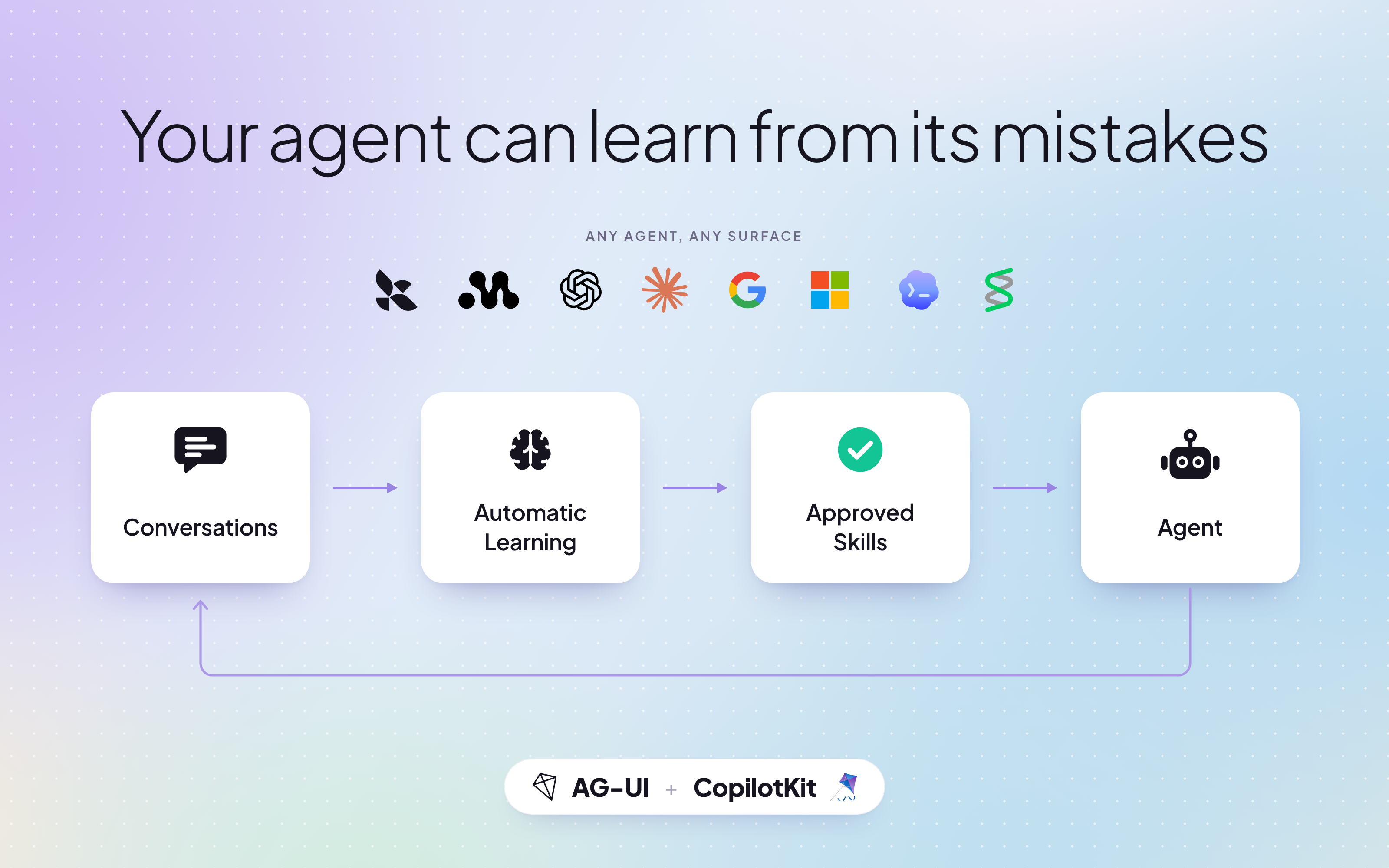
Since AG-UI captures every interaction between your agent and your users, each run becomes a signal your agent can learn from. CopilotKit Intelligence uses Automatic Learning to extract insights from conversations and turn them into Skills your agent uses next time.
conversations → learning → proposed Skills → agent → better conversations...
You review and approve each Skill, and Skill delivery loads the published ones into your agent. You can also download them with the CLI for any other agent. Read more in the docs.
Spin up your first AG-UI app with a single command.
npx create-ag-ui-app@latestLearn more:
If you have ideas for the next version, jump into GitHub Discussions and tell us what you want to see.
If you're building an agent framework or SDK and want to add AG-UI support, we'd love to work with you. Just reach out in the AG-UI or CopilotKit communities, or on GitHub.
Want to bring CopilotKit into your stack? Talk to our engineers and we'll help you set it up.
Follow CopilotKit on Twitter for updates.
Subscribe to our blog and get updates on CopilotKit in your inbox.